
An alphanumeric data entry test measures how quickly and correctly you can type information that mixes letters and numbers: order codes, reference numbers, account strings, postal codes, and dates. It is not the same as copying a paragraph of English. In ordinary text, your fingers coast on familiar word shapes and your brain predicts what comes next. In a string like B7204KX, there is nothing to predict, so you must read and enter every character, and one wrong digit can make a record useless.
That is why the test scores two things at once: how much data you get through, and how much of it you got right. This guide covers what it measures, what happens when you sit one online, how speed and accuracy are calculated, and how to practise mixed letter-and-number entry before a timed assessment. You will also find sample strings to drill and realistic advice on getting faster without letting your error rate climb. To start, take a timed typing test and note your current speed and accuracy.
What Is an Alphanumeric Data Entry Test?
“Alphanumeric” simply means letters and numbers together. A test of this kind builds its content from both and measures how fast and how accurately you reproduce it. The three character groups behave differently under your fingers:
- Alphabetic characters — A–Z and a–z. Names, addresses and ordinary prose.
- Numeric characters — the digits 0–9. Quantities, amounts and ID numbers.
- Alphanumeric entries — both together, usually inside one unbroken string such as INV2048A.
Each group is typed differently: letters in real words come out as chunks, while digits are entered one at a time on the number row or a keypad. An alphanumeric string makes you switch between the two mid-sequence with no meaning to guide you, so what the test measures is controlled verbatim entry rather than fluent writing.
Alphanumeric Data Entry Test
Most online tests of this type share a shape: the data appears on screen, there is a field to type it into, and a clock is running. Some show one item at a time; others display a block to work through until time runs out. What gets watched:
- Typing speed — how much data you get through in the time available.
- Accuracy — how much of what you typed matches the source exactly, capitals and separators included.
- Correct character entry — whether you picked the right character where two look alike on screen.
- Numbers and letters — how cleanly you switch between the letter block and the number row.
- Mistakes and corrections — whether backspace is allowed. Some tests permit it freely, some penalise it, some lock a field once you move on.
- Completion time — a fixed window, or the total time you take to finish a set of records.
These details vary between providers, which matters when you compare results: a test that blocks corrections is not measuring quite the same thing as one that lets you fix errors as you go.
How Does an Alphanumeric Data Entry Test Work?
Step by step, a typical test runs like this:
- 1. The data is displayed. A string, a form field, or a short record to copy.
- 2. You type it exactly as shown. Case, hyphens, spaces, and leading zeros count. “ord-58321” is not the same entry as “ORD-58321”.
- 3. The clock runs. Either a fixed time limit or a completion timer.
- 4. Accuracy is calculated. Your entries are compared character by character with the source, then expressed as a percentage.
- 5. Speed is calculated. Shown as words per minute, characters per minute, or keystrokes per hour — data-entry tools lean towards character counts, because codes are not words.
- 6. A final score is produced. Some tests report speed and accuracy separately; others combine them, deducting a penalty for errors.
That is why accuracy is not a side note. Raw speed says how fast your hands moved, not how much usable data you produced — the same distinction ordinary typing draws between gross and net WPM. It bites harder here, because a mistyped reference number cannot be guessed from context the way a misspelled word can.
Alphanumeric Data Entry Test Practice

Typing practice works best when it resembles the test. Prose builds general keyboard control but will not prepare your hands for switching between letters and digits every few characters. Useful drills:
- Mixed strings — short random codes such as K4T81M or 9XQ260, in sets of ten or twenty.
- Names and codes together — “Marie Okonkwo / EMP-4471”, closer to entering a record than a lone string.
- Account-style numbers — long digit runs with separators, such as 4471 8290 3356, where losing your place is the risk.
- Product codes — TX90K4 or SKU-7719B, where a letter and a digit sit side by side.
- Postal and ZIP-style combinations — numeric formats such as 94103 and letter-number formats such as M4B 1B3.
- Dates and reference numbers — 12/04/2026 or REF-2026-0148, training the slash, hyphen, and number-row reach.
- Short data-entry sequences — three or four fields entered back to back, for the rhythm of continuous work.
Split your practice in two. Drill the strings above in a plain text editor, then use timed tests for the other half of the skill: pacing, focus and accuracy under a clock. A 1-minute typing test suits short repeatable checks, and running two or three back to back shows whether your accuracy holds once concentration slips. It uses ordinary English rather than code strings, so treat it as pacing and stamina training alongside your own drills.
Alphanumeric Typing Test for Speed and Accuracy
Typing quickly and entering information correctly are different skills, and data entry rewards the second. Consider what an error costs. In prose, a typo is usually visible and harmless — the reader still understands the sentence. In data entry, a wrong character produces a record that is confidently wrong: a transposed digit points to a different invoice, a dropped leading zero becomes a different product code, and nobody reading it later can tell it was a typo.
The arithmetic, as an illustration: enter 200 codes quickly and get six wrong, against someone who enters 170 in the same time and gets one wrong. Once every error has to be found and re-keyed, the slower typist produced more usable output. A high speed score next to a low accuracy score is therefore a warning sign — the fix is to pull the pace back until the errors stop, then rebuild.
Data Entry Speed Test: What Is a Good Score?
No single number counts as good, because this performance is measured in several ways and expectations differ by role and provider. What each figure means:
- Raw speed — how fast you typed before any penalty. Useful for tracking progress, weak as a claim about ability.
- Accurate (adjusted) speed — raw speed after errors are deducted, and the figure closest to real productivity.
- WPM — words per minute, normally calculated by treating every five typed characters as one word.
- Characters per minute — a direct character count, often preferred for data entry; keystrokes per hour is the same idea scaled up.
- Accuracy percentage — the share of characters entered exactly as shown.
If you are using LetsTypeCheck to build the underlying keyboard skills, the results panel reports WPM, accuracy, and a mistake count as separate figures rather than one combined score. That split suits data-entry practice: progress usually shows up as the mistake count falling before the speed figure moves.
Two results are comparable only if they came from the same kind of test. A words-per-minute figure from a prose passage will almost always beat one from random strings, so treat them as separate measurements rather than one score. The most useful benchmark is your own previous result on the same format.
How to Improve Your Alphanumeric Data Entry Speed

Speed on mixed characters comes from removing hesitation rather than from hurrying.
- Practise under a clock. Entering codes calmly is a different skill from entering them quickly, and only a timer builds the second one.
- Learn the layout properly. If you look down to find the 7 or the hyphen, the glance costs you your place — and unlike prose, you cannot read the sentence back to recover it.
- Drill the number row. Most typists are far weaker above the letters than on them, and in mixed strings the number row is where the hesitation happens.
- Use a numeric keypad where the data suits it. For long unbroken digit runs, it beats the number row; on a laptop, an external keypad is a cheap addition.
- Cut unnecessary movement. Return to a consistent resting position between fields instead of leaving your hands wherever the last digit left them.
- Build a rhythm. In data entry, the rhythm is per field rather than per sentence: an even pace across records beats bursts followed by pauses.
- Practise the combinations you actually meet — letter-digit-letter patterns, hyphenated references, whatever your work uses.
- Raise the pace in small steps. Push past comfortable, hold until accuracy recovers, then push again.
- Review every test for hesitation, not only for errors. The characters you paused before are the ones to drill next.
For the broader foundations — technique, posture and the habits that hold typists back — see the guide on typing faster.
How to Improve Data Entry Accuracy
Accuracy responds well to deliberate practice, because most errors are not random: they cluster around particular keys, combinations, and lapses of concentration.
- Slow down where it is needed — long digit runs, awkward letter-number switches, anything with a separator.
- Read ahead by a small margin, taking in the next characters while your fingers finish the current ones.
- Chunk the string. Enter a long code in groups of three or four rather than as a whole.
- Target your own difficult combinations instead of practising everything equally.
- Avoid reflex corrections. Constant backspacing eats time and often adds a second error.
- Keep your fingers anchored, so every key is found from the same starting point.
- Keep a list of the characters you actually miss. In mixed strings, the same ones repeat: particular digits, shifted characters, the letter-to-number handover.
Accuracy should not be traded away for a bigger speed number. For error patterns across ordinary typing and how to fix them, see the guide on how to improve typing accuracy.
Common Characters in an Alphanumeric Data Entry Test
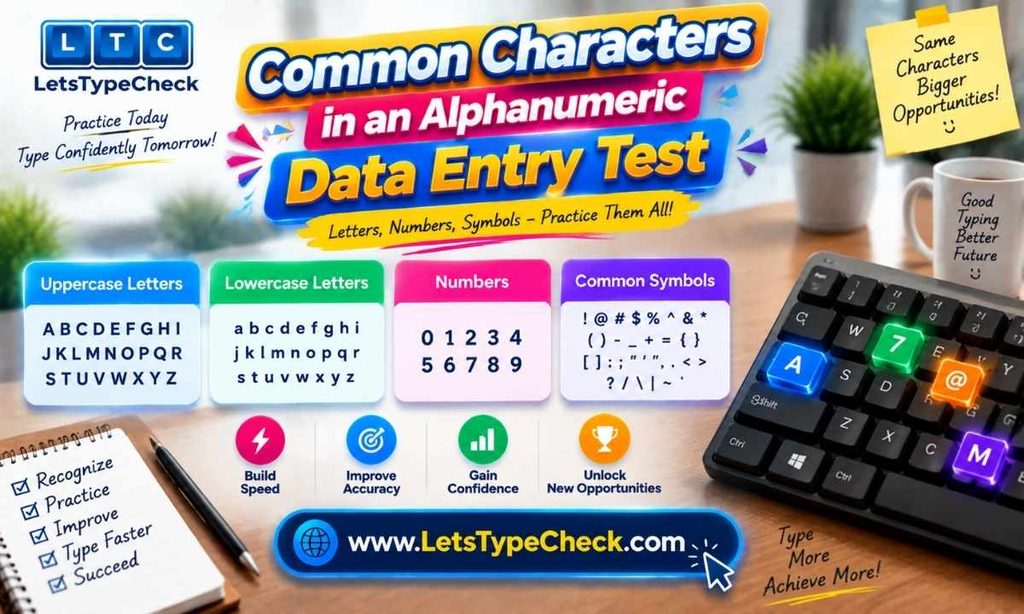
The character set is usually simple, but worth knowing:
- Uppercase letters (A–Z) — common in codes, product references,s and postal formats.
- Lowercase letters (a–z) — common in names and free-text fields.
- Digits (0–9) — alone or embedded inside a string.
- Mixed letter-number combinations — the core of the format, such as Q7M39P2.
- Basic separators — hyphens, slashes, full stops and commas, mostly inside dates and reference numbers.
Two things catch people out. Case: where a test is case-sensitive, a lowercase letter in place of a capital counts as an error. And lookalikes — 0 and O, 1 and l and I, 5 and S. When unsure, use the shape of the field: a format that is always three letters then four digits tells you which is which.
Numbers and Letters Data Entry Practice
Sample strings to copy into a text editor and retype:
AB4927X INV2048A Q7M39P2 ORD-58321 TX90K4
M4B 1B3 REF-2026-0148 9XQ260 SKU-7719B 4471 8290 3356
Retype the list three times and watch what happens. The first pass is slow, because you are reading every character. The third is usually fastest and sloppiest, because you have started half-remembering the strings instead of reading them — the exact habit a real test punishes. Rewrite or shuffle your list regularly.
Mixed-character work is harder than prose for specific reasons: no word-level muscle memory to lean on, far more travel between the letter block and the number row, capitals putting shift keys in unpredictable places, and no context, so you cannot catch a mistake by noticing that something reads wrong. These examples are illustrative practice patterns, not the formats used by any particular employer or testing provider.
Alphanumeric Data Entry Test Tips
Before a timed test, keep these in mind:
- Read the instructions first — whether corrections are allowed, whether case matters, how the test ends.
- Keep a steady pace instead of sprinting the opening and fading later.
- Prioritise accuracy: one avoided error is usually worth more than a few extra characters.
- Do not panic after a mistake. Dwelling on an error is how the next three happen.
- Use proper keyboard technique rather than hunting, and keep your hands anchored.
- Practise before you are tested for real, so the format is not what surprises you.
- Review your result afterwards; the error list is more useful than the score.
Who Should Take an Alphanumeric Data Entry Test?
This kind of test is worth taking if you fall into any of these groups:
- Data entry applicants preparing for a role built on accuracy with codes and records.
- Administrative and office professionals handling invoices, orders, or customer records.
- Clerical workers entering forms, references or case numbers into a system.
- Students building keyboard skills before entry-level office work.
- Anyone preparing for an employment typing test or a wider clerical skills assessment.
- Anyone wanting an honest measure of their performance on mixed characters.
Practising improves your keyboard and data entry skills, and your familiarity with the format. It cannot promise you a job, but knowing how the format behaves removes one source of avoidable pressure.
Alphanumeric Data Entry Test for Jobs
Employers use typing assessments and data-entry tests as an early screening step: where keyboarding is most of the work, a short test is a more reliable signal than a line on a CV claiming fast typing.
The format varies. Some use a standard prose typing test; others a form-filling simulation that mirrors the system you would work in; others test numeric entry separately, particularly in invoice, claim,s or order processing. What matters for preparation is that a code-entry format rewards different habits from a prose test: steady field-to-field pacing rather than sentence flow.
Requirements vary just as much. Thresholds depend on the employer, the role, the industry,y and the test provider, and some listings state a minimum in keystrokes per hour rather than words per minute. There is no single passing score for every data-entry position. For how these thresholds break down by role, see the guide on typing speed for data entry jobs.
Frequently Asked Questions About Alphanumeric Data Entry Tests
What is an alphanumeric data entry test?
A timed test that asks you to enter data made of both letters and numbers — codes, reference numbers, account strings — scoring how quickly and accurately you reproduce it.
What does an alphanumeric test measure?
Speed, accuracy, correct character selection, and your ability to switch between letters and digits without losing your place. Some also record how you handle corrections.
Is an alphanumeric typing test the same as a typing test?
No. A standard typing test uses ordinary English, where familiar words let you type in chunks. Meaningless strings are read character by character, which usually produces a lower speed figure.
How is alphanumeric typing speed measured?
Usually in characters per minute or keystrokes per hour, since codes are not words. Check which unit a test uses before comparing two results.
What is a good data entry accuracy percentage?
There is no universal figure. Data-entry work generally treats accuracy as the priority over raw speed, and the threshold depends on the employer and the data involved.
How can I practise an alphanumeric data entry test?
Drill mixed strings, codes, dates and account-style numbers in a text editor, and use timed typing tests for pacing and sustained accuracy. Vary the list so you read rather than remember.
Are alphanumeric data entry tests difficult?
They feel harder than ordinary typing tests because there is no context to help you, ou and most people are slower on the number row. Targeted practice makes the format manageable.
How can I improve my score?
Work on accuracy first, then rebuild speed on top of it. Practise on a timer, drill the number row and your own recurring errors, and review what you got wrong each time.
For more details visit : Check your WPM free