
Parents and teachers searching for typing speed benchmarks usually land on guides written for office workers and job applicants — numbers that mean almost nothing when the typist in question is eight years old. A speed that would be genuinely slow for an adult can be exactly on track for a second grader, and a number that looks impressive for a ten-year-old can still be built on habits that get harder to fix with every year they continue. This guide sets out what actually counts as on-track at each age and grade, how much daily practice makes sense, and how to use a timed typing test without turning it into a source of stress for either of you.
When Kids Are Ready to Start Typing Tests?
Readiness for structured typing has less to do with age on paper and more to do with three physical and cognitive pieces lining up: hands large enough to reach the keyboard without straining, fine motor control precise enough to hit individual keys reliably, and reading fluency solid enough that the child can process the on-screen text as feedback rather than as a decoding exercise. Most children have all three in place somewhere between ages seven and nine — though the range is genuinely wide. Some six-year-olds are ready early; some kids benefit from waiting until ten or eleven, and that’s fine.
Before any formal testing starts, unstructured keyboard play is worth encouraging, not discouraging. A child typing their name, mashing letters to see what happens, or playing simple letter-matching games is quietly building the finger-to-key familiarity that makes structured practice click faster later. The mistake to avoid is rushing a child into timed tests before the physical and reading groundwork is actually there — a test given too early just measures reading speed, not typing ability.
WPM Benchmarks by Age and Grade
Typing speed expectations should scale with age the same way reading-level expectations do. Below are grade-level targets used as reference points in US school technology standards, alongside how the UK, Australia, and Canada frame the same milestones.
| Grade | Age Range | Target WPM | What’s Typically Expected |
| K–1 | 5–7 | No formal target | Keyboard familiarity only — no timed testing yet |
| Grade 2 | 7–8 | 8 WPM | Introduction to home row, two-hand typing |
| Grade 3 | 8–9 | 15 WPM | First grade level expected to produce typed work in one sitting |
| Grade 4 | 9–10 | 20 WPM | Standardized testing increasingly moves online |
| Grade 5 | 10–11 | 25 WPM | Longer typed passages (2–3 pages) become normal |
| Grade 6 | 11–12 | 30 WPM | Written assignments increase sharply entering middle school |
| Grade 7 | 12–13 | 35 WPM | Research papers and multi-paragraph essays become routine |
| Grade 8 | 13–14 | 40 WPM | Roughly the average adult typing speed |
| Grades 9–12 | 14–18 | 40–55 WPM | College applications and coursework; 60 WPM helps for career prep |
Accuracy of 95% or above is the standard companion target at every grade — a fast score with a low accuracy percentage isn’t actually the win it looks like (more on that below).
In plain classroom terms: elementary-school typists (roughly Grades 2–5) are still building foundational speed and finger placement, middle schoolers (Grades 6–8) are expected to produce typed essays and reports at a reasonable clip, and by high school, typing is treated as an assumed skill rather than something actively taught.
How Other Countries Frame the Same Milestones?
● United Kingdom: The National Curriculum expects confident keyboard use by the end of Key Stage 2 (age 11), which works out to roughly 15–20 WPM. By GCSE level (age 16), 35–40 WPM is the practical benchmark for completing timed coursework.
● Australia: The Digital Technologies curriculum introduces touch typing in primary school (Years 3–6, ages 8–12), with 25 WPM by the end of Year 6 commonly used as a school ICT target.
● Canada: Provincial frameworks vary, but Ontario and BC both treat keyboarding as a core skill by Grade 6, generally aiming for 25–30 WPM by around age 12.
● India: Computer literacy is typically introduced in the Class 3–5 range in most CBSE and state-board schools, with typing usually taught informally through computer-lab periods rather than a fixed national WPM standard — speed becomes a formal requirement later, when students start preparing for government exam typing tests.
If your child is preparing for one of those exams down the line, what a good typing speed looks like by age and job covers the adult and exam-level targets this page builds up to.
Don’t apply adult benchmarks to a child’s score, even informally. A 9-year-old at 15 WPM with 90% accuracy and correct finger placement is doing well — introducing the idea that 15 WPM is “slow” (true only by adult standards) discourages a kid who’s actually on track. What matters far more than the number today is whether the underlying technique is correct: a child typing 20 WPM with proper form will naturally climb to 50–70 WPM over the next few years, while a child typing 30 WPM with two fingers has a lower ceiling and a harder transition to fix later. For the fuller picture on how typing speed climbs with age past the school years, see average typing speed by age.
How Long Kids Should Practice Each Day
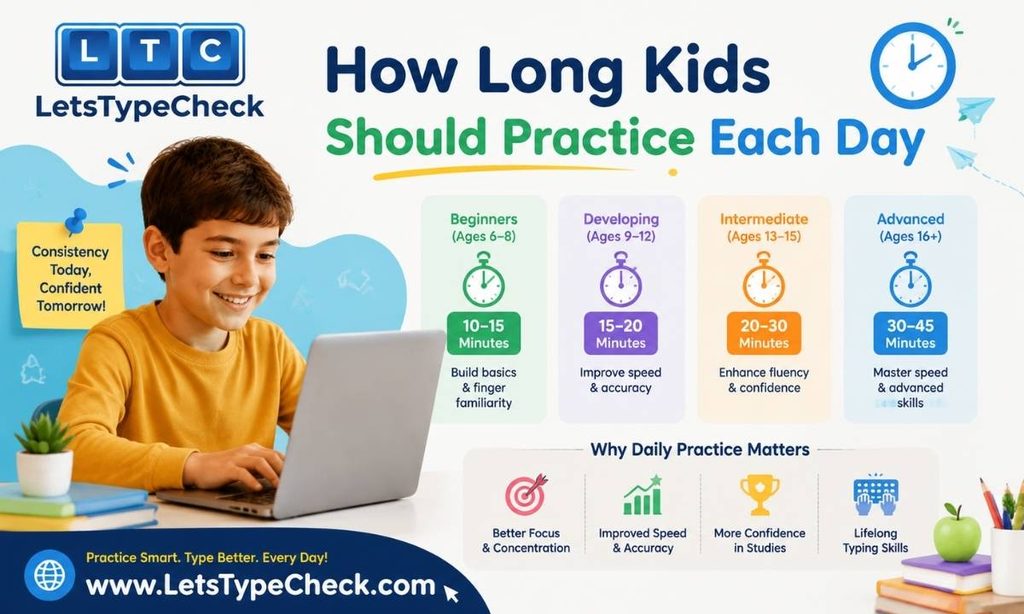
A child’s hands and attention span run out well before an adult’s do, and pushing a session past that point doesn’t build skill — it just gives mistakes more time to turn into habits. Short, frequent sessions beat long, occasional ones at every age band below.
| Age / Grade | Session Length | Frequency | Focus |
| Age 6–7 (Grade 1–2) | 5 minutes max | As interest allows | Keyboard exploration, home row identification — no timed tests yet |
| Age 8–9 (Grade 3–4) | 5–10 minutes | Up to 3x/week | Word drills on home row + top row (E, I, R, U); accuracy above 90% |
| Age 10–11 (Grade 5–6) | 10–15 minutes | 4–5x/week | Full keyboard, short paragraphs; weekly timed test to track progress |
| Age 12–13 (Grade 7–8) | 15 minutes | Timed tests 2x/week | Longer passages (150–200 words); building toward sustained typing |
| Age 14+ (High School) | 15–20 minutes | Regular, adult-style | Full adult practice protocols; track weekly WPM trend |
A single short timed test is often the perfect unit of practice for younger kids — achievable, complete, and immediately rewarding with a result. Since this site’s tests run up to 2 minutes, a 1-minute typing test is a good fit for most kids from around age 8 up: long enough to be meaningful, short enough that focus doesn’t collapse partway through.
Accuracy vs. Speed for Young Typists
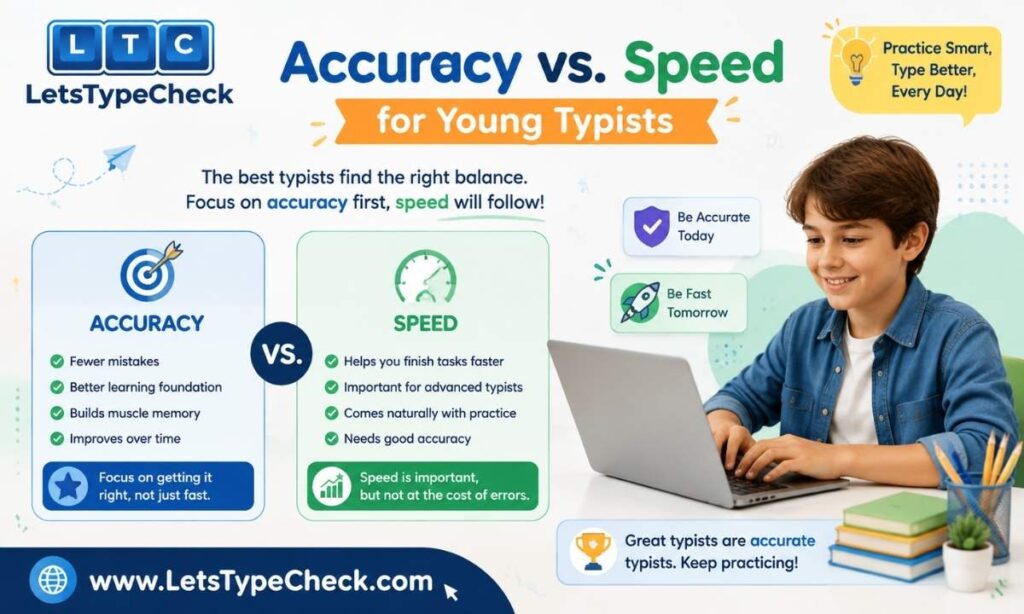
Parents naturally lock onto the WPM number since it’s the loudest thing a test reports. Accuracy is the number that actually predicts progress in a young typist. Once you subtract the time spent backspacing over mistakes, a fast-but-sloppy typist often produces less usable text per minute than a slower typist who rarely misses a key.
That’s essentially the gross WPM vs. net WPM distinction, and it carries more weight for kids than adults — a habit formed young is harder to unlearn than one formed recently. A child who’s praised for raw speed while typing with two or three fingers locks that motion into muscle memory early. Retraining an 11- or 12-year-old out of years of two-finger typing is a far bigger project than teaching correct form to a 7-year-old who hasn’t developed a habit yet.
| Fast but Inaccurate (Age 11) | Slower but Accurate (Age 11) | |
| Gross WPM | 32 | 24 |
| Accuracy | 78% | 96% |
| Net (correct) WPM | ~25 | ~23 |
| Technique | 2–3 fingers, eyes on the keyboard | All 10 fingers, home row trained |
| Outlook | Likely to plateau without a technique reset | On pace to clear 55+ WPM by high school |
If a child’s error pattern seems to repeat on the same few keys, common typing mistakes and how to fix them walks through the most frequent culprits and how to correct them.
Making Practice Fun Instead of a Chore
A kid who’s asked to “practice typing” tends to check out fast. A kid who’s challenged to beat their own last score usually doesn’t. Framing each attempt as a rematch against yesterday’s version of themselves — rather than a comparison to classmates or a sibling — keeps the pressure internal and the motivation intact. A few small wins worth flagging out loud as they happen: the first run past 15 WPM, the first test with fewer than three mistakes, the first time finishing without a single glance down at the keys. None of those require a big speed jump, which is exactly why they work as milestones.
Because this site’s results panel shows Time Left, WPM, Accuracy, and Mistakes as four separate live stats, there’s more than one score a child can chase. A kid who’s plateaued on WPM can instead be challenged to beat their last Accuracy percentage, or to bring their Mistakes count down on the next attempt — both are real, trackable wins that don’t depend on typing any faster that day.
Home Row and Finger Placement Basics
Start every new typist, whatever their age, on the home row — ASDF under the left hand, JKL; under the right. Point out the small raised ridges on the F and J keys and have the child locate both by touch alone, without looking down. Once all eight fingers can settle onto the row with their eyes shut, every other key on the board becomes a short, learnable reach away from that starting point and back — which is the whole mechanism touch typing runs on.
A keyboard chart taped near the screen, or a simple hand-drawn diagram, helps a younger child connect a specific finger to a specific key faster than instructions alone. Splitting the keyboard into two colors — one per hand — turns the left/right division into something a child can see rather than something they have to remember. For the complete finger-by-finger breakdown, including the number row and symbol keys, see finger placement for typing.
Building Typing Into a Study Routine
Typing sticks best as a routine, not a special activity. A child who practices for just eight minutes, four days a week, logs close to 25 hours over a school year — roughly the gap between a shaky beginner and a genuinely confident typist. Anchoring it to something that already happens daily works well: a quick test as the first few minutes of computer class, or five minutes of typing before homework or screen time, folds it into the day instead of adding another item to the to-do list.
For a structured week-by-week approach once a child is past the absolute basics, typing practice exercises lays out a full daily routine, and the touch typing guide for beginners is a solid next step once home row is comfortable.
How This Typing Test Works for Kids?
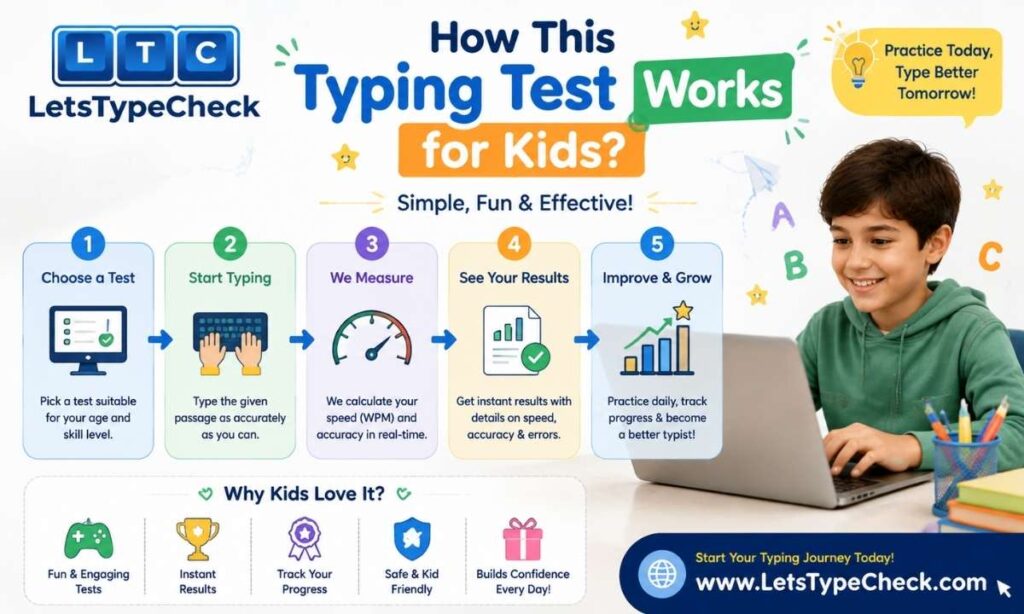
Whether this is a one-off typing assessment for students in a classroom or a quick check-in for your own child at home, the test itself works the same way for kids as it does for anyone else. A few things worth knowing before a child sits down to it:
● Difficulty levels: Easy, Medium, and Hard are based on vocabulary and sentence complexity — not punctuation, numbers, or capitalization. Easy is the right starting point for most kids new to typing.
● Test length: Tests cap out at 2 minutes, which works well for shorter attention spans — there’s no 5- or 10-minute mode to worry about outgrowing here.
● Live results: Time Left, WPM, Accuracy, and Mistakes are shown as four separate stats at the end of each test, giving multiple things to track and improve on.
● No certificate download: This tool doesn’t generate a printable certificate or official result file. It’s built for practice and progress-tracking, not as a school submission — see the typing test certificate guide for the full breakdown on what typing certificates are and aren’t used for.
A child brand new to typed tests altogether might also start with the typing test for beginners page, which walks through what to expect on a first attempt. One honest note: this is a measurement tool, not a game — there are no characters to defeat or levels to unlock here. If a child responds better to gamified practice, that’s a fine complement on other days; use this test to check where they actually stand.
Parent and Teacher Action Guide
If a child is below the grade benchmark
Resist jumping straight to speed drills. Watch the child type for a minute first: if their eyes stay locked on the keys instead of the screen, technique is the actual bottleneck, and any speed work stacked on top of that just cements the wrong habit faster. Spend several sessions on home row drills alone before introducing a timed test of any length.
If a child is at or above the grade benchmark
Look at accuracy before congratulating the WPM number. A child typing in the low 30s WPM with accuracy in the low 80s is producing less usable text than one typing in the mid-20s WPM at 96%+ — the second child, not the first, is closer to where you want them. Anything consistently under roughly 93–95% accuracy means the next few sessions should target clean keystrokes, not a faster clock.
If a child is significantly ahead
There’s no need to chase adult numbers early. An 11-year-old comfortably clearing mid-40s WPM is already ahead of most adults and doesn’t need to be pushed toward 65 or 70. Let that speed settle into muscle memory for a while — rushing a child who’s already ahead of the curve mostly adds pressure without adding real skill.
One measure worth tracking monthly
A simple routine that works well: run a short timed test on roughly the same day each month, at a similar time so tiredness doesn’t skew the result, and note the WPM and accuracy. A rise of around 2–3 WPM a month is a solid, sustainable pace for a school-age typist. If a couple of months pass with the number essentially flat, that’s the signal to revisit technique rather than assume more practice alone will fix it.
Frequently Asked Questions
What is a good typing speed for a 10-year-old?
Most 10-year-olds fall somewhere in the 15–22 WPM range under typical school technology benchmarks, and accuracy matters more than where exactly they land in that range. A child holding 18–20 WPM with all ten fingers on the keyboard and no glances down is doing better than the raw number alone suggests — form at this age counts for more than speed.
At what age should kids start learning to type?
Somewhere between six and eight is typical for most kids, with structured classroom typing instruction usually starting around second grade in the US and similar school systems elsewhere. Starting later costs nothing, and unstructured keyboard play before that — typing their name, simple letter games — works fine as a substitute for formal lessons.
How long should a child practice typing each day?
As a rough guide: children under 8 rarely need more than about 5 minutes at a time, kids 8 through 11 tend to do well with 8–12 minutes a day, and children 12 and older can usually handle 15 minutes or more without losing focus. Showing up consistently across the week matters more than hitting an exact number of minutes on any given day.
My child types 15 WPM at age 9. Is that normal?
That’s a solid result for age nine — right around where most school technology standards place third and fourth graders, particularly if accuracy is comfortably above 90%. There’s no need to chase a higher number before the underlying technique, especially finger placement and not looking at the keys, is actually solid.
Should accuracy or speed matter more for young typists?
Accuracy, without much competition. A child typing more slowly but cleanly — say, high teens WPM at 95%+ accuracy — is building a foundation a faster but sloppier typist in the 30s WPM with accuracy in the 70s will eventually have to unlearn and rebuild. Speed tends to follow on its own once the fingers are landing on the right keys automatically.
What is the typing speed target for high school students?
By the later years of high school, somewhere in the 40–50 WPM range with strong accuracy is a reasonable general target, and students heading toward office, administrative, or healthcare roles benefit from working closer to 60 WPM before graduating — that’s roughly where many entry-level job requirements start.
Does this typing test give a certificate for school?
No — this tool is built for practice and tracking progress over time, not for generating an official downloadable certificate. If a school or program specifically requires a certified result, check with the teacher or institution about which platform they officially recognize.
What difficulty level should my child start on?
Easy is the right starting point for almost every child new to typing, since it uses simpler vocabulary and shorter sentences rather than technical terms. Move up to Medium once a child is comfortably clearing their Easy-level tests with accuracy above 90%.