
If you just took your first typing test and the number staring back at you feels embarrassingly low, take a breath — you’re not behind, you’re just starting. Most people who sit down and type for the first time score somewhere between 8 and 20 words per minute (WPM), and a lot of them react the same way: they either feel discouraged and close the tab, or they try to type faster right away, which almost always backfires. Neither reaction gets you anywhere.
This guide walks through what a beginner score actually tells you, how to set yourself up before you practice, the order in which skills should be built, and a simple 7-day routine you can start today. By the end, you’ll know exactly what to do with your first result instead of just staring at it.
What Your First Typing Test Score Actually Means
A score of 8 to 20 WPM is completely normal for a first attempt. If you’ve used a computer casually for a few years already, you might land closer to 25–35 WPM. Neither range says anything about how fast you’ll eventually type — it only reflects the habits your hands have built up so far, which is a very different thing from your ceiling.
To put your number in context, here’s roughly what different starting scores tend to mean and what to do next:
| Your First Score | What It Likely Means | What to Do Next |
| Under 15 WPM | Little keyboard experience, or you’ve mostly typed on a phone | Spend a week on home-row drills before testing speed again |
| 15–30 WPM | Casual computer user without formal technique | Learn proper finger placement, keep accuracy above 95% |
| 30–45 WPM | Experienced but self-taught, with some inconsistent finger habits | Audit which fingers you use for which keys before chasing speed |
| Above 45 WPM | Already reasonably capable, likely with a few bad habits baked in | Prioritize accuracy and consistency over squeezing out more speed |
If You’re Coming From a Phone Keyboard
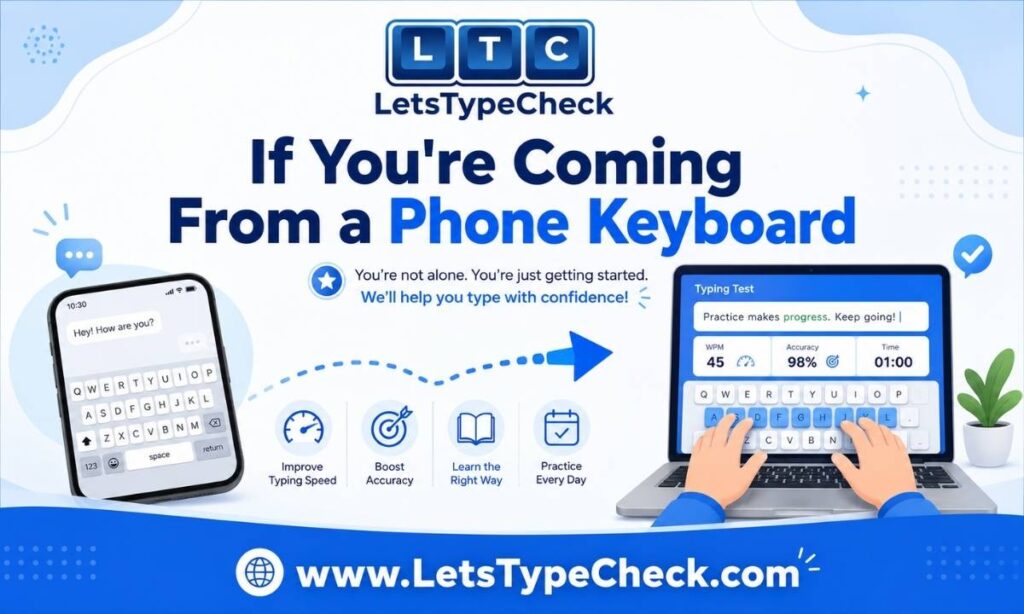
Many lower beginner scores come from a specific group: people who type constantly on a phone but rarely on a physical keyboard. That’s not a weakness — thumb-typing and ten-finger typing use completely different muscle patterns, so a low first score here isn’t a sign you’re behind, just that you’re starting a genuinely different skill. If this is you, don’t try to transfer your phone habits (like using two thumbs or watching your fingers) onto a full keyboard. Start from the home row like anyone else — the phone experience won’t help or hurt you here, so there’s no need to unlearn anything; build new habits from scratch.
Set Up Before You Practice
Most beginner guides skip straight to lessons and skip the physical setup — but getting this right first is what prevents wrist pain and wasted sessions.
Chair, Desk, and Screen Position
- Your elbows should sit at roughly a 90-degree angle when your hands rest on the keyboard. If you’re reaching upward to the keys, you’ll tire fast, and your hands will drift off the home row.
- Keep your screen 18–24 inches from your face. A laptop sitting flat on a desk forces your neck downward, and that position alone can tire you out within 20 minutes — which cuts your practice session short before it even gets going.
Hand and Wrist Position
- Left hand rests on A, S, D, F. Right hand rests on J, K, L. Both thumbs hover over the spacebar. F and J each have a small raised bump — find them without looking, since that’s how your fingers will locate the row automatically later.
- Keep your wrists slightly raised and off the desk while you’re actively typing. Resting them mid-keystroke compresses the tendons and can lead to strain over time — wrist rests are for breaks, not for typing through them.
Typing on a Laptop, Tablet, or Bluetooth Keyboard
If you’re practising on a laptop’s built-in keyboard, a tablet with a Bluetooth keyboard, or a Chromebook, the same home-row rules apply — but a few things are worth knowing. Laptop keys usually have shorter travel so that keystrokes can feel lighter and less certain at first; that’s normal and adjusts within a session or two. On tablets and smaller Bluetooth keyboards, double-check that the keyboard is sitting at a stable height and angle before you start a timed test, since a wobbly or too-low keyboard is one of the most common (and most overlooked) reasons beginners rack up extra errors that have nothing to do with their actual skill.
The Right Order to Learn Typing as a Beginner
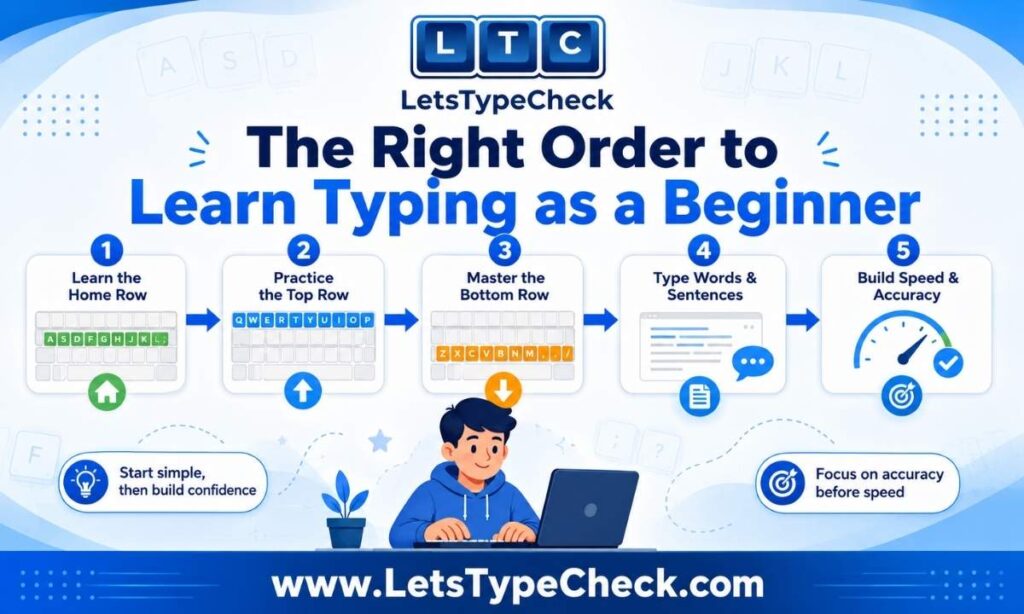
Skipping steps here is the single most common reason beginners plateau early. Each stage below depends on the one before it, so resist the urge to jump ahead just because full sentences sound more interesting than drilling A-S-D-F for the tenth time.
- Take a baseline test first. Before any practice, run one untimed-pressure test and record your WPM and accuracy. This number is just your starting point, not a judgment — you’ll compare future scores against it, not against anyone else’s.
- Master the home row. A, S, D, F for the left hand; J, K, L for the right. These eight keys are the foundation everything else builds on — don’t move forward until your fingers return here automatically after each keystroke.
- Add the top row, then the bottom row. Bring in Q W E R T Y U I O P first, then Z X C V B N M. Add one row at a time and drill it before mixing in full sentences.
- Practice full sentences once accuracy holds above 95%. If your accuracy drops below that, slow down rather than pushing through. Chasing speed before accuracy is the single most common reason beginners plateau — you end up practising your mistakes into muscle memory instead of practising the correct movement.
- Test weekly, not daily. One timed test at the end of each week is enough. Daily scores swing too much with fatigue and focus to tell you anything real — a steady weekly gain of 3–5 WPM is a much better signal that your practice is actually working.
A Simple 7-Day Beginner Typing Routine
Ten minutes a day is enough. Stop earlier if your accuracy drops below 90% in a session — that’s your body telling you it’s tired, and continuing past that point reinforces errors rather than fixing them.
| Day | Focus | Time |
| 1 | Take your baseline test, then home row only — no timer | 10 min |
| 2 | Home row drills — find F and J by feel, without looking down | 10 min |
| 3 | Home-row words: fad, had, ask, sad, fall, hall, jab, lad, flask | 10 min |
| 4 | Add E, R, T — words like red, tell, real, true, trial | 10 min |
| 5 | Add Y, U, I — full short sentences, no numbers or symbols yet | 10 min |
| 6 | Light review only — repeat Day 3’s words at a relaxed pace | 5 min |
| 7 | Weekly check-in test — compare your score to Day 1 | Check-in |
You can run every check-in on our own free typing speed test — it’s set up with 30-second, 60-second, and 120-second modes plus Easy, Medium, and Hard difficulty, so you can match the test to exactly where you are in this routine.
Which Test Length and Difficulty Should Beginners Use?
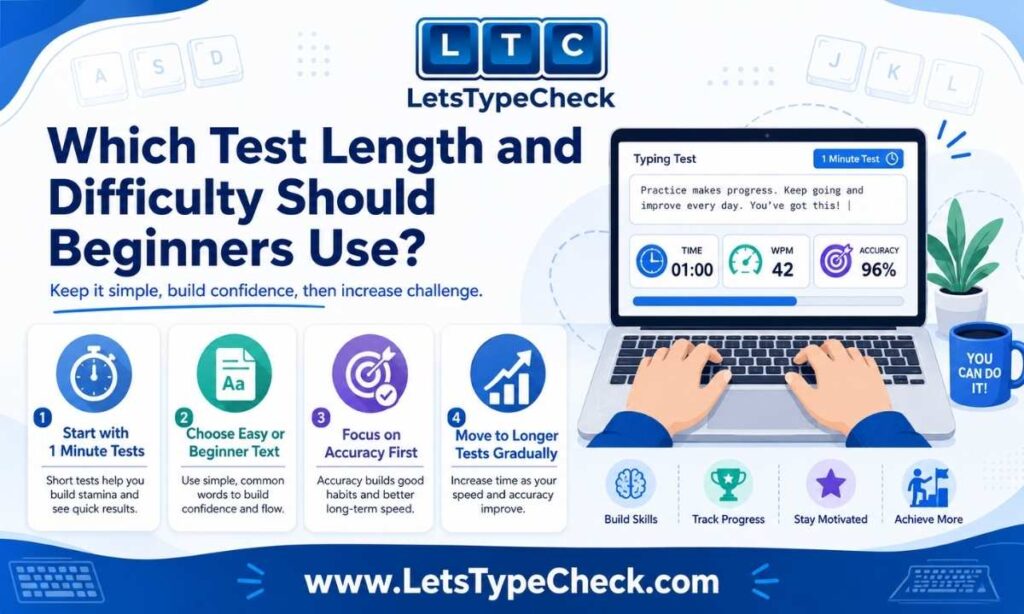
On our typing test, you can choose between a 30-second, 60-second, or 120-second test, and Easy, Medium, or Hard text. As a beginner, the combination that gives you the clearest signal is the 60-second test on Easy difficulty — long enough to produce a meaningful WPM reading, short enough to stay focused the whole way through, and built from simple, common words so you’re measuring your typing, not your vocabulary.
- 30 seconds: good for a quick warm-up or a burst-speed check once you’re comfortable, but too short to be a reliable weekly benchmark on its own.
- 60 seconds: the right length for weekly check-ins throughout this routine. Use this until you’re consistently landing above 25 WPM.
- 120 seconds: move here once your 60-second scores are consistently above 25 WPM. A 2-minute test reveals whether your speed and accuracy hold up past the first burst, which is useful information once you’re building real endurance.
Timed Test vs Untimed Practice vs Lesson-Based Assessment
It’s worth knowing these aren’t the same thing, because beginners often compare scores across them without realising why the numbers don’t match. A timed test (like the one above) measures your speed and accuracy under a countdown, which is the closest thing to a real benchmark. Untimed practice — just typing without a clock running — is better for the early home-row and drill stages, since removing the pressure lets you focus purely on correct finger placement instead of racing the timer. A lesson-based assessment, the kind built into structured typing courses, checks whether you’ve learned a specific skill (like the top row) rather than measuring overall speed. Use untimed practice while you’re learning a new row, and save the timed test for your weekly check-in — mixing the two too early is a common reason beginners feel like their real score keeps swinging around.
How to Tell If You’re Actually Improving?
WPM naturally fluctuates day to day based on how tired or focused you are, and even which specific words show up in a given test. A single rough score after a long day doesn’t mean you’ve gotten worse — it means you need a trend, not a single data point, to know what’s really happening.
Here’s roughly what healthy progress tends to look like:
- Weeks 1–2: your WPM might dip slightly — that’s normal, and usually means you’re correcting old habits rather than losing skill
- Weeks 3–4: your score returns to your Day 1 baseline, but with noticeably better accuracy
- Weeks 5–8: your WPM exceeds your original baseline for the first time
- Months 2–3: steady gains of 3–5 WPM per week become the norm
If your score hasn’t moved after three straight weeks of consistent daily practice, the issue is almost always technique rather than effort — check whether you’re still glancing down at the keyboard, since that one habit alone accounts for most stalled progress.
It’s Normal to Feel Discouraged the First Two Weeks
If you’re two weeks in and your number still looks unimpressive, or even a little lower than your very first attempt, that’s not a sign you’re bad at this — it’s usually a sign you’re actively replacing an old habit with a better one. That process temporarily feels slower before it feels faster. Your first score is a starting line, not a grade, and nobody but you will see it. The only comparison that matters here is you against your own baseline, a week or a month from now.
Common Beginner Mistakes to Avoid
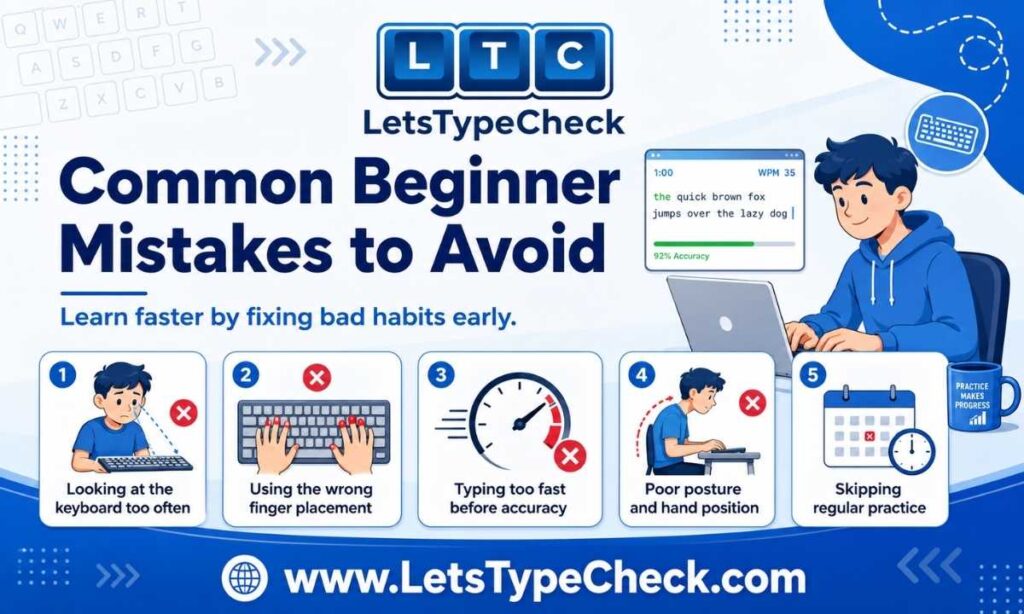
- Chasing speed before accuracy — every error made at high speed gets repeated until it becomes automatic. Slow down until accuracy sits above 95%, then let speed increase gradually.
- Looking at the keyboard — every glance down interrupts the automatic motor pattern you’re trying to build. If it’s a hard habit to break, some beginners find it helps to loosely cover their hands with a cloth for the first couple of weeks.
- Testing daily instead of weekly — daily scores can swing 10–20% just from fatigue and focus, which leads to false conclusions about whether you’re actually improving.
- Skipping the home row phase — it feels slow and repetitive in the first few days, but every other key’s finger assignment builds on it. Skip it, and you’ll end up using whichever finger is closest, which breaks down the moment you try to speed up.
- Comparing yourself to experienced typists — someone typing 70 WPM has months or years of correct practice behind that number. It tells you nothing about your own trajectory in week one.
If you want a deeper library of techniques once you’re past the beginner stage, our 10 proven tips to type faster cover the next level of speed-building once your foundation is solid.
Frequently Asked Questions
What WPM should a beginner expect on their first typing test?
Most beginners score 8–20 WPM on a first timed test. Casual computer users without formal technique often land between 25 and 35 WPM. Both ranges are completely normal starting points — your first score reflects your current habits, not your ceiling.
Should a beginner focus on speed or accuracy first?
Accuracy, every time. Typing fast with frequent errors bakes those mistakes into muscle memory, which is much harder to undo later than building correctly from the start. Keep accuracy above 95% before trying to push speed — speed tends to follow naturally once your movements are correct and automatic.
How long should a beginner practice each day?
10–15 minutes is enough. Longer sessions tend to cause fatigue, and practising while tired reinforces errors rather than correcting them. Short, focused daily sessions build muscle memory faster than occasional long ones.
What test length and difficulty should a beginner start with?
Start with the 60-second test on Easy difficulty on our typing speed test. Move up to the 120-second test once you’re consistently scoring above 25 WPM.
Is touch typing worth learning as a complete beginner?
Yes. Typists who never learn proper finger placement typically plateau around 35–45 WPM no matter how many years they practice. Typists who build correct muscle memory from the start regularly reach 60–80 WPM within a few months.
When should I take my very first timed typing test?
Before any structured practice, one relaxed, unprepared test gives you an honest baseline. Record that number, then don’t test again for a full week — weekly comparisons reveal real progress, while daily ones mostly reveal how tired you are.
How do I know if my typing is actually improving?
Track your weekly score, not your daily one. A 3–5 WPM gain per week is a healthy pace for a beginner. If three consecutive weekly tests show no improvement despite consistent practice, the problem is almost always technique — most often, looking at the keyboard or using the wrong finger for certain keys. For a broader look at what different scores mean by age, job, and exam, see our full WPM benchmarks guide.
Where to Go From Here?
Your first score is just a starting line. Run the 60-second typing test today to set your baseline, follow the 7-day routine above, and check back in a week. If you want to know what a genuinely good typing speed looks like for your age, job, or an upcoming exam, our WPM benchmarks guide breaks it down in detail, and once your basics are solid, our guide to typing faster will take you the rest of the way.
Conclusion
Learning to type well isn’t about talent — it’s about building the right habits in the right order and giving them time to stick. Every beginner starts somewhere close to where you are right now, and the difference between someone who’s still hunting for keys in six months and someone who’s typing comfortably at 50+ WPM usually comes down to consistency, not natural ability.
Treat your first score as data, not a verdict. Follow the routine, test weekly instead of daily, and be patient with the first couple of weeks while your hands unlearn old habits. Come back and retest often — watching that number climb is genuinely one of the more satisfying parts of learning a new skill.