
If you’re preparing for a government job, a data-entry role, or just trying to get faster on a keyboard, you’ve probably run into the same question: should you focus on your English typing speed, your Hindi typing speed, or both? The two tests look similar on the surface — type a passage, get a WPM score — but underneath, they run on different keyboard layouts, different fonts, different speed formulas, and very different exam rules. This guide puts them side by side so you know exactly what you’re preparing for, how fast is “fast enough,” and which one to prioritize first.
What Is an English Typing Test?
An English typing test measures how fast and accurately you can type English text using the standard QWERTY keyboard layout — the same layout you’re typing on right now. There’s no font or script conversion involved: what you press is what appears on screen. Tests are usually timed (1, 5, 10, 30 minutes, or longer) and scored in Words Per Minute (WPM), based on passages that range from simple sentences to complex, technical paragraphs depending on difficulty level.
Because QWERTY is the default layout on virtually every keyboard, English typing is generally the first typing skill most people learn, and it’s the baseline most online typing tools are built around.
→ Try it yourself: English Typing Test
What Is a Hindi Typing Test?
A Hindi typing test measures typing speed in Devanagari script, and it comes with an extra layer of complexity English doesn’t have: you have to pick a font and keyboard layout before you even start. The two most common systems are:
• Mangal (Unicode) — typed using the InScript keyboard layout, the modern standard used by most current government exams.
• KrutiDev / DevLys (Legacy, non-Unicode) — typed using the Remington Gail keyboard layout, still required by several state-level exams. KrutiDev and DevLys 010 use the identical Remington layout; the only difference between them is the font family name.
Hindi typing also involves conjunct characters (matras and half-letters), which don’t have a direct one-key equivalent — some are typed using Alt codes on legacy fonts, which is one of the reasons Hindi typing tests are considered harder to pick up.
Because of its role in state and central government recruitment, Hindi typing functions as a gateway skill: many clerical, data-entry, and computer-operator roles won’t consider a candidate who can’t clear the Hindi typing requirement, even if they passed the written exam.
→ Try it yourself: Hindi Typing Test (Mangal & KrutiDev)
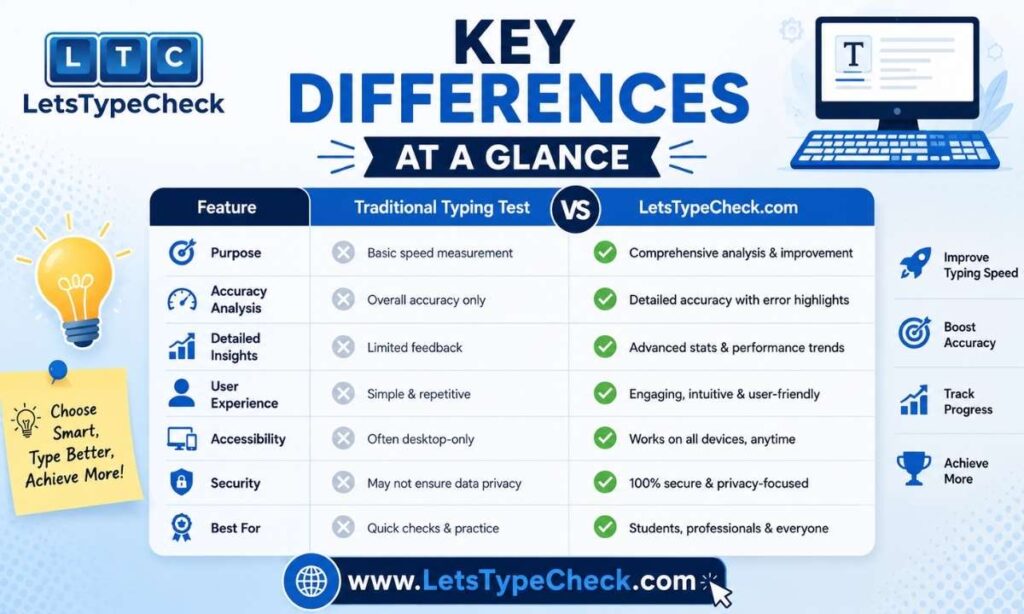
English Typing Test vs Hindi Typing Test: Key Differences at a Glance
| English Typing Test | Hindi Typing Test | |
| Keyboard layout | QWERTY (universal) | InScript (Mangal/Unicode) or Remington Gail (KrutiDev/DevLys) |
| Script / Font | Latin — no font choice needed | Devanagari — must choose Mangal, KrutiDev, or DevLys before testing |
| Speed unit | Words Per Minute (WPM) | WPM and/or KDPH (Key Depressions Per Hour) |
| Extra characters | None — one key per letter | Conjunct characters/matras, some requiring Alt codes on legacy fonts |
| Setup required | None on most systems | Language pack + keyboard layout installation on Windows |
| Typical exam pass mark | ~30–40 WPM, 85–95% accuracy | ~25–30 WPM (Kruti Dev), similar accuracy thresholds |
| Learning curve | Shorter — familiar layout | Longer — new layout + script + conjuncts |
| Where it’s mandatory | Most private-sector and international jobs | Most central/state government clerical exams in India (often alongside English) |
→ Ready to see where you stand? Take the English Typing Test | Take the Hindi Typing Test
How Speed Is Measured: WPM vs KDPH
Both languages use Words Per Minute (WPM) as the headline number, but the underlying formulas — and a second Hindi-specific metric — are worth understanding before you compare scores across languages.
WPM (both languages)
• Gross WPM = total characters typed ÷ 5 ÷ minutes (ignores errors; one “word” is standardized as five characters, including spaces and punctuation).
• Net WPM = Gross WPM − errors per minute. This is what most exams actually score you on.
KDPH — Hindi-specific
• KDPH (Key Depressions Per Hour) = WPM × 5 × 60. Some Hindi government exams (particularly older state-level ones) report results in KDPH instead of, or alongside, WPM, since Hindi’s conjunct characters mean a single “keystroke count” can better reflect actual effort than a word count borrowed from English.
Scoring rules also diverge by exam, not just by language: SSC allows up to 5% ignorable errors with a 10-word penalty per additional mistake; UPSSSC counts every mistake at a flat 10-word penalty; RRB applies a 5% grace period; CPCT counts only fully correct words. In other words, two candidates typing at the same raw speed can get different final scores depending on which exam — and which language’s error rules — they’re being tested under. Accuracy affects your net score more than raw speed does, in both languages — but the penalty math is stricter and less forgiving on the Hindi side for several state exams.
See Government & Competitive Exam Requirements Compared below for exam-by-exam numbers.
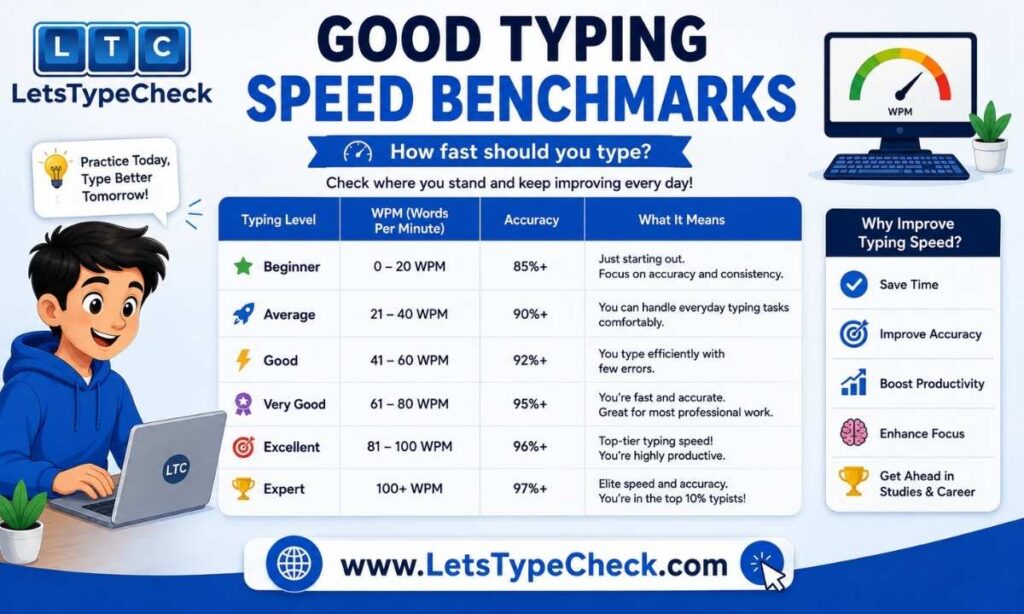
Good Typing Speed Benchmarks: English vs Hindi
| Skill Level | English (WPM) | Hindi (WPM) |
| Beginner | 0–40 | 0–20 |
| Average | 40–60 | 20–30 |
| Above Average / Government-ready | 60–80 | 30–40 |
| Fast / Professional | 80–100 | 40+ |
| Pro / Elite | 100+ | Rare above 50–55 |
A useful rule of thumb: the average typing speed is around 40 WPM in English, and office jobs typically expect 40–50 WPM, with data-entry roles wanting 60+. Hindi benchmarks run noticeably lower across the board — most government exams treat 25–30 WPM in Hindi as a solid, exam-ready pace, versus 30–40+ WPM for the equivalent English requirement. This isn’t because Hindi typists are “worse” — it reflects the extra time conjunct characters and font-switching add per word.
Curious where you land? Check your WPM on the English Typing Test or the Hindi Typing Test.
Government & Competitive Exam Requirements Compared
| Exam | English Requirement | Hindi Requirement | Notes |
| SSC CHSL | — | 30 WPM (Kruti Dev) | Mangal font, Inscript or Remington Gail layout |
| SSC MTS | — | 25 WPM | |
| RRB NTPC | 30 WPM | 30 WPM | 5% grace period on errors |
| UPSSSC | 25 WPM | 25 WPM (Kruti Dev) | All mistakes penalized at flat 10 words |
| CPCT | 30 WPM, 85%+ accuracy | 30 WPM (Hindi) | 15-minute test window |
| UPPRPB Computer Operator | 25 WPM | 25 WPM | Both eliminatory — must clear both |
| CRPF HCM | — | Backspace disabled | Stricter than most exams |
A pattern worth flagging: several roles — like UPPRPB Computer Operator and RRB NTPC — require both English and Hindi typing at eliminatory pass marks simultaneously. Passing the written exam doesn’t guarantee selection; candidates have lost final placement purely because their typing speed or accuracy fell short in one of the two languages. If you’re preparing for a central or state government clerical post, assume you may need both until you’ve confirmed otherwise from the official notification.
Full paragraph banks for exam practice: SSC, Railway & Banking Typing Practice Paragraphs
Which Is Harder to Learn: English or Hindi Typing?
Most learners find Hindi typing has a steeper initial learning curve, for three concrete reasons:
1. No default layout. English typing works on any keyboard out of the box. Hindi typing requires installing a language pack and a specific layout (InScript or Remington Gail) before you can even begin.
2. Conjunct characters. Devanagari matras and half-letters don’t map to single keys the way English letters do — on legacy fonts like KrutiDev, some conjuncts require Alt-code combinations typed on the numeric keypad.
3. Font-dependent muscle memory. Because KrutiDev and Mangal use different layouts entirely, skills don’t transfer between them — you effectively have to learn Hindi typing twice if an exam changes its required font.
That said, English typing has its own ceiling: because everyone already knows the layout, the competitive bar for “fast” is much higher (80–100+ WPM among competitive typists vs. 40–55 WPM in Hindi), so reaching an elite level in English takes significant sustained practice too.
Bottom line: Hindi typing takes longer to start; English typing takes longer to master competitively. For most exam purposes, expect Hindi to need roughly 1.5–2x the practice hours to reach the same pass-mark confidence as English.
Ready to tackle the layout? Start with the Hindi Keyboard & Font Setup Guide.
Keyboard & Font Setup Guide
English: No setup needed — QWERTY works on virtually every device by default.
Hindi — Mangal / Unicode (InScript)
1. Windows Settings → Time & Language → Language.
2. Add Hindi as a language.
3. Under Hindi → Options → Add keyboard → Hindi Traditional InScript.
4. Press Win + Space to switch between keyboards.
5. Type using the InScript layout.
Hindi — KrutiDev (Legacy)
1. Download and install the KrutiDev 010 font.
2. Install the Remington Gail (or Standard Hindi) keyboard layout.
3. Switch to Kruti Dev mode using the layout toggle.
4. Select Kruti Dev from the taskbar language bar.
5. Type ASCII characters, which render as Hindi in the font.
On mobile: Hindi typing practice is commonly done via Gboard’s Hindi input, or by connecting a physical keyboard through the OTG method to simulate exam-center conditions.
You don’t need a special “Hindi keyboard” for any of this — a standard English QWERTY keyboard works for both Mangal/InScript and KrutiDev/Remington typing once the software layout is installed.
Full walkthrough with screenshots: Hindi Keyboard & Font Setup Guide
Common Mistakes and How to Fix Them
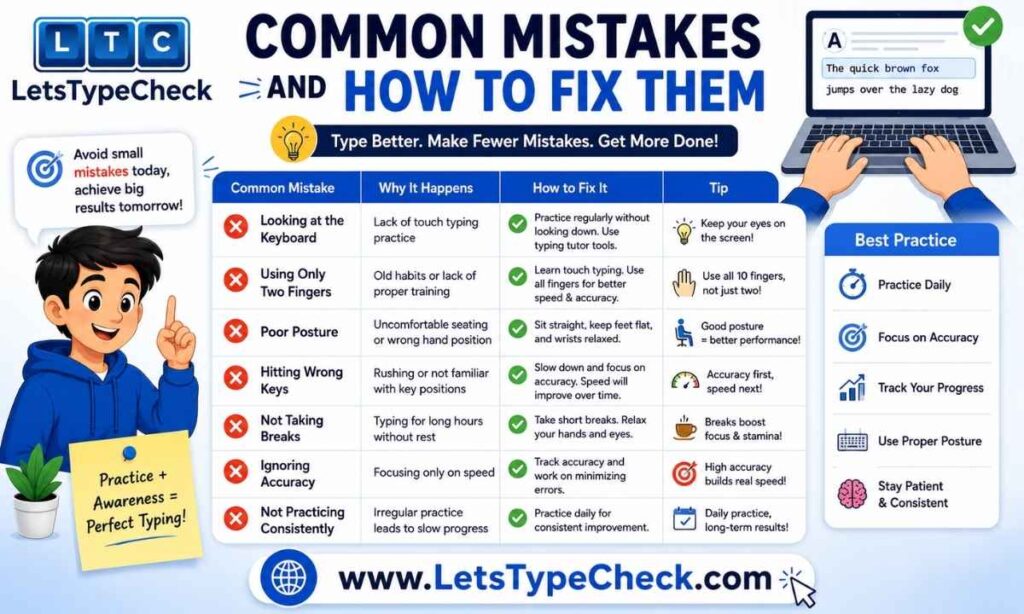
Mistakes common to both languages:
• Looking at the keyboard instead of the screen
• Inconsistent typing rhythm
• Hesitating on individual words instead of reading ahead
• Poor posture over long sessions
• Using only a few fingers instead of full touch-typing technique
Fix: 15–20 minutes of focused daily practice, prioritizing accuracy before speed, using the home-row position, and applying the 20-20-20 rule (every 20 minutes, look at something 20 feet away for 20 seconds) to reduce eye strain during long sessions.
Hindi-specific issue — the speed plateau: Many learners get stuck around 25–28 WPM. The fix isn’t more speed drills — it’s the opposite: practice accuracy only for 3–5 days, deliberately slowing down, before reintroducing speed goals. Passage repetition and targeted drills on frequently-missed conjunct characters also help break the plateau faster than general practice.
Put these fixes into practice with the SSC, Railway & Banking Typing Practice Paragraphs.
How to Take the Test and Get Certified
The steps are nearly identical for both languages:
1. Select your test (English or Hindi, and font if Hindi).
2. Choose a duration (1, 2, 5, 10, 15, or 30 minutes are the most common options).
3. Enter your name if a certificate is offered.
4. Start typing — the timer begins on your first keystroke; correct characters are usually shown in green, incorrect in red.
5. Review your results: WPM, accuracy, and an error breakdown.
6. Download your certificate if you’ve met the qualifying thresholds (commonly 25+ WPM and 80%+ accuracy on a minimum 10-minute Hindi test; similar thresholds apply for English, varying by platform).
7. Repeat regularly — daily practice is what moves your score, not one long session.
→ Take the English Typing Test | Take the Hindi Typing Test
Which Skill Should You Prioritize?
• Preparing for a private-sector, international, or general office job? Focus on English typing — it’s the default requirement almost everywhere, and there’s rarely a Hindi component.
• Preparing for a central or state government clerical exam in India (SSC, RRB, UPSSSC, CPCT, state PSCs, etc.)? Check the official notification first — several of these roles require both languages at eliminatory pass marks (see the exam table above). Don’t assume clearing one covers you for the other.
• Short on prep time and need to pick one first? Start with English if you’re building foundational touch-typing technique from scratch — the skills (home row, all-ten-finger typing, rhythm) transfer directly to Hindi once you add the layout and font on top. Trying to learn touch-typing technique and a new script and a new layout all at once is the slowest path.
Not sure yet? Take a quick English Typing Test or Hindi Typing Test to see your starting point.
Conclusion
An English typing test and a Hindi typing test are testing the same underlying skill — speed and accuracy under a timer — but they are not interchangeable. Hindi typing adds a layout choice, a font choice, and a script with characters that don’t map one-to-one to keys, which is why exam-ready Hindi benchmarks sit lower than English ones and why the learning curve runs longer. If your target exam requires both, budget more practice time for Hindi, get your keyboard layout and font sorted early, and use the accuracy-first approach to break through the speed plateau most Hindi learners hit. Whichever you start with, the fundamentals — home-row positioning, daily practice, and accuracy before speed — carry over to both.
→ Take the English Typing Test | Take the Hindi Typing Test | Get Your Free Typing Certificate
FAQs
Is Hindi typing harder than English typing?
For most learners, yes — initially. English uses the QWERTY layout everyone already knows, while Hindi requires learning a new layout (InScript or Remington Gail), a font choice (Mangal, KrutiDev, or DevLys), and conjunct characters that don’t map to single keys. Once the layout is learned, the day-to-day difficulty gap narrows, but reaching elite speeds is still harder in Hindi due to these extra steps per word.
Do government jobs require both English and Hindi typing?
Often, yes — see the exam requirements table above for which posts need both. Always confirm against the specific exam’s official notification, since requirements vary by post and by state.
Which typing test should I learn first?
If you’re starting from zero, learn touch-typing fundamentals in English first (home row, all ten fingers, rhythm), then add the Hindi layout and font on top. The core technique transfers directly.
What is the difference between Mangal and Kruti Dev typing?
Mangal (Unicode/InScript) is the modern standard; Kruti Dev (legacy/Remington Gail) is still required by some state exams. Full breakdown, including DevLys, in the Keyboard & Font Setup Guide above.
What is a good typing speed in WPM?
Roughly 40+ WPM is solid in English and 25–30 WPM is exam-ready in Hindi. See the benchmark table above for the full breakdown by skill level.
What is KDPH in Hindi typing?
Key Depressions Per Hour — WPM × 5 × 60. See How Speed Is Measured above for how it’s used alongside WPM.
What’s the difference between Gross WPM and Net WPM?
Gross ignores errors; Net subtracts them and is what most exams actually score. Full formulas in the How Speed Is Measured section above.
Can I use a regular English QWERTY keyboard for Hindi typing exams?
Yes — no physical Hindi keyboard needed. Once InScript or Remington Gail is installed via your OS settings (see the Setup Guide above), a standard QWERTY keyboard types Hindi characters.
Is Backspace allowed during Hindi typing exams?
It depends on the exam. SSC, Railways, and IBPS generally allow it. CRPF HCM and some state-level exams disable it, so check your specific exam’s rules in advance.
How do I get a free typing certificate?
Complete a minimum-duration test (commonly 10 minutes) while meeting a minimum speed and accuracy threshold — often around 25+ WPM and 80%+ accuracy. Get yours on the Free Typing Speed Certificate page.
My Hindi typing speed is stuck around 25–28 WPM. What should I do?
Switch to accuracy-only practice for 3–5 days before chasing speed again — see the plateau fix in Common Mistakes and How to Fix Them above for the full approach.
Related Reads on LetsTypeCheck.com
→ Hindi Typing Test (Mangal & KrutiDev)
→ Hindi Keyboard & Font Setup Guide