
If you’re preparing for a government job that involves a Data Entry Skill Test (DEST) or typing skill test — SSC CGL, SSC CHSL, RRB NTPC, MP CPCT, or a state-level clerical post — passing the typing test is often just as important as clearing the written exam. Many otherwise-qualified candidates get eliminated at this stage simply because they didn’t know the exact speed, accuracy, and format rules for their specific exam.
This guide breaks down everything you need: what a government-exam typing test actually measures, the exact WPM (words-per-minute) requirement for each major exam, how the test is conducted, the rules around backspace and errors, and a practice plan to get exam-ready. You can put every tip here into practice immediately on our free online typing test.
What Is a Typing Test and How Is Typing Speed (WPM) Calculated?
A typing test measures two things simultaneously: how fast you type (speed) and how correctly you type (accuracy). Speed is expressed in Words Per Minute (WPM), the standard unit used by virtually every recruitment board in India.
The formula recruitment boards use is straightforward:
WPM = (Total number of characters typed ÷ 5) ÷ Time taken in minutes
Five characters (including spaces) are counted as one “word,” regardless of the actual word length, so speed comparisons stay consistent across passages. Most exams then apply a second calculation — Net WPM — which subtracts your incorrect words from the gross count, since a fast but error-filled attempt won’t clear the cutoff. This is why accuracy is treated as equally important as raw speed in every government typing test.
You can see this calculation happen live, in real time, by taking a timed run on a typing speed test, which tracks WPM, accuracy percentage, and error count as you type.
What Is Considered a Good Typing Speed?
Before looking at exam-specific numbers, it helps to know where a given speed falls on the general skill scale:
| WPM Range | Skill Level | What It Means |
| Below 20 WPM | Beginner | Still learning key positions and finger placement |
| 20–35 WPM | Basic/Casual | Enough for everyday computer use, but below most exam cutoffs |
| 35–50 WPM | Intermediate | Meets most government exam qualifying requirements |
| 50–70 WPM | Advanced | Comfortably clears every major exam cutoff with margin |
| 70+ WPM | Expert | Professional data-entry/court-reporting level |
Since most government exams require somewhere between 25 and 40 WPM (with a few notable exceptions like Stenographer posts, covered below), the practical target for most aspirants is comfortably crossing 40–45 WPM with 95%+ accuracy — enough buffer above the cutoff to absorb exam-day nerves.
Which Government Exams Require a Typing Test?
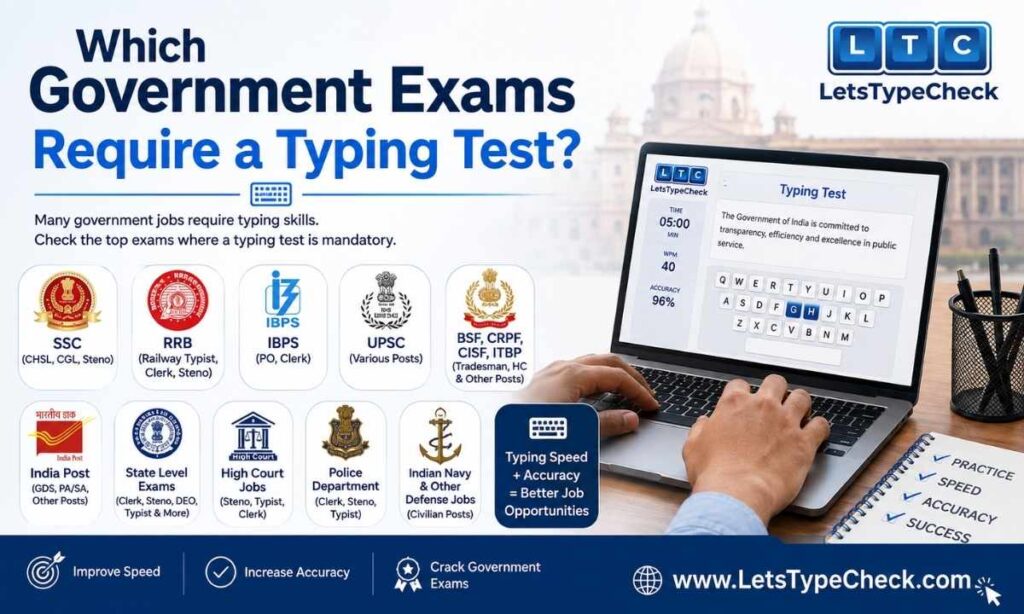
A typing or data-entry skill test is a mandatory stage in the selection process for a wide range of central and state government posts, including:
- SSC CGL (Data Entry Operator / Tax Assistant posts) — DEST
- SSC CHSL (LDC/JSA and DEO posts)
- SSC Stenographer (Grade C and Grade D) — dictation + transcription, not a standard typing test
- RRB NTPC (Junior Clerk-cum-Typist, Accounts Clerk-cum-Typist, and similar clerical posts)
- CPCT (Computer Proficiency Certification Test — mandatory for most Madhya Pradesh government jobs)
- State PSC clerical/LDC recruitments (UPSSSC, RSSB, Bihar SSC, and similar state boards)
- High Court and District Court recruitments (Junior Judicial Assistant, Copyist, Stenographer posts)
- Income Tax, Passport Office, and various central ministry recruitments for Data Entry Operator and LDC roles
Because the exact syllabus and interface differ by board, always cross-check your specific exam’s official notification for the latest requirement — but the table below covers the most-searched exams.
Typing Speed Requirements for Government Exams (Exam-Wise Table)
| Exam | Post | English Speed | Hindi Speed | Duration | Qualifying/Merit |
| SSC CGL (DEST) | Data Entry Operator / Tax Assistant | 35 WPM | 30 WPM | 15 minutes (~2,000 key depressions) | Qualifying only |
| SSC CHSL | LDC / JSA | 35 WPM | 30 WPM | 10 minutes | Qualifying only |
| SSC CHSL | DEO | 15,000 key depressions/hour (some posts: 8,000/hour) | — | 15 minutes | Qualifying only |
| RRB NTPC | Junior Clerk-cum-Typist & similar | 30 WPM | 25 WPM | 10 minutes | Qualifying only |
| MP CPCT | Various MP government posts | 30 NWPM min. (51+ for full marks) | 20 NWPM min. (41+ for full marks) | 15 minutes each | Contributes to score (not purely qualifying) |
| SSC Stenographer (Grade C) | Stenographer | 100 WPM dictation | Same | Transcription: 50 min (English) / 65 min (Hindi) | Qualifying, with category-wise error limits |
| SSC Stenographer (Grade D) | Stenographer | 80 WPM dictation | Same | Transcription: 40 min (English) / 55 min (Hindi) | Qualifying, with category-wise error limits |
Note: Figures above reflect the most recent publicly available exam notifications and are subject to change by the respective recruitment boards each cycle. Always confirm current requirements from your exam’s official notification before test day.
How the Government Exam Typing Test Is Conducted
Test Format & Software Used
Most central-government boards (SSC, RRB) conduct the typing/DEST round on computers at designated exam centers using proprietary exam software — commonly TCS iON, which many candidates find quite different from casual typing-practice tools. State boards like MP’s CPCT run their own dedicated testing software with a similarly restrictive interface. The unfamiliar layout, timer placement, and lack of visual feedback are a common reason candidates underperform relative to their practice scores — which is why practicing on a clean, distraction-free interface first (before test day) matters more than most candidates expect.
English vs. Hindi Typing Test Rules
Nearly every exam listed above lets you choose English or Hindi as your typing medium at the time of application or on the test screen — but that choice is typically final; you cannot switch languages mid-test. Hindi tests are usually typed using the Kruti Dev or Mangal (Unicode) font, depending on the exam board’s software, so it’s worth confirming which font your target exam uses and practicing on that specific layout, since Kruti Dev and Mangal use different key mappings for matras and conjuncts.
Backspace & Error-Correction Rules
This is one of the most-asked, least-clearly-answered questions among candidates, and the rule genuinely varies by exam:
- SSC exams (CGL, CHSL): Backspace is allowed, but every corrected character still counts toward your overall error percentage if the final output doesn’t match the source text.
- RRB NTPC: A flat error allowance of up to 5% of total words typed is built into the Net WPM formula, regardless of how those errors occurred.
- MP CPCT: Uses an “unrestricted type” mode — backspace is explicitly permitted, and only the final submitted text is evaluated for Net WPM.
Because policies differ, treat “can I use backspace?” as an exam-specific question you confirm from your own notification — but as a general practice habit, aim to type accurately the first time rather than relying on corrections, since correction time eats directly into your WPM.
Qualifying Test vs. Merit-Counted Score
For most exams (SSC CGL, SSC CHSL, RRB NTPC, SSC Stenographer), the typing/skill test is purely qualifying — you either clear the minimum threshold or you don’t, and your actual speed above the cutoff does not add marks to your final merit list. CPCT is a notable exception: your Net WPM score directly contributes to your overall CPCT score, which is why CPCT aspirants are advised to push well past the minimum passing speed rather than just scraping through.
Eligibility, Exemptions & Extra Time Provisions
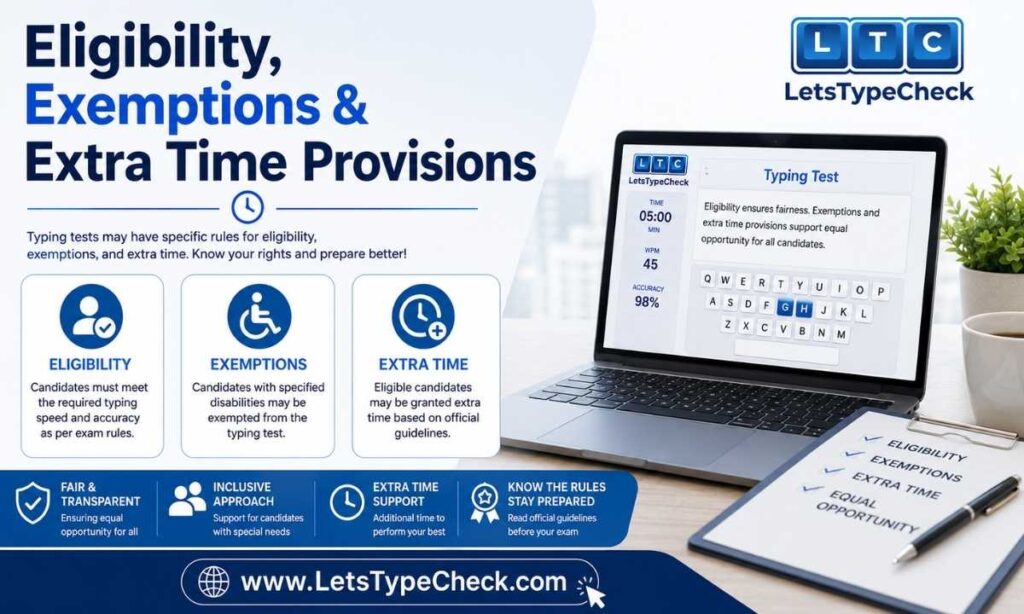
Recruitment boards generally allow relaxed error-percentage limits for reserved categories (for example, SSC’s DEST allows up to 20% errors for UR candidates, 25% for OBC/EWS, and 30% for SC/ST candidates). Persons with Benchmark Disabilities (PwBD) are typically entitled to compensatory/extra time on skill tests under government accessibility guidelines — the exact extra-time allowance and eligibility criteria are specified in each exam’s official notification, so PwBD candidates should confirm the applicable provision directly from their exam’s PDF before test day rather than assuming a blanket rule.
What Happens If You Fail the Typing Test?
Because the typing/DEST round is qualifying in nature for most exams, failing to meet the minimum speed and accuracy threshold results in disqualification from the recruitment process for that cycle — your performance in the written exam, however strong, does not carry you through if you don’t clear the skill test. There is generally no partial credit or reattempt within the same recruitment cycle, which is exactly why dedicated typing practice should start well before your written exam result, not after.
Tools & Features to Practice for Government Exam Typing Tests
A good practice setup should mirror what you’ll face on exam day as closely as possible: a clean typing interface, accurate WPM/accuracy tracking, adjustable test durations, and passages of varying difficulty. Look for a practice tool that offers:
- Multiple test durations (1, 5, 10, 15 minutes) so you can train for both quick-check speed and sustained exam-length endurance
- Real-time WPM, accuracy, and error tracking so you know exactly where you stand against your target cutoff
- Difficulty levels (easy/medium/hard passages) to build up from basic vocabulary to complex, exam-style sentences
- A distraction-free, no-signup interface so your practice time goes into typing, not account setup
Our typing test tool is built around exactly this: 30-second, 60-second, and 120-second timed tests across easy, medium, and hard difficulty tiers, with live WPM, accuracy percentage, character count, and error tracking on every run — plus a leaderboard so you can track improvement over repeated attempts. Read more about how the tool works and who built it on our About Us page.
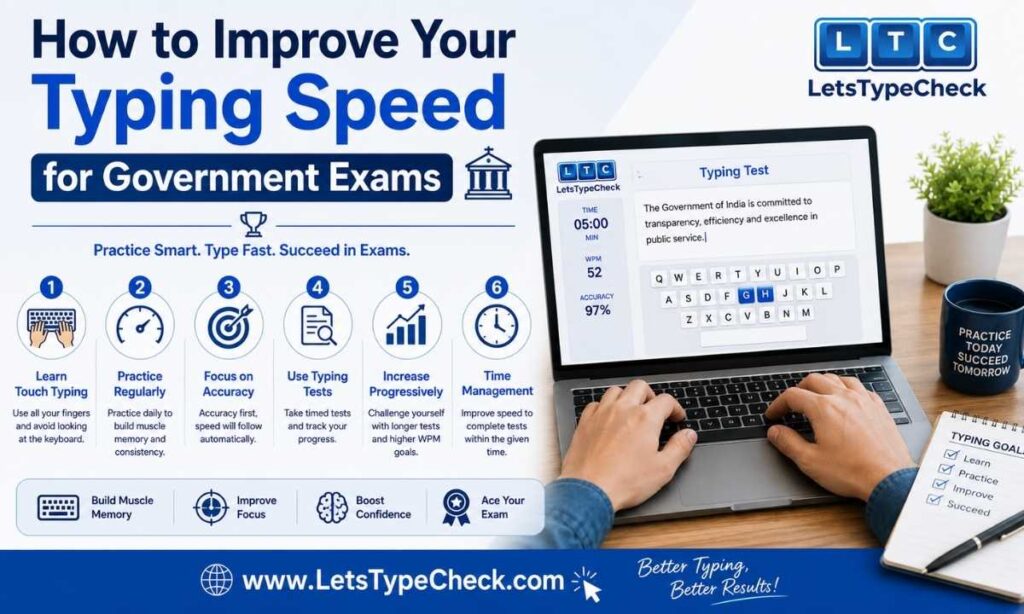
How to Improve Your Typing Speed for Government Exams
Habits That Quietly Cap Your Exam-Day Speed
- Eyes drifting to the keys. Every downward glance breaks your reading flow on the source passage, and re-finding your place costs more time than the glance itself. Candidates who train with a covered keyboard (or simply force themselves to keep eyes on-screen) tend to close this gap fastest.
- Typing in uneven bursts. Sprinting through easy words and stalling on unfamiliar ones produces a lower average speed than a slower, metronome-like pace — exam evaluators measure your average across the full passage, not your fastest stretch.
- Freezing on words you technically know. If your fingers pause to “think” before typing routine words, that’s a practice-volume gap, not a knowledge gap — it disappears with repetition, not with trying to type faster.
- Slouched or cramped hand position. Wrists resting awkwardly on the desk edge, or shoulders hunched toward the screen, tire your hands mid-passage and accuracy drops noticeably in the final third of longer tests.
- Favoring a few fingers over all ten. Two-finger or four-finger typists hit a speed ceiling that touch typists simply don’t — this is usually the single biggest lever for candidates stuck below their exam’s cutoff.
A Practice Progression That Matches Exam Conditions
Rather than practicing randomly, structure your prep around the actual duration and accuracy bar your exam sets:
- Stage 1 — Get the mechanics right (roughly your first week): Run short 1-minute drills, but grade yourself only on accuracy — don’t chase speed until your error rate is consistently low.
- Stage 2 — Stretch to exam length: Once accuracy is steady, start running full-length tests at your exam’s actual duration (10 minutes for SSC CHSL/RRB NTPC, 15 minutes for SSC CGL/CPCT) so your hands adapt to sustained typing, not just short sprints.
- Stage 3 — Add pressure: Time yourself under stricter conditions than the real test — a shorter self-imposed deadline or a slightly harder passage — so the actual exam feels comparatively easier.
- Stage 4 — Simulate exam day exactly: In your final few sessions before the exam, replicate the real conditions as closely as possible: same duration, same difficulty, no pausing mid-test, and review your Net WPM against your target cutoff with margin to spare.
Short, daily sessions beat occasional long ones — typing speed is a motor skill, and motor skills improve with repetition frequency, not total hours crammed into one sitting.
Touch Typing vs. Hunt-and-Peck: Why It Matters for Exam Speed
Hunt-and-peck typing is what most self-taught typists default to: scanning the keyboard visually to find each letter before pressing it, one key at a time. It works, but it plateaus early — there’s only so fast a person can search-and-tap. Touch typing replaces that search with memory: each finger rests over and returns to a fixed set of keys (the home row, roughly A-S-D-F on the left hand and J-K-L-; on the right), so your hands move on autopilot while your eyes stay on the source text. That’s the mechanical reason touch typists routinely clear 50–60 WPM while hunt-and-peck typists rarely do. Candidates who switch to proper finger placement and stick with short daily drills typically see a noticeable jump in speed within about a month — comfortably inside a normal exam-prep timeline.
Why Typing Skills Matter Beyond the Exam
Typing proficiency isn’t just a hurdle to clear once — it’s a skill you’ll use daily in almost every clerical, data-entry, or administrative government role. Data-entry-heavy posts typically expect 40–60+ WPM in daily work, and stronger typists consistently complete routine documentation and correspondence faster, with fewer errors, than colleagues who never moved past hunt-and-peck typing. Treat exam preparation as an investment in a skill you’ll rely on for the rest of your career, not just a box to check.
Choosing the Right Test Duration for Practice
| Duration | Best For |
| 30 seconds–1 minute | Quick warm-ups and peak-speed checks |
| 5 minutes | Building sustainable, exam-realistic speed |
| 10 minutes | Matches the exact duration used by SSC CHSL, RRB NTPC, and most SSC DEST rounds |
| 15 minutes | Matches SSC CGL DEST and CPCT duration — the closest simulation of your actual exam |
Once you’re consistently clearing your target WPM on the duration that matches your specific exam, you’re in strong shape for test day. You can run through each of these durations directly on our free typing test with adjustable difficulty levels to simulate exam-day pressure.
Frequently Asked Questions
What is a good typing speed for government exams?
Most exams require between 25–40 WPM depending on the specific post and language, so a practical safety-margin target is 40–45 WPM with 95%+ accuracy. SSC Stenographer posts are the major exception, requiring 80–100 WPM dictation speed.
How is WPM calculated in government typing tests?
WPM is calculated by dividing total characters typed by 5 (standardizing for average word length), then dividing by the time taken in minutes. Most exams then calculate Net WPM by subtracting incorrect words from this gross figure.
Is backspace allowed in government exam typing tests?
It depends on the exam. SSC exams and MP CPCT generally allow backspace/correction, but any errors in your final submitted text still count against your accuracy score. Always check your specific exam’s notification, since rules vary by recruitment board.
Is the government exam typing test qualifying or does it count toward merit?
For most exams — SSC CGL, SSC CHSL, RRB NTPC, and SSC Stenographer — the typing test is purely qualifying (pass/fail) and doesn’t add marks to your final score. MP CPCT is a notable exception, where your Net WPM contributes directly to your overall score.
What typing speed is required for SSC CGL, SSC CHSL, and RRB NTPC?
SSC CGL (DEST) requires 35 WPM in English or 30 WPM in Hindi over 15 minutes. SSC CHSL (LDC/JSA) requires the same 35/30 WPM split over 10 minutes. RRB NTPC clerical posts require 30 WPM in English or 25 WPM in Hindi over 10 minutes.
How long does it take to learn touch typing?
With consistent daily practice of 15–20 minutes, most learners see measurable improvement within two to four weeks — enough time to build solid exam readiness if you start practicing as soon as your written exam is done.
What is touch typing?
Touch typing is typing without looking at the keyboard, using all ten fingers with each finger assigned to a specific set of keys anchored around the home row.
Is typing practice free?
Yes — you can practice unlimited timed typing tests, at multiple difficulty levels and durations, completely free, with no signup required to get started.
What happens if I fail the government exam typing test?
Since it’s a qualifying stage for most exams, failing to meet the minimum speed and accuracy threshold disqualifies you from that recruitment cycle, regardless of how well you scored on the written exam. There’s typically no reattempt within the same cycle, which is why early, consistent practice matters.
Have more questions about typing test preparation? Check our full FAQ page or get in touch with us.
Start Practicing Now
Reading about typing speed won’t build it — consistent, timed practice will. Head over to our free typing test and run your first timed attempt today: pick your difficulty level, choose a duration that matches your target exam, and track your WPM and accuracy in real time.