
Most typing tests measure how fast you type words — but a huge number of real jobs care about something different: how fast and accurately you can type numbers. This is called a 10-key or number typing test, and it’s the standard skill check for data entry, accounting, billing, banking, and inventory roles. Instead of Words Per Minute (WPM), number typing is measured in KPH — Keystrokes Per Hour.
If you’ve seen a job posting asking for “8,000 KPH” or “10-key experience” and had no idea what that meant, this guide breaks down exactly what a number typing test measures, what counts as a good score, how to position your fingers on the numeric keypad, and how to convert between KPH and WPM.
What Is a 10-Key / Number Typing Test?
A 10-key test (also called a number typing test or ten-key test) measures how fast and accurately you can type digits using the numeric keypad — the calculator-style block of number keys on the right side of a full-size keyboard. Unlike a standard typing test, which scores you in WPM based on words and sentences, a 10-key test scores you in KPH: keystrokes per hour.
There are two related but distinct skills employers test for:
- WPM (Words Per Minute) — used for alphanumeric data entry: typing full sentences, names, and addresses using the entire keyboard. Example: John Smith, 123 Main St, Apt 4B
- KPH (Keystrokes Per Hour) — used for purely numeric data entry: typing raw number strings using only the numeric keypad. Example: 48920 18492 59021 84920
You genuinely cannot reach high KPH scores using the number row at the top of the keyboard — your hand has to travel too far between keys. That’s why 10-key roles specifically test the numeric keypad, not the top-row numbers.
There’s also a middle category: alphanumeric data entry, which mixes letters and numbers — invoice numbers, part numbers, license plates — typed on the full keyboard rather than the keypad alone. Because your hands move between letters and digits, alphanumeric KPH runs lower than pure numeric-only typing; roughly 5,000–7,000 KPH is considered proficient for alphanumeric work, compared to 8,000+ for numeric-only.
KPH Benchmarks: What’s a Good 10-Key Speed?
KPH benchmarks vary by role, but here’s a general skill-level breakdown:
| Level | KPH | Typical roles |
| Beginner | Under 6,000 | Learning the keypad |
| Average | 6,000–8,000 | General office work |
| Proficient | 8,000–10,000 | Data entry, billing, banking |
| Fast | 10,000–12,000 | Accounting, payroll, claims processing |
| Expert | 12,000+ | Professional data entry operators |
And here’s how that breaks down by experience level and role type, alongside the WPM equivalent for alphanumeric work in the same job:
| Experience Level / Role | Alphanumeric (WPM) | Numeric (KPH) |
| Entry Level (General Office) | 40–50 WPM | 8,000–9,000 KPH |
| Accounts Payable / Billing | 55–65 WPM | 10,000–12,000 KPH |
| Medical Coding / Dispatch | 70+ WPM | 14,000+ KPH |
Across every benchmark, one theme repeats: employers weigh accuracy more heavily than raw speed. A candidate typing 8,000 KPH at 99% accuracy is a stronger hire than one typing 11,000 KPH at 92% — a single misplaced digit in a data entry role can mean a wrong invoice amount, a misfiled record, or a package sent to the wrong address entirely.
If you want to see how these numeric benchmarks compare to general typing speed goals, check out What Is a Good Typing Speed? or, for job-specific WPM requirements across other roles, Typing Test for Jobs: WPM Requirements by Profession.
Proper 10-Key Finger Placement (Home Row for the Numpad)
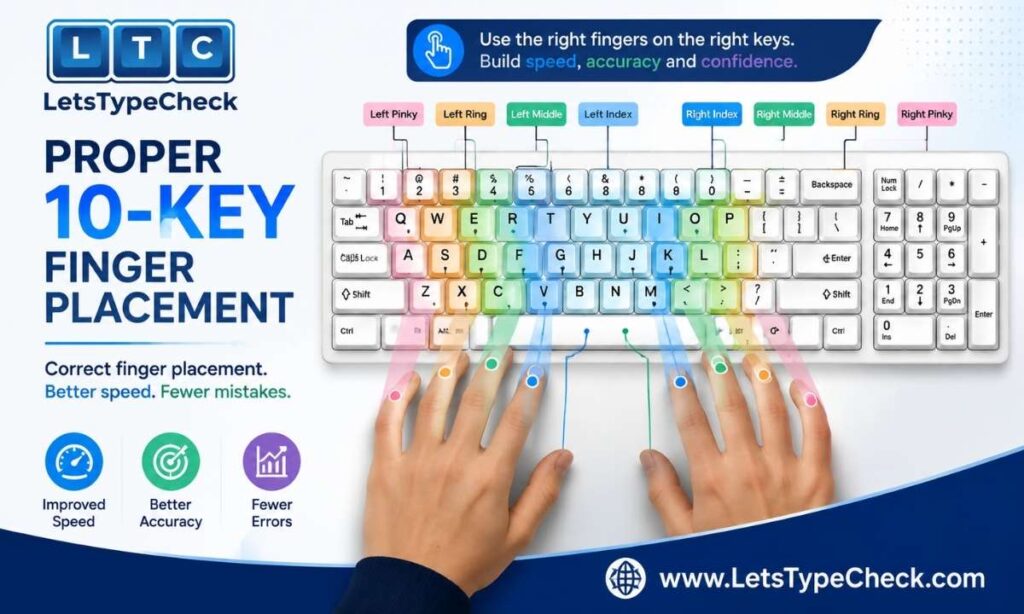
Just like the F and J keys anchor touch typing on a full keyboard, the numeric keypad has its own home row — and its own anchor key.
Home position
- The 5 key is your reference point — most numeric keypads mark it with a small raised dot so you can find it by touch. Keep your middle finger resting there between keystrokes.
- Index finger covers 1, 4, 7 (and the NumLock key)
- Middle finger covers 2, 5, 8 (and the forward slash)
- Ring finger covers 3, 6, 9 (and the asterisk)
- Pinky handles Enter and the plus/minus keys
- Thumb rests on the large 0 key at the bottom
A common mistake beginners make is lifting the hand off the pad entirely between keystrokes, or relying on only two fingers to reach every digit. Keep your wrist low and steady, let each finger return to its home key after every press, and resist the urge to glance down — the keypad rewards muscle memory the same way the main keyboard’s home row does.
For finger placement on the main keyboard (not just the numpad), see our full Finger Placement for Typing (Home Row Guide).
How KPH Is Calculated (and Converting KPH ↔ WPM)
KPH formula: KPH = (correct keystrokes ÷ elapsed seconds) × 3,600
Every digit, decimal point, and space counts as one keystroke. For example, typing 540 correct keystrokes in a 4-minute (240-second) test works out to roughly 8,100 KPH.
Converting KPH to WPM: in the typing industry, a “word” is standardized as 5 characters — the same convention used to calculate WPM on text-based tests. So to convert:
(KPH ÷ 60) ÷ 5 = WPM
Worked example: 10,800 KPH ÷ 60 = 180 keystrokes per minute. 180 ÷ 5 = 36 WPM.
Quick reference table:
| KPH | Approximate WPM |
| 8,000 KPH | ≈ 26 WPM |
| 10,000 KPH | ≈ 33 WPM |
| 12,000 KPH | ≈ 40 WPM |
| 15,000 KPH | ≈ 50 WPM |
Keep in mind this conversion is a rough equivalence, not a direct translation — numeric typing and text typing use different muscle patterns, so someone’s real-world KPH and WPM scores won’t always match this table exactly. For more on how WPM itself is defined and calculated, see What Is WPM?, and for the difference between raw and error-adjusted scores, see Gross WPM vs Net WPM.
Accuracy Standards and the “Net KPH” Penalty
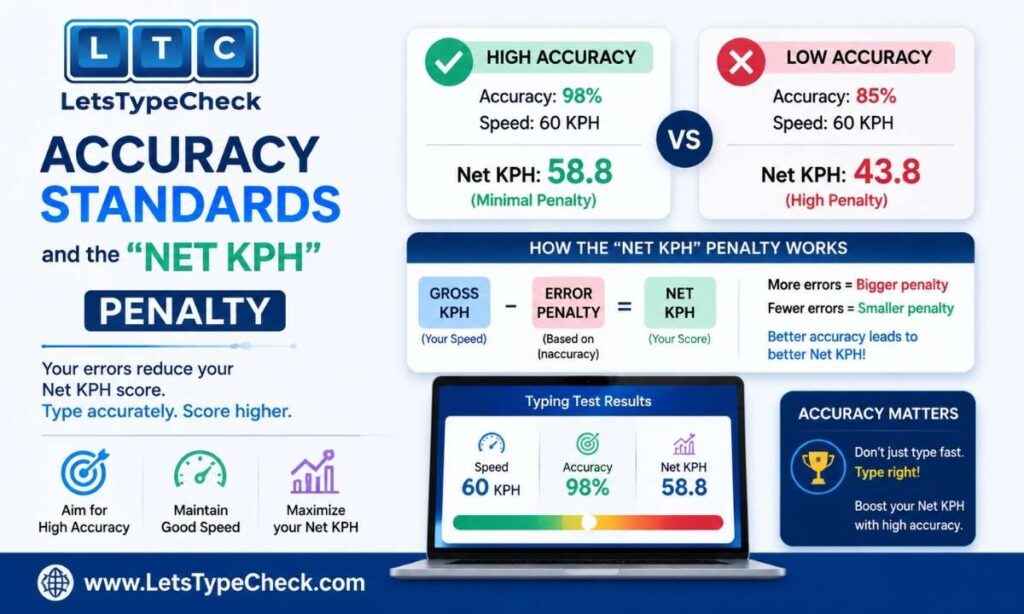
Speed alone won’t pass a pre-employment data entry test — accuracy is the real gatekeeper. Employers typically enforce a minimum accuracy rate of 98% to 99% for numeric data entry roles, and for good reason: numbers don’t carry context the way words do. A misread digit in a name is more likely to get caught on a second glance; a misread digit in an account number or an order quantity usually isn’t, until it causes a problem downstream.
Some pre-employment testing platforms (like IBM Kenexa Prove It! or CritiCall) don’t just track raw speed — they calculate a Net KPH score, subtracting a fixed penalty for every error from your final hourly rate rather than simply averaging your speed across the test. This works on the same principle as Net WPM for text-based tests, just applied to numeric volume instead of words.
The practical takeaway: a candidate who deliberately types a little slower to stay error-free will consistently outscore one who types fast but sloppy, once accuracy penalties are factored in — and it holds up in real job performance too, not just on the test.
What to expect on a real numeric data entry test
- You may be shown an image of a messy invoice or handwritten form and asked to enter the data exactly as it appears
- Some tests disable or heavily penalize the backspace key, forcing deliberate, careful entry
- Tests typically run 3–5 minutes, with software extrapolating your performance to an hourly KPH rate
Practicing with a physical document propped next to your screen — rather than staring at your keyboard or hands — closely mimics this real-world test format.
Practicing Numbers Without a Physical Numeric Keypad
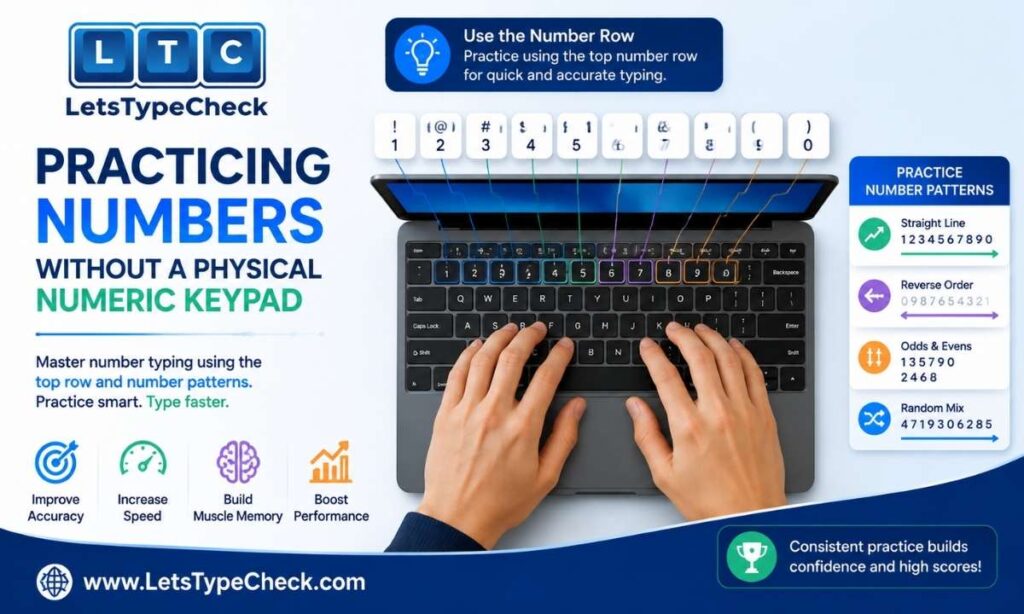
Not every keyboard has a dedicated numpad — most laptops don’t. If you’re stuck without one, you have a few options:
- Use the number row instead. It won’t get you to high KPH scores, but it’s fine for casual practice and alphanumeric typing where you’re switching between letters and digits anyway.
- Enable your laptop’s embedded numpad. Many laptops hide a numeric keypad inside the right-hand letter keys, activated with an Fn + NumLock combination — check your laptop’s keyboard for small numbers printed in the corner of keys like J, K, L, and U, I, O.
- Buy an external USB numeric keypad. If you’re actively preparing for a data entry role or government exam that tests 10-key speed, a $10–15 external numpad is worth the investment — it lets you practice on the real layout you’ll be tested on, rather than an improvised substitute.
Common Number-Typing Mistakes
Numeric typing has its own error patterns distinct from text typing — transposed digits (typing “48” instead of “84”), dropped decimal points, and skipped leading zeros are especially common under time pressure. Because a single digit error can silently pass as a “valid-looking” number, proofreading numeric entries matters even more than proofreading text. For a broader breakdown of typing errors and how to fix them, see Common Typing Mistakes and Fixes.
Practice Tips for Better 10-Key Speed
- Turn Num Lock on and train yourself not to look at the keypad
- Prioritize accuracy first — slow down until you can consistently hold 98%+ before pushing for speed
- Practice in short, focused sessions of 10–15 minutes daily rather than long infrequent sessions — speed builds within a few weeks of consistent practice
- Drill decimal points and the Enter key specifically, since invoice-style entry (amounts, dates, IDs) relies on both
- If you’re a laptop-only typist preparing for a 10-key-heavy role, invest in an external numeric keypad so you’re practicing on the actual layout you’ll be tested on
For a broader daily practice structure that applies to typing speed in general, see Typing Practice Exercises (Daily Routine), and for posture that supports long numeric-entry sessions without strain, see Keyboard Posture and Ergonomics.
A note on testing this on LetsTypeCheck: our typing test currently measures WPM, Accuracy, and Mistakes on text-based content rather than a dedicated numeric-keypad KPH mode. It’s still useful for building general speed and accuracy habits — see How to Type Faster for technique tips that carry over to numeric typing too. If you’re preparing for a government exam like SSC CGL’s Data Entry Speed Test or CPCT, which have their own specific numeric-entry formats, see our dedicated guides: SSC CGL Data Entry Speed Test and CPCT Typing Test.
FAQ
What is a 10 key test?
A 10 key test measures how fast and accurately you can type numbers using the numeric keypad on the right side of a full-size keyboard. Speed is measured in KPH (keystrokes per hour) rather than WPM, and it’s the standard skill test for data entry, accounting, billing, and banking jobs.
What is a good 10-key speed (KPH)?
Around 8,000–10,000 KPH with 98%+ accuracy is considered proficient for most entry-level data entry jobs. Specialized roles like medical billing or accounting often expect 12,000–15,000+ KPH.
What’s the difference between WPM and KPH?
WPM measures typing speed for standard text — sentences, names, addresses — across the full keyboard. KPH measures raw keystrokes on the numeric keypad and is used almost exclusively for numeric-only data entry roles.
How do I convert KPH to WPM?
Divide your KPH by 60 to get keystrokes per minute, then divide by 5 (the standard word length). For example, 12,000 KPH ÷ 60 = 200 KPM, and 200 ÷ 5 = 40 WPM.
What accuracy percentage do data entry jobs require?
Most data entry roles require 98–99% accuracy. Employers consistently prefer a slightly slower typist with near-perfect accuracy over a fast typist who makes frequent errors, since numeric mistakes are costly to catch and fix.
Can I improve my KPH without a physical numeric keypad?
Yes, though progress will be slower. You can practice on your laptop’s embedded numpad (usually activated with Fn + NumLock) or the top number row, but for serious KPH practice, an external USB numeric keypad is a worthwhile low-cost investment.
Is 10-key typing relevant if I’m not applying for a data entry job?
It’s less critical outside of number-heavy roles, but basic numeric keypad fluency still helps with spreadsheet work, accounting software, and any job involving frequent number entry — even if your official typing test only measures WPM.