
If you’ve cleared CBT-1 and CBT-2 for RRB NTPC, the typing skill test is the last thing standing between you and your railway job — and it’s the stage most candidates under-prepare for. It doesn’t add marks to your merit list, but it’s a strict pass/fail gate: score below 30 WPM in English or 25 WPM in Hindi, and your CBT performance stops mattering. Every year, candidates who cleared both computer-based tests comfortably lose their selection at this final hurdle, usually because they treated typing as a formality rather than a skill that needs its own preparation timeline.
This guide covers everything the test actually involves: which NTPC posts require it, the exact speed and error rules, how the no-backspace format changes the way you should practice, and a preparation plan built around your current typing speed rather than a fixed calendar. By the end, you’ll know exactly where you stand and what to work on next.
Which NTPC Posts Require the Typing Test
Not every RRB NTPC post involves typing. The requirement applies to a specific set of clerical and accounts roles:
- Junior Accounts Assistant cum Typist (JAA-T) and Senior Accounts Assistant cum Typist (SAA-T) — typing required in both English and Hindi
- Senior Clerk cum Typist and Junior Clerk cum Typist — typing required for daily administrative documentation
- Accounts Clerk cum Typist — typing required in Accounts and Finance departments
- Junior Time Keeper — typing required for clerical record-keeping
- Junior Stenographer and Senior Stenographer — a separate stenography test applies, with higher speed requirements than the standard typing test
- Group D positions — no typing test required at all
The typing requirement applies the same way across both the Undergraduate and Graduate NTPC recruitment cycles — it’s tied to the post you’re selected for, not to which CEN notification you applied under. Always cross-check the specific requirement against the official notification for the recruitment year you’re applying to, since post-wise requirements can shift between cycles.
Speed and Accuracy Requirements
- English typing: 30 Words Per Minute — roughly 300 words in the 10-minute test
- Hindi typing: 25 Words Per Minute — roughly 250 words in the 10-minute test
- Test duration: 10 minutes for either language
- You select one language when the test begins and cannot switch mid-test
For comparison, SSC CHSL asks for 35 WPM English / 30 WPM Hindi — five words per minute higher in both languages. If you’re already preparing for SSC alongside RRB, you’re automatically ahead on the NTPC requirement. If NTPC is your only target, it’s still worth training a few WPM above the 30/25 floor rather than aiming to just scrape past it on exam day.
How the Test Is Conducted: Exam-Day Walkthrough
Knowing the mechanics of test day removes a lot of avoidable stress:
- You’re assigned a computer with a standard keyboard at the test center — you don’t bring your own device or typewriter
- A short familiarization or trial segment runs before the actual test, letting you get comfortable with the keyboard and interface
- You confirm or select your typing language (English or Hindi) within the window RRB specifies — miss it, and the system defaults to English
- The main passage appears on screen and you type it into the given text box for the full 10 minutes
- If you finish the passage before time runs out, you can retype it from the beginning — and the retyped portion is also evaluated toward your final speed and error count
- There’s no live error highlighting during the test — you won’t see which words are flagged wrong as you type, so build habits during practice rather than relying on real-time feedback you won’t get on exam day
The No-Backspace Rule and Why It Changes Everything
Backspace, arrow-key repositioning, spell check, and AutoCorrect are all disabled during the test. Once a character is typed, it stays — there’s no going back to fix it.
This single rule is why practicing on a regular word processor or a casual typing site doesn’t transfer well to exam performance. The skill you actually need isn’t just typing fast — it’s typing forward without hesitating over a mistake you already know you made. Candidates who train exclusively with backspace enabled tend to freeze or slow down the moment they hit their first real error in a no-backspace environment, because the instinct to go back and fix it is still there. Every second spent noticing an error, wanting to correct it, and remembering you can’t is a second not spent typing the next word — and across a full 10-minute passage, that adds up to a noticeably lower final count than your typing speed alone would suggest. Practicing specifically in a no-backspace mode is what builds the muscle memory to keep moving regardless of what you just typed.
How Errors Are Calculated: The 5% Grace System
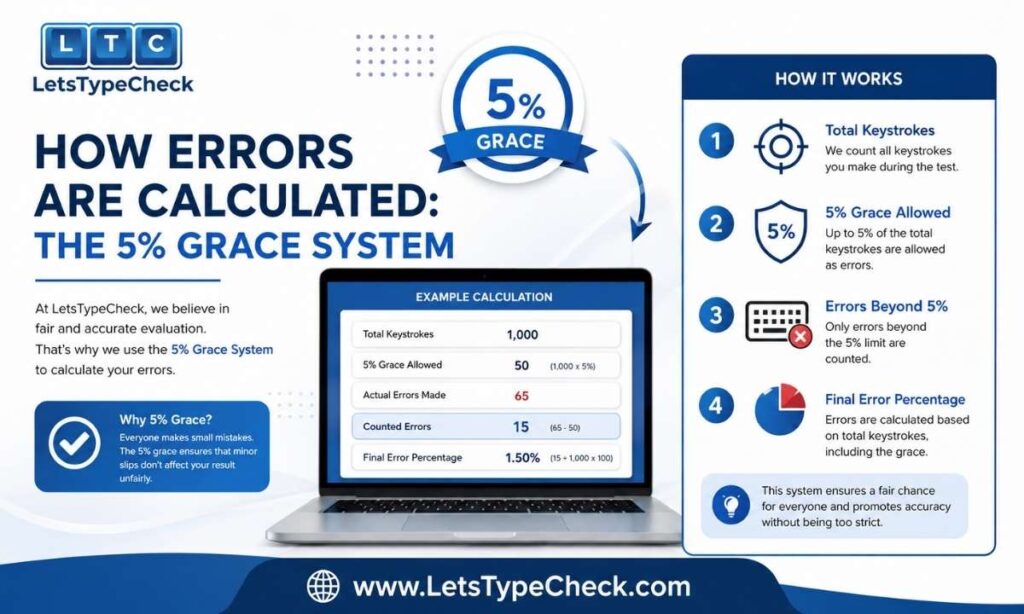
RRB’s error evaluation gives you a built-in cushion that SSC’s system doesn’t:
- The first 5% of your total typed words count as a grace allowance — errors within this amount aren’t penalized at all
- Beyond the 5% threshold, a Full Mistake — typing the wrong word, skipping a word, or adding a word that isn’t in the passage — deducts one word from your gross count
- A Half Mistake — an incorrect space, a wrong capital letter, or a missed or misplaced punctuation mark — deducts half a word
Worked example: Say you type 300 words in 10 minutes — a gross 30 WPM. Your 5% grace covers the first 15 words of error-equivalents. If you made 6 full mistakes and 8 half mistakes, that’s 6 + 4 = 10 deduction words, which falls entirely inside your 15-word grace. Net WPM stays at 30 — you pass, cleanly.
Now push it further: same 300 words, but 14 full mistakes and 10 half mistakes — that’s 14 + 5 = 19 deduction words. Grace absorbs 15 of them, leaving 4 words to deduct. Net words = 296, net WPM ≈ 29.6 — just under the 30 WPM line, and you fail despite a gross score that looked fine on the surface.
The gap between those two examples is the whole point: the grace allowance is real help, but it’s a buffer, not a target. Aiming to “use up” your grace every attempt is how borderline passes turn into fails on exam day.
Self-Check: Reading Your Own Practice Results
Most practice tools — including this one — show four numbers after each attempt: Time Left, WPM, Accuracy, and Mistakes. To translate that into a realistic RRB estimate, don’t just look at gross WPM. Check your mistake count against the 5% rule above: if your mistakes (weighted as full = 1, half = 0.5) stay under 5% of your total typed words, your net and gross scores are effectively the same. If they exceed that, your real net speed is lower than the WPM number the results screen shows you — so re-run the same passage focused purely on cutting mistakes, not on typing faster, until your gross and net numbers converge.
Mistakes the Grace Allowance Encourages
Because RRB’s 5% cushion is more forgiving than SSC’s, it creates its own bad habits if you’re not careful:
- Treating the grace allowance as a target rather than a safety net, and typing carelessly until you hit it
- Ignoring half-mistakes because they “only” cost 0.5 words each — they add up fast across capitalization and spacing slips in a 300-word passage
- Speeding up in the final two minutes to hit the word-count target, which is exactly when error rates spike
- Assuming a comfortable gross WPM guarantees a pass, without checking what the mistake count actually does to the net score
These aren’t unique to RRB — they’re the same error patterns covered in more depth in Common Typing Mistakes and Fixes, including a 7-day fix plan if any of them sound familiar.
Hindi Typing: Kruti Dev vs. Mangal Inscript
Two Hindi typing systems show up across RRB test centers, and they aren’t interchangeable — the key each letter sits on is completely different between them.
- Kruti Dev runs on the Remington layout and remains the default most coaching centers train on, so if you’ve done any institute-based Hindi typing prep, this is almost certainly your system
- Mangal Unicode pairs with the Inscript layout, which maps keys closer to how Hindi sounds are actually pronounced — easier to reason about from scratch, but a genuinely separate layout to learn if your fingers already know Remington
- A handful of newer test centers now offer Mangal Inscript as an option alongside Kruti Dev, so which one you’ll actually use can depend on where you’re allotted a seat
- Switching systems in the weeks before your test is a bad trade — the muscle memory you’d be giving up outweighs whatever theoretical advantage the other layout offers, so check your center’s supported fonts via the official RRB notification and keep training on what you already know
Practicing Railway-Specific Passage Vocabulary
RRB NTPC passages are drawn from the kind of writing a railway administrative office actually produces — safety circulars, staff notices, timetable updates, and formal service-related correspondence. Words that rarely show up in everyday typing practice appear often here: signalling, marshalling yard, divisional headquarters, gauge, buffer, track maintenance, and general manager are typical examples, alongside the formal, slightly bureaucratic tone common to government notices.
General English practice builds your base speed and accuracy, but comfort with this specific vocabulary is what prevents a mid-passage stumble on an unfamiliar word during the real test. Since a dedicated railway-passage bank isn’t something every practice tool offers, the practical fix is targeted exposure rather than a separate tool: read a few railway administrative notices or circulars before your practice sessions so the vocabulary feels familiar, then run your regular timed practice normally.
Structuring this into a broader daily routine — rather than as a one-off — is covered in more depth in Typing Practice Exercises.
A Practice Plan Based on Your Starting Speed
A single fixed calendar doesn’t fit everyone preparing for this test — someone starting at 10 WPM and someone starting at 28 WPM need very different plans. Branch your preparation by where you’re actually starting from:
Below 15 WPM: Build the Foundation
- Focus entirely on touch typing technique and correct finger placement before chasing speed
- Practice in short, low-pressure sessions using easy-difficulty passages — start with this site’s Easy mode on the 1-minute or 2-minute tests
- Don’t introduce no-backspace practice yet; get comfortable with accurate finger placement first
15–25 WPM: Build Speed Under Real Conditions
- Switch to no-backspace practice now — this is the range where the habit needs to form before it matters on exam day
- Move to Medium difficulty and extend session length toward the full 10-minute format using the 5-minute test as a stepping stone
- Start tracking mistakes specifically, not just WPM, using the 5% grace framework above
25–30 WPM: Consolidate and Push Past the Floor
- Run full-length mock attempts at Hard difficulty to build a safety margin above the 30/25 WPM requirement
- Focus practice time on eliminating half-mistakes (spacing, capitalization, punctuation) — these are usually what separates a comfortable pass from a borderline one at this stage
- Practice railway-vocabulary passages specifically, since general-text speed at this level is already close to solid
Whichever band you start in, the same principle from the SSC and CPCT preparation guides applies here: track your net WPM using the mistake formula above, not just your raw gross number, since gross speed alone can be misleading this close to the passing line.
RRB NTPC vs. SSC CHSL vs. CPCT: How the Typing Requirements Compare
If you’re preparing for more than one government typing exam, here’s how the three commonly compare:
| Exam | English Speed | Hindi Speed | Duration | Error System |
| RRB NTPC | 30 WPM | 25 WPM | 10 minutes | 5% grace, then full/half mistake deduction |
| SSC CHSL | 35 WPM | 30 WPM | 10 minutes | Full/half mistake deduction from the first word |
| CPCT | 30 NWPM | 25 NWPM (typical) | 15 minutes | Correct-word-based scoring formula |
All three disable backspace and use qualifying (pass/fail) rather than merit-based scoring for the typing stage. RRB NTPC’s grace allowance makes it the most forgiving of the three on paper, but the practical gap is smaller than it looks — RRB’s lower required speed and its grace cushion roughly offset each other against SSC’s higher speed with a stricter error system. If your target is SSC CHSL, you’re effectively over-prepared for RRB NTPC. If RRB NTPC is your only exam, training to 33–35 WPM in practice still gives you a meaningful safety margin over the 30 WPM floor.
What Happens If You Don’t Pass
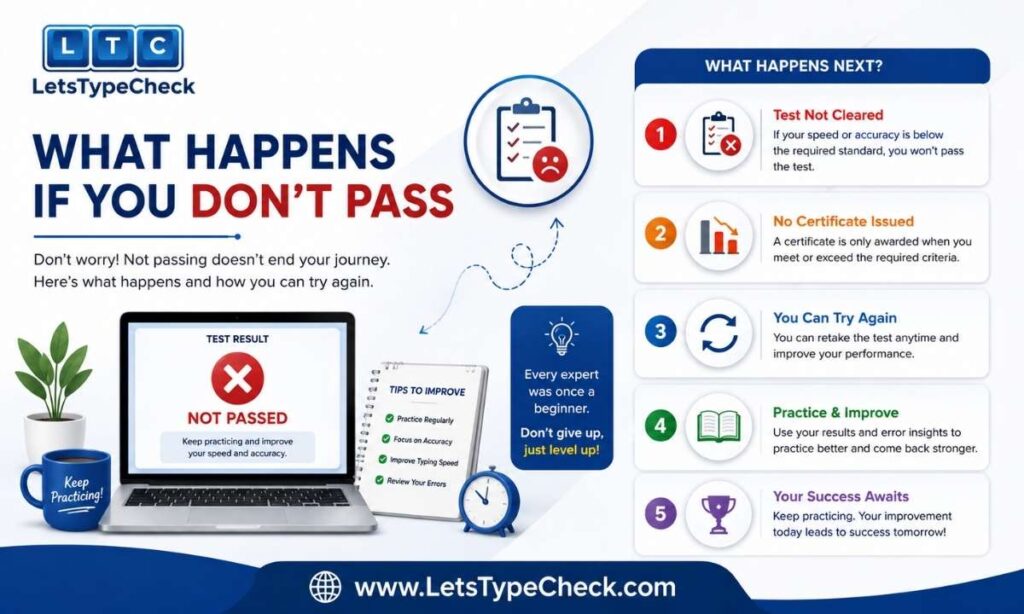
There’s no partial credit for clearing CBT-1 and CBT-2 if the typing test doesn’t go your way — a miss here means starting the entire recruitment cycle over next time around, written stages included, since nothing from this attempt carries into the next one.
This is exactly why typing shouldn’t be left until after CBT-2 results arrive. Running typing practice in parallel with your CBT preparation, even for just 15–20 minutes a day from the start, means you’re not scrambling to build 30 WPM in the narrow window between your CBT-2 result and the typing test date.
The Bottom Line
The RRB NTPC typing test rewards steady, rule-aware preparation over last-minute cramming. Know your post’s actual requirement, practice in a genuine no-backspace environment, track net WPM using the 5% grace formula instead of trusting gross speed alone, and branch your practice plan around where you’re actually starting from. Do that consistently and the 30 WPM English / 25 WPM Hindi floor stops being a hurdle and becomes a formality you clear with room to spare.
Frequently Asked Questions
Is the RRB NTPC typing test the same for Undergraduate and Graduate posts?
The speed requirement and format are the same for both cycles — the applicable posts and their WPM targets don’t change based on whether you applied under the UG or Graduate notification.
Can I choose Hindi typing if I’m more comfortable in it than English?
Yes — you select your typing language when the test begins, and either English (30 WPM) or Hindi (25 WPM) satisfies the requirement equally.
What happens if I finish the passage before the 10 minutes are up?
You can retype the passage from the beginning, and the retyped portion is also evaluated as part of your final score, so don’t stop typing just because you’ve completed it once.
Does RRB NTPC typing test require a minimum accuracy percentage, or just WPM?
There’s no separate accuracy cutoff — accuracy is factored in indirectly through the error deduction system, which converts mistakes into a lower net WPM rather than scoring accuracy on its own.
Is RRB NTPC typing test harder or easier than SSC CHSL?
RRB NTPC’s required speed is lower (30/25 WPM vs. SSC’s 35/30 WPM) and its error system includes a 5% grace allowance that SSC doesn’t have, making it somewhat more forgiving overall.
Can I switch between English and Hindi partway through the test?
No — you commit to one language when the test starts and cannot switch to the other language mid-test.