
If you’ve ever finished a typing test and stared at a number on the screen wondering what it actually means, you’re not alone. WPM — words per minute — is the single most common way to describe how fast someone types, but almost nobody explains where the number comes from or why it works the way it does. This guide breaks down the definition, the formula, a worked example, and how you can work out your own WPM without any tool at all.
What Does WPM Actually Mean?
WPM stands for Words Per Minute. In everyday language, it sounds simple: count how many words you typed, divide by how many minutes it took. In practice, typing tests don’t count real words at all — they count a standardized unit that only looks like a word.
That distinction matters because real words vary enormously in length. “I” is one keystroke. “Unconstitutionally” is nineteen. If a test scored you on actual dictionary words, someone typing short, simple text would always outscore someone typing longer, more technical text — even if both people typed at exactly the same physical speed. So the industry settled on a fixed-length substitute instead.
Where the 5-Character Standard Comes From
A “word,” for scoring purposes, is defined as five characters — including spaces and punctuation. This isn’t an arbitrary round number. Five characters is close to the average length of a common English word plus the space that follows it, so it acts as a reasonable stand-in for a real word without being thrown off by unusually long or short vocabulary.
Once every test is scored against the same five-character yardstick, two people typing completely different passages can be compared fairly. Someone typing a passage full of short words and someone typing a passage full of long technical terms end up on a level playing field, because the software isn’t counting words — it’s counting characters and dividing by five.
Quick example: “Type fast!” is 10 characters. Divided by 5, that’s 2 standardized words — even though it’s only 2 real words too, in this case by coincidence.
The WPM Formula
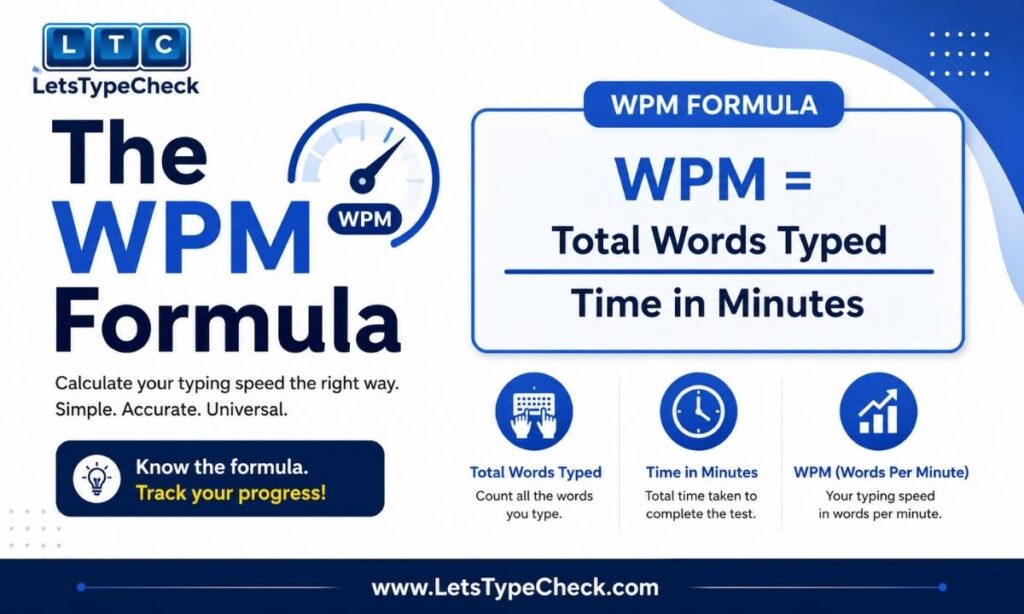
With the word standard settled, the actual formula is simple arithmetic:
WPM = (Total characters typed ÷ 5) ÷ Minutes
Worked example: You type 350 characters in one minute. 350 ÷ 5 = 70 standardized words. 70 ÷ 1 minute = 70 WPM.
If your test runs longer than a minute, the formula doesn’t change — you just divide by the total number of minutes instead of one. Typing 700 characters in two minutes still works out to 70 WPM, because the ratio of characters to time stays the same.
Gross WPM vs. Net WPM
Every typing test actually produces two numbers, even if only one is shown to you by default.
Gross WPM
Gross WPM (sometimes called raw WPM) counts everything you typed, mistakes included. It measures pure finger speed with no penalty for accuracy.
Gross WPM = (Total characters ÷ 5) ÷ Minutes
Net WPM
Net WPM takes gross WPM and subtracts a penalty for every error you left uncorrected. It’s the number that reflects how much usable, correct text you actually produced.
Net WPM = Gross WPM − (Errors ÷ Minutes)
Here’s the same test scored both ways, so the difference is easy to see side by side. Say you type 500 characters in two minutes and leave 6 errors uncorrected:
Gross WPM: (500 ÷ 5) ÷ 2 = 50 WPM.
Error rate: 6 errors ÷ 2 minutes = 3 errors per minute.
Net WPM: 50 − 3 = 47 WPM.
Notice that only three points separate the two scores here — a short test with a lot of errors gets hit harder, because each error is spread over fewer minutes. The longer the test, the smaller the visible penalty per error, even though your actual accuracy hasn’t changed.
This matters practically: most typing tests, and most employers who set a WPM requirement, are talking about Net WPM by default. A high gross score with sloppy accuracy is not the number that gets checked.
WPM, CPM, and Accuracy at a Glance
It helps to see the related metrics side by side instead of scattered across separate explanations:
| Metric | Formula | What It Tells You |
| Gross WPM | (Total characters ÷ 5) ÷ minutes | Raw finger speed — no penalty for mistakes |
| Net WPM | Gross WPM − (errors ÷ minutes) | Your usable, real-world typing speed |
| CPM | Total characters ÷ minutes | A more granular figure; WPM is just CPM ÷ 5 |
| Accuracy | (Correct characters ÷ total characters) × 100 | How clean your output is, independent of speed |
How to Calculate Your Own WPM Without a Typing Test
You don’t need a typing test website to work out your WPM — a stopwatch and a word processor are enough.
1. Open any document and start a timer at the same moment you start typing.
2. Type for exactly one minute (or any fixed length of time), then stop the instant the timer ends, even mid-word.
3. Use your word processor’s character count (not its word count) to see how many characters you typed, including spaces.
4. Divide that character count by 5, then divide again by the number of minutes you typed for.
Common mistakes to avoid: Using your software’s word count instead of character count will give you a wrong number, since real words and standardized 5-character words rarely match. Forgetting to convert seconds into minutes (30 seconds is 0.5 minutes, not 30) is another frequent error. And if you want a Net WPM figure rather than Gross, you’ll need to manually count and subtract your mistakes — most word processors won’t do that step for you.
Why Your WPM Changes With Test Length
If you’ve ever noticed your score looks different on a short test than on a longer one, that’s expected, not a bug. A very short burst — 15 or 30 seconds — tends to produce a higher number, because it captures your peak speed before fatigue, hesitation, or a tricky word slows you down. A longer test averages your speed across ups and downs, which is usually a more honest picture of how you type in practice.
We’ve written more on this if you want the full picture — see our breakdown of a 30-second burst-speed test compared with our 2-minute sustained typing test.
How This Plays Out on LetsTypeCheck
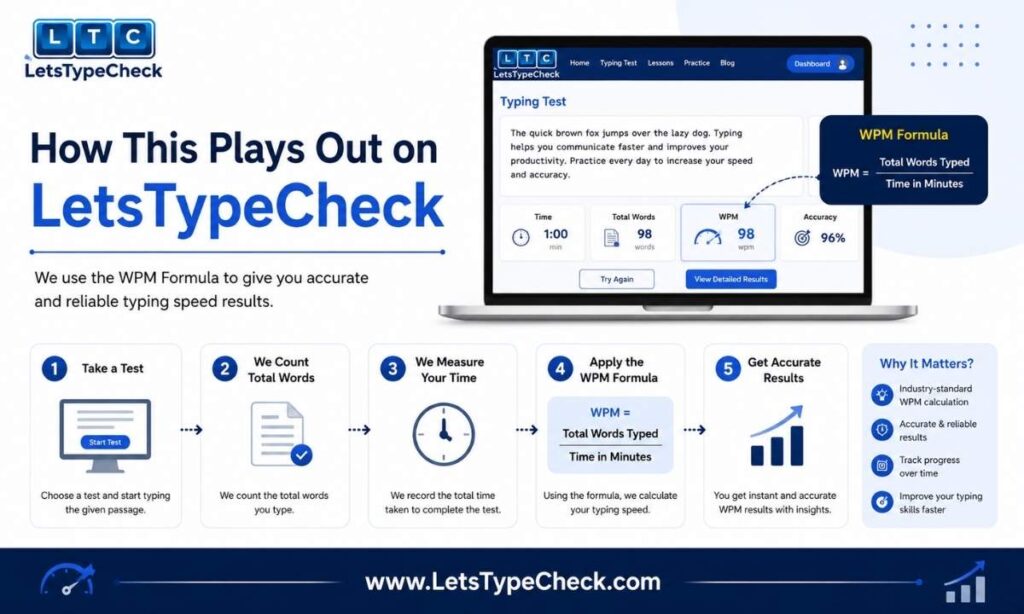
Every one of these formulas is running behind the scenes on our own typing speed test, so it’s worth connecting the theory to what you’ll actually see when you take it.
Our test scores you on Net WPM by default, so an uncorrected mistake will cost you points even if your fingers are moving quickly. You can also choose between Easy, Medium, and Hard difficulty — the difference isn’t punctuation or capitalization, it’s vocabulary and sentence complexity. Easy mode uses simple, common words; Hard mode moves into technical terms and more complex sentence structure, which naturally lowers most people’s WPM even though the formula itself never changes.
The test currently caps out at two minutes by design — most people don’t spend long stretches of time on a typing tool, so we kept the format short and repeatable rather than building out longer endurance tests.
If you want to build real speed rather than just measure it once, pair a test with our guide on how to type faster, which covers the habits that actually move your WPM over time.
What Counts as a Good WPM?
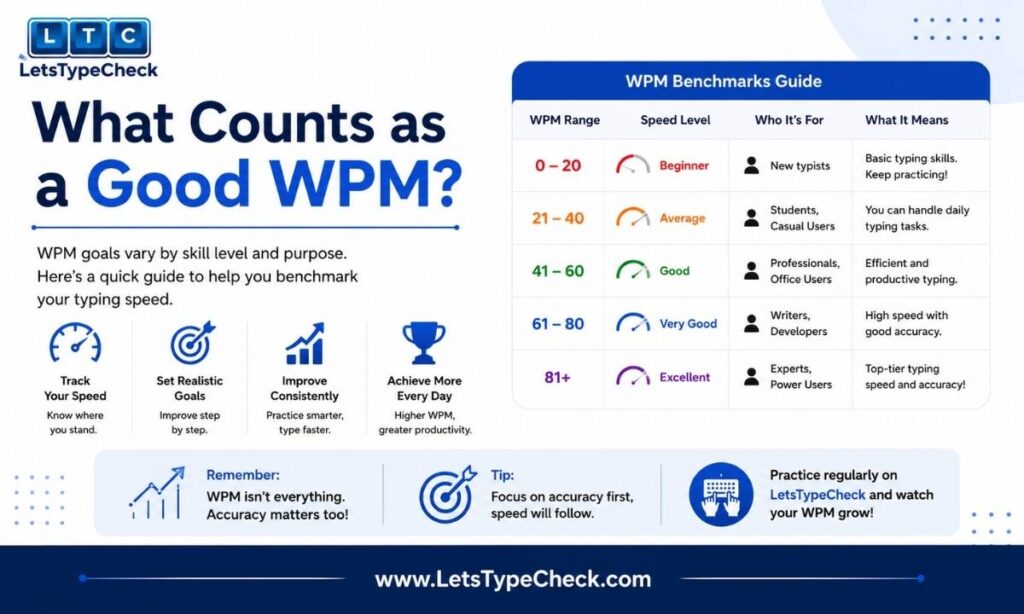
That’s a big enough question that it deserves its own answer rather than a rushed paragraph here. We’ve laid out full benchmarks by job, age, and exam requirement in our guide to what counts as a good typing speed — worth a look once you know your own number.
If you’re curious how your score stacks up specifically against your age group, we’ve also broken that down separately in average typing speed by age.
FAQ
What counts as a “word” in a typing test?
A group of 5 characters, including spaces and punctuation — not a real dictionary word. This keeps scores comparable across different texts, since real word lengths vary too much to use directly.
What’s the difference between Gross and Net WPM?
Gross WPM counts everything you typed with no penalty for mistakes. Net WPM subtracts an error penalty, so it reflects your actual usable output. Most tests and employers care about Net WPM.
Does fixing a mistake while typing hurt my WPM?
Only indirectly. The time you spend backspacing and retyping naturally slows your overall pace, but a corrected mistake isn’t penalized on top of that. Only errors you leave uncorrected at the end count against your Net WPM.
How do I calculate my WPM without an online tool?
Time yourself typing for a fixed period, count the characters you produced (not the words), divide by 5, then divide by the number of minutes. Subtract your uncorrected errors per minute if you want a Net figure instead of Gross.
Is a 1-minute test or a longer test more accurate?
A short test captures your peak speed; a longer test captures your sustained, average speed — and tends to be the more realistic number for real-world typing, since it includes the small slowdowns a short burst doesn’t.
Take the Test
Now that you know exactly what the number means, put it to work — take our free typing speed test and see your Gross and Net WPM side by side.