
An English typing test measures two things at once: how fast you type and how accurately you type. On LetsTypeCheck, you can run a free English typing test right in your browser, no sign-up required, with real-time results as soon as the timer ends. Each test session runs up to 2 minutes, which is a deliberate design choice rather than a limitation: it’s long enough to move past the first few nervous seconds and settle into your real pace, but short enough that fatigue and boredom don’t start dragging your accuracy down and skewing the result.
This guide walks through exactly how the test works, what each number on your results screen actually means, how to pick a difficulty level that matches your skill, and how WPM is calculated behind the scenes. Whether you’re checking your speed for the first time, warming up before a job assessment, or just curious how you compare to the average typist, everything you need to read your results correctly is below.
Ready to check your own speed? Take the free typing test now and come back here to make sense of your results.
Who Should Take This Test
- Job seekers who need to confirm their WPM before a data entry, admin, or clerical role assessment.
- Students and exam candidates who want a quick, no-signup way to benchmark their typing before a formal skills test.
- Anyone learning touch typing who wants a simple way to track improvement over repeated sessions.
- Casual typists who are just curious how their speed compares to the averages.
Because the test takes no more than 2 minutes and needs no account, it works equally well as a one-off check or as a habit you repeat weekly to watch your numbers climb. You can jump straight into a session on the typing test page whenever you’re ready.
How This English Typing Test Works?
- No registration or login needed — open the test and start typing immediately.
- The timer begins the moment you type your first character, not when the page loads.
- Each session runs for a maximum of 2 minutes. This cap keeps the test focused on your genuine sustained speed instead of letting long-session fatigue introduce extra typos.
- You select a difficulty level before starting, which determines the vocabulary and sentence structure of the passage you’ll type.
- Results are calculated and displayed the instant the timer runs out or you finish the passage, whichever comes first.
Understanding Your Results
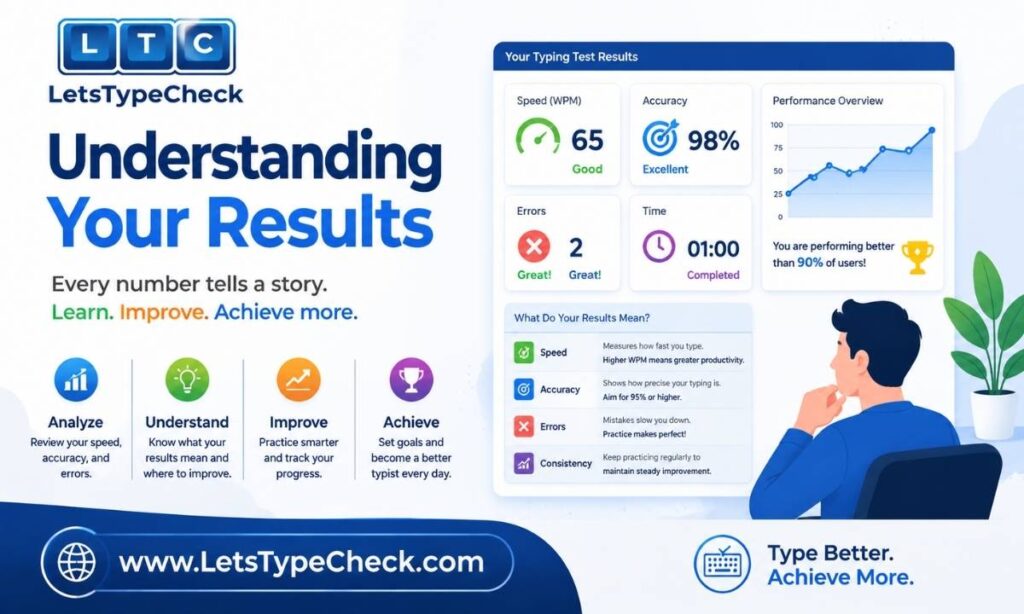
When your test ends, you’ll see four separate stats. Here’s what each one is telling you:
- Time Left – shows how much of the test duration remained when you finished. If you complete the passage early, this confirms you finished ahead of the clock.
- WPM (Words Per Minute) – your typing speed, calculated from the number of correctly typed characters in the time you spent typing.
- Accuracy – the percentage of characters you typed correctly out of everything you attempted. This is just as important as raw speed.
- Mistakes – the count of incorrect characters or words during the test, so you can see exactly how many errors pulled your score down.
These four stats give you a complete picture in one glance, without needing to dig through a separate breakdown screen. For a deeper look at how the underlying WPM number is derived, see What Is WPM?.
Choosing a Difficulty Level
Before you start, you’ll choose Easy, Medium, or Hard. On LetsTypeCheck, difficulty is driven by three things:
- Vocabulary — how common or advanced the words in the passage are.
- Sentence complexity — how long and structurally varied the sentences are.
- Technical terms — whether the passage includes specialized or less familiar words.
Difficulty is not determined by punctuation, numbers, or capitalization — those stay consistent across all three levels. This matters because it means a higher difficulty setting won’t suddenly throw symbols or digits at you; it’s testing your reading and typing fluency with harder language, not your ability to hit the Shift key.
- New to typing tests or just want a quick warm-up? Start with Easy.
- Preparing for a general skills check or want a balanced challenge? Medium is the standard choice.
- Already comfortable typing without looking at the keyboard and want to stress-test your speed? Try Hard.
For a full breakdown of what changes at each level, read our Hard Typing Test guide. If you’re just getting started, the Typing Test for Beginners page walks through your first session step by step.
How WPM Is Calculated?
Typing speed is measured using a standard convention: every 5 characters, including spaces, counts as one “word.” This isn’t about counting actual dictionary words — it’s a fixed unit that makes comparisons fair across passages with different vocabulary. To calculate WPM, the total number of correctly typed characters is divided by 5, then divided again by the number of minutes you typed.
For example, if you type 250 correct characters in 1 minute: 250 ÷ 5 = 50 words, so your speed is 50 WPM. If that same test took 2 minutes, you’d divide by 2 as well: 250 ÷ 5 ÷ 2 = 25 WPM.
Gross WPM vs Net WPM
Gross WPM counts every character you typed, including mistakes. Net WPM subtracts an error penalty, giving a truer picture of your effective speed. Pair the WPM and Mistakes stats from your results to judge both. For the full formula and worked examples, see Gross WPM vs Net WPM.
What’s a Good Typing Speed?
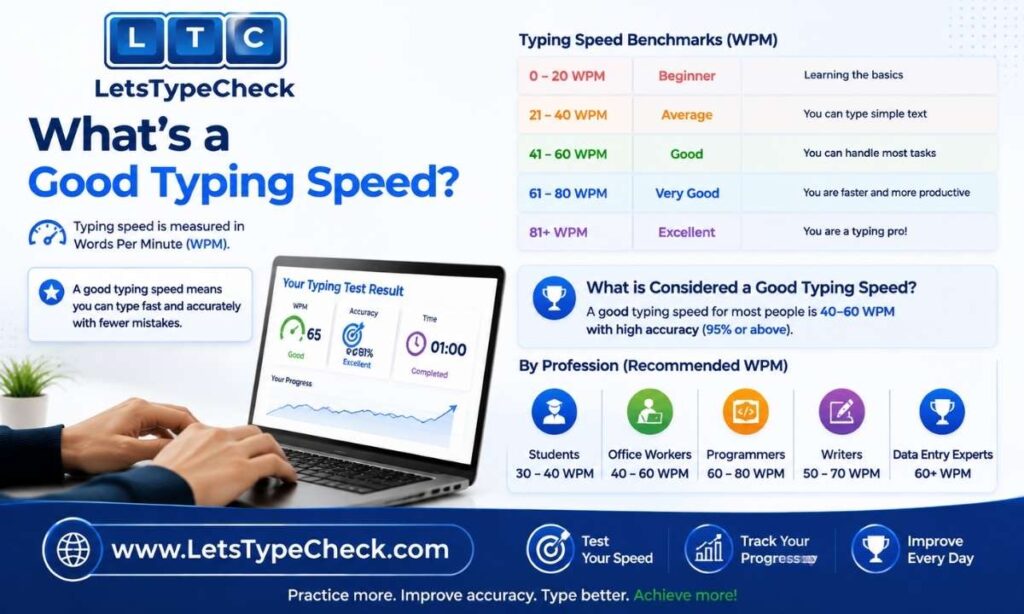
Typing speed benchmarks vary by context, but these general ranges are widely used as reference points:
| WPM Range | Typical Level | Common Context |
| Below 20 WPM | Beginner | Still learning keyboard layout; most children and absolute beginners |
| 20–40 WPM | Casual typist | Everyday typing without formal training |
| 40–60 WPM | Office-ready | Standard requirement for admin and general office roles |
| 60+ WPM | Data entry level | Typical minimum for high-volume data entry positions |
| 65–100+ WPM | Professional / advanced | Experienced touch typists and transcription specialists |
Where you land depends heavily on how often you type and whether you use proper touch typing technique. For a full breakdown by job type, age group, and exam requirement, see What Is a Good Typing Speed?.
Tips to Improve Your English Typing Speed
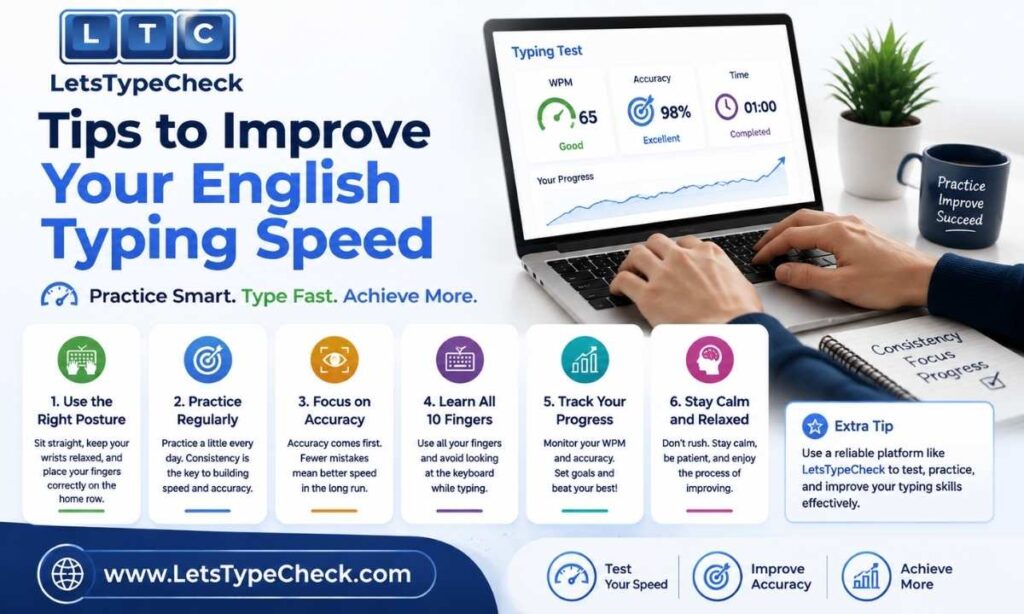
- Prioritize accuracy before speed — a slower, error-free pace beats a fast one full of corrections.
- Learn proper home row finger placement so you can type without glancing at the keyboard.
- Take a short warm-up test before a timed or high-stakes attempt; a cold start typically costs you a few WPM.
- Practice consistently rather than in occasional long sessions — daily short sessions build muscle memory faster.
- Track your WPM over multiple attempts so you can see real progress instead of judging yourself on a single test.
- Increase difficulty gradually — once your Easy-level WPM feels comfortable, move to Medium rather than jumping straight to Hard.
For a complete set of techniques, read How to Type Faster: 10 Proven Tips, and if you want to build touch typing from the ground up, start with our Touch Typing Guide for Beginners and Finger Placement for Typing guide.
Can You Take This Test on Mobile?
Yes. The test works in any modern browser, including on phones and tablets, though typing speed on a touchscreen will naturally be lower than on a physical keyboard due to the lack of tactile feedback and home row positioning. If you’re benchmarking your speed for a job application or exam that will be conducted on a physical keyboard, take the test on a laptop or desktop for a result that actually reflects your exam-day performance. Mobile is best used for quick checks or casual practice between sessions at your main keyboard.
Do You Get a Certificate?
LetsTypeCheck’s English typing test is built as a practice and self-assessment tool, not a credentialing platform — so it doesn’t generate a downloadable certificate after your test. If you’re specifically looking for what typing certificates are, when they’re actually required, and how to get one that holds up for a job application or exam, our Typing Test Certificate guide covers that in full.
You now know exactly what your results mean and how to improve them. Start your English typing test and put it into practice.
FAQs
How long is the English typing test on LetsTypeCheck?
Each session runs up to 2 minutes. This length is intentional — it’s enough time to reflect your real sustained speed without letting fatigue distort your accuracy.
Do I need to sign up to take the test?
No. The test is completely free and requires no registration, login, or personal information. Just open the page and start typing.
How is WPM calculated?
Every 5 correctly typed characters, including spaces, count as one word. Your total correct characters are divided by 5, then by the number of minutes you typed, to get your WPM.
What’s the difference between Easy, Medium, and Hard?
Difficulty changes the vocabulary, sentence complexity, and use of technical terms in the passage. Punctuation, numbers, and capitalization stay the same across all three levels.
Is there a certificate after the test?
No, LetsTypeCheck doesn’t offer a downloadable certificate. The tool is focused on practice and honest self-assessment rather than credentials.
How can I improve my WPM quickly?
Focus on accuracy first, learn proper home row finger placement, and practice in short, consistent daily sessions rather than infrequent long ones. Small, steady gains compound faster than occasional speed pushes.