
If a job posting says “must pass a typing test,” it usually means a specific number is hiding behind that sentence — and missing it by even a few words per minute can get your application filtered out before a human ever reads your resume. The good news is that WPM requirements aren’t random. They follow a predictable pattern by role: a receptionist and a medical transcriptionist are not held to the same bar, and knowing exactly where your target job falls lets you practice for the right number instead of guessing.
This guide breaks down what employment typing tests actually measure, the WPM and accuracy thresholds employers use across more than fifteen professions, the platforms companies test on, and a practice plan that uses your own test results to close the gap before test day.
What Employment Typing Tests Actually Measure
Every employment typing test reports some combination of three numbers, and knowing which one your employer cares about changes how you should practice.
- Gross WPM — your raw typing speed: total characters typed, divided by 5, divided by the number of minutes. This ignores mistakes entirely.
- Net WPM — Gross WPM minus a penalty for uncorrected errors. This is the number almost every employer actually screens against, because it reflects real, usable output rather than raw finger speed.
- Accuracy percentage — the share of characters typed correctly. Most employers set a floor here (commonly 90-95%) separately from the WPM requirement, so a fast but sloppy result can fail the test even if the raw speed looks impressive.
A candidate who types 75 WPM at 88% accuracy will often score lower on Net WPM than someone typing a calmer 60 WPM at 99% accuracy — which is why “slow down to speed up” is the single most repeated piece of advice in this space, and for good reason.
How Scoring Works: Errors, Backspace Rules, and Test Length
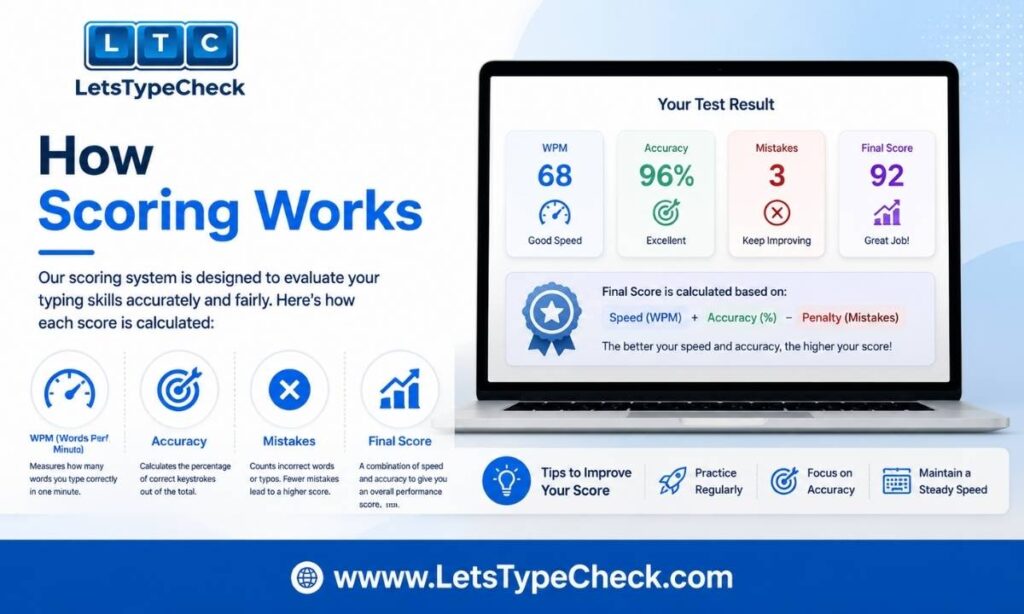
Net WPM is typically calculated as Gross WPM minus your errors per minute — each uncorrected mistake usually costs about one word off your final score. A candidate who types 70 Gross WPM but leaves 8 uncorrected errors over a 5-minute test can see their Net WPM drop into the low 60s.
Backspace policy varies by platform. Most online tests let you correct mistakes freely and only penalize what’s left uncorrected at the end. Some stricter, proctored formats — often used for government or court reporting roles — log every backspace and can flag a high correction count even when your final accuracy looks clean, so it’s worth checking the test instructions rather than assuming.
Test length matters more than most candidates expect. A 1-minute score is typically 10-20 WPM higher than the same person’s sustained 5-minute score, because the first minute is a burst, not a working pace. That’s exactly why almost no employer tests for 1 minute — most use a 3- to 5-minute format, because they’re measuring whether you can hold a pace for a working session, not how fast you can sprint.
You can see this gap for yourself by comparing your own results on a 1-minute test against a
5-minute test — and for the exact math behind why the two numbers rarely match, see the
Gross WPM vs Net WPM breakdown.
The Master WPM-by-Job Table
Requirements below are pulled together from published job postings, employer surveys, and civil-service standards across the US, UK, Canada, Australia, and India. Use “Minimum” as the floor you need to clear and “Target” as the buffer you should actually practice for — employers rarely hire at the exact minimum.
| Profession / Role | Minimum WPM | Target WPM | Accuracy Required |
| General office / reception | 40 | 50-60 | 93-95% |
| Customer service (live chat) | 45-50 | 60-70 | 95-97% |
| Customer support (email/ticketing) | 45 | 55-60 | 95% |
| Data entry clerk | 45-55 | 65-80 | 97-99% |
| Administrative assistant | 50-60 | 65-75 | 95-97% |
| Executive assistant | 65 | 75-100 | 97-98% |
| Programmer / developer | 50 | 60-80 | 95%+ (syntax) |
| Content writer / journalist | 55-60 | 65-85 | 95% |
| Accountant / financial analyst | 45 | 55-65 | 95% |
| Teacher / academic staff | 40-45 | 50-60 | 93% |
| Legal secretary / paralegal | 65-70 | 80-95 | 98% |
| Medical transcriptionist | 65-80 | 85-110 | 98-99% |
| General transcriptionist | 75 | 85-110 | 98% |
| Government / civil service clerk | 30-50 | 50-60 | 92-95% |
| Court reporter (stenography) | 180+ | 200-225 | 99%+ |
A few patterns are worth noting. Roles centered on accuracy over raw speed — data entry, medical transcription, legal work — carry the highest accuracy floors, often 98% or above, because a single wrong character in a record, a chart, or a legal document creates real downstream cost. Roles centered on responsiveness — live chat, customer support — weight speed more heavily, because reply time itself is the metric that matters to the employer. And programming is the outlier: the minimum WPM is modest because typing speed isn’t the bottleneck for a developer, problem-solving is — but accuracy with symbols, brackets, and syntax still counts.
Government & Civil Service Typing Requirements
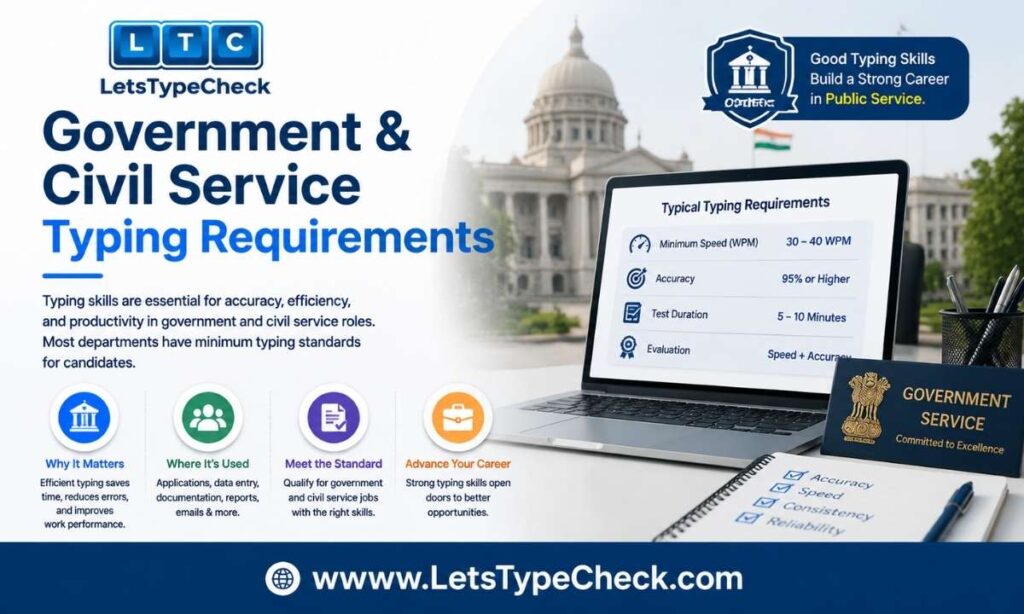
Government roles publish their minimums more consistently than private employers, but the numbers vary a lot by country and even by department.
| Country | Typical Role | Min WPM | Format |
| United States | Office Assistant (Typing), state civil service | 35-40 | 5-minute proctored exam |
| Canada | Ontario/Alberta public service clerical | 50-60 | 5-minute proctored or online |
| United Kingdom | NHS admin / civil service admin | 45-60 | Online via recruitment platform |
| Australia | APS clerical / state admin | 40-55 | Varies by state agency |
| India (SSC/UPSSSC/CPCT and similar) | LDC, Junior Assistant, Data Entry Operator | 25-35 | Qualifying skill test, pass/fail |
Indian government clerical exams are usually qualifying rather than merit-ranked — you either clear the threshold or you don’t, and the required number (often 30-35 WPM in English, lower in regional languages) is deliberately set lower than the sustained pace the job actually demands day to day. US, UK, Canadian, and Australian civil service roles tend to run higher and are frequently merit-ranked, so a candidate who clears the stated minimum by only a couple of words per minute is still at a real disadvantage against other applicants. Always check the specific exam notification — a published minimum is a floor, not a safe target.
KPH vs WPM for Data Entry & Numeric Roles
Not every data entry role is scored in WPM. Positions built around numeric input — 10-key data entry, billing, financial processing — are often measured in KPH (Keystrokes Per Hour) instead, which counts every keystroke on the numeric pad including Enter and decimal points.
- Entry-level numeric data entry: roughly 7,000-8,000 KPH at 95%+ accuracy
- Senior or specialized roles (medical billing, payroll processing): 10,000-12,000+ KPH
KPH and WPM are not directly convertible — numeric keypad input is a fundamentally different motion pattern from prose typing, so a strong WPM score doesn’t automatically mean a strong KPH score. If a posting lists a KPH requirement, practice specifically on the number pad rather than assuming your prose typing speed will transfer.
What Testing Platforms Employers Actually Use
Knowing the software ahead of time removes a layer of surprise on test day — interface familiarity (where the timer sits, how errors are highlighted, whether backspace works) has a real effect on your score independent of your underlying speed.
- Criteria Corp / Criteria Skills — widely used pre-employment assessment platform for office and admin roles
- eSkill — customizable skills testing used across data entry, admin, and customer service hiring
- Kenexa (IBM) — common in large-company and government/civil-service testing portals
- CritiCall — standard in dispatch, emergency services, and other time-sensitive typing roles
- Indeed Assessments — bundled directly into Indeed job applications for many entry-level and admin roles
- ProveIt / Berke — used by staffing agencies and larger employers for standardized skills testing
If a job posting or recruiter names the platform, look for a free practice or demo mode on that specific tool before test day — text style, font, and scoring display can all differ slightly from platform to platform, and that unfamiliarity alone can cost a few WPM.
Remote & Work-From-Home Typing Tests
Remote hiring has added a layer most typing-speed guides don’t cover: how the test itself is delivered and monitored when there’s no one in the room with you.
- Webcam-proctored tests — your camera stays on during the test; some platforms also monitor eye movement or tab-switching to flag cheating.
- Screen-recorded assessments — the test records your screen (and sometimes keystrokes) for the employer to review afterward rather than watching live.
- Take-home timed tests — you’re emailed a link with a deadline window (for example, “complete within 24 hours”) rather than being tested live, but the typing portion itself is still strictly timed once you start it.
For any of these, treat the setup exactly like an in-person test: stable internet, a quiet room, the same keyboard you practiced on, and no other tabs or notifications open. A remote test still measures Net WPM and accuracy the same way — the only thing that changes is where you’re sitting when you take it.
How to Prepare: A Practice Plan That Works
Preparation matters more than most candidates think, and a short, focused plan beats last-minute cramming every time.
1. Know your exact target. Find the stated WPM and accuracy requirement before you start practicing — training for 60 WPM when the job needs 45 wastes time, and training for 45 when it needs 60 sets you up to fail.
2. Practice at the real test duration. If the employer uses a 5-minute test, most of your practice should be 5-minute tests — a 1-minute sprint measures a different skill than sustained pace.
3. Fix accuracy before speed. If you’re below 95% accuracy, slow down by about 10 WPM and hold clean typing for a few sessions. A slower, cleaner result almost always beats a faster, messier one on Net WPM.
4. Practice with mixed content. Real employment tests often include names, addresses, numbers, and punctuation — not just simple word lists — so don’t only drill easy prose.
5. Simulate the real environment. Use the same keyboard you’ll test on, disable autocorrect, and remove distractions. Switching to an unfamiliar keyboard on test day can cost 5-8 WPM on its own.
A realistic timeline: start at least 5-7 days out. Spend the first couple of sessions establishing your accuracy baseline, the middle days building speed back up while holding that accuracy, and the final day or two simulating the exact test conditions — same time of day, same device, no warm-up immediately before you start.
Practice at Your Actual Test Duration on LetsTypeCheck
The single biggest mismatch between practice and reality is testing at the wrong duration. If your employer’s assessment is short, warm up and benchmark on the 30-second test or the
1-minute test; if it runs longer, build your stamina on the
2-minute test or the
5-minute test, since that’s the format most employment screening actually uses.
Difficulty matters just as much as duration. If your target role is accuracy-heavy — data entry, transcription, legal, or medical roles — practicing on Medium or Hard difficulty forces you to handle the varied vocabulary, punctuation, and sentence complexity that a real employer test throws at you, instead of only practicing on simple word lists that make your score look better than your real-world performance will be.
Try the Hard mode test once your accuracy is stable, and take a
free typing test today to get your current Net WPM and accuracy baseline before you start a practice plan.
The 60 Minutes Before Your Test
- 45 minutes before: a 5-minute warm-up at roughly 70% effort — the goal is to activate muscle memory, not to sprint.
- 30 minutes before: stop typing and rest your hands. Typing right up to the start of the real test leads to fatigue before the timer even begins.
- 10 minutes before: read the instructions carefully. Confirm whether backspace is allowed and how long the test actually runs. Adjust your chair and keyboard height so your wrists aren’t resting flat on the desk.
- When the timer starts: begin at about 85% of your comfortable top speed for the first 30 seconds and let your rhythm settle — a controlled start is far easier to recover from than a rushed one that produces early errors.
What If the Job Posting Doesn’t List a WPM Number?
Plenty of postings just say “typing test required” with no number attached. Rather than guessing, it’s reasonable to ask — most recruiters expect the question and read it as a sign of preparation, not weakness. A short, direct message works well:
“Hi [Name], I wanted to confirm a couple of details ahead of the typing assessment — is there a minimum WPM and accuracy threshold I should know, and roughly how long is the test?”
If you genuinely can’t get an answer beforehand, prepare to the 60 WPM / 97% accuracy range on a 5-minute test — that comfortably clears the requirement for the large majority of general office, admin, and customer-facing roles, and gives you a safe buffer for anything you didn’t anticipate.
Is a Free Typing Certificate Worth Anything to Employers?
Free online typing certificates are common, and the honest answer is that they carry limited but real weight. Most employers who genuinely care about your typing speed will still test you directly during the hiring process — a certificate from a third-party site isn’t a substitute for that. What it is useful for is signaling, early in the process, that your typing speed is unlikely to be a problem: on a resume or LinkedIn profile, it can help you stand out among applicants whose typing speed is unknown, and it can be a quick, low-effort way to confirm your own baseline before you apply anywhere. Treat it as a nice-to-have data point, not a credential that replaces the employer’s own assessment.
Frequently Asked Questions
What WPM do I need to pass a job typing test?
It depends entirely on the role. General office and admin work typically clears at 40-60 WPM, data entry usually needs 50-80 WPM with high accuracy, and specialized roles like legal or medical transcription can require 65-110 WPM at 98%+ accuracy. Check the master table above for your specific profession.
Do employers use Gross WPM or Net WPM?
Almost always Net WPM — your raw speed minus a penalty for uncorrected errors. Understanding the difference matters because a fast but error-prone result can score lower than a slower, cleaner one. See our full Gross WPM vs Net WPM breakdown for the exact formula.
Why do employers use 5-minute tests instead of 1-minute tests?
Because a 1-minute score is typically 10-20 WPM higher than your true sustained pace — it measures a burst, not a working rhythm. Employers testing for a job you’ll do for hours at a time want to know your 5-minute pace, not your best 60 seconds.
What’s the difference between WPM and KPH?
WPM measures word-equivalent characters typed and is standard for prose/document roles. KPH (Keystrokes Per Hour) measures raw keystrokes and is standard for numeric, 10-key data entry roles. The two are not directly convertible, so a strong WPM score doesn’t guarantee a strong KPH score.
Can I take an employment typing test remotely?
Yes — many employers now use webcam-proctored, screen-recorded, or take-home timed formats for remote hiring. The scoring works the same way as an in-person test; the main difference is your environment, so treat a remote test with the same preparation and distraction-free setup as an in-person one.
Is a free typing certificate useful for job applications?
It can help you stand out on a resume and confirms your baseline speed, but it doesn’t replace the employer’s own typing assessment — most employers who care about your typing speed will still test you directly during hiring.
What’s the fastest typing speed ever recorded, and does it matter for job requirements?
Not directly — world-record speeds (well over 200 WPM) are set under competition conditions that have little to do with a standard employment test. But they’re a useful reference point for how far the ceiling actually extends. See our breakdown of the fastest typing speeds ever recorded for the full history.