
Most people who want to type faster do the same thing: they open a typing test, run it once, glance at the WPM number, and close the tab. Then they wonder why that number barely moves from one month to the next.
A typing test only measures where you already are. It doesn’t teach your fingers anything new. Typing practice is different — it’s the deliberate, structured work that actually moves the number. This guide lays out a real weekly routine, built around session length, difficulty, and specific drill types, so your practice time goes toward getting faster rather than just checking in on yourself.
Typing Practice vs. Typing Tests: Know the Difference
A test is a snapshot. It tells you your speed and accuracy under timed conditions, right now, today. Practice is the work you do between snapshots to make the next one better.
Here’s the trap almost everyone falls into: they take a 1-minute typing test every single day, at roughly the same comfortable speed, and call that “practicing.” It isn’t. If you never push past your comfort zone or target a specific weakness, there’s nothing forcing improvement to happen. Your fingers already know how to hit that speed — repeating it just confirms what they already know.
In the routine below, testing has one clear job: confirming whether a week of real practice worked. Everything else is a drill aimed at a specific weakness — accuracy, a slow key, or endurance.
Step One: Know Where You’re Starting From
Before you follow any schedule, take one honest baseline test and write down the number. Don’t practice first, don’t warm up for ten minutes, don’t try again if the first attempt feels bad — just type normally and record what comes out.
Run a full typing test to get your baseline WPM and accuracy. If you’re brand new to typing tests altogether, our typing test for beginners guide walks through what to expect before you start timing yourself at all. Once you have that number, compare it against what counts as a good typing speed and, if age is a useful reference point for you, against average typing speed by age. That comparison isn’t there to make you feel behind — it just tells you which end of the schedule below to start on.
- Under 30 WPM: start with the beginner column in every session below.
- 30–60 WPM: use the intermediate column.
- 60 WPM and above: use the advanced column, and consider running two of the daily sessions back to back.
The Weekly Typing Practice Schedule
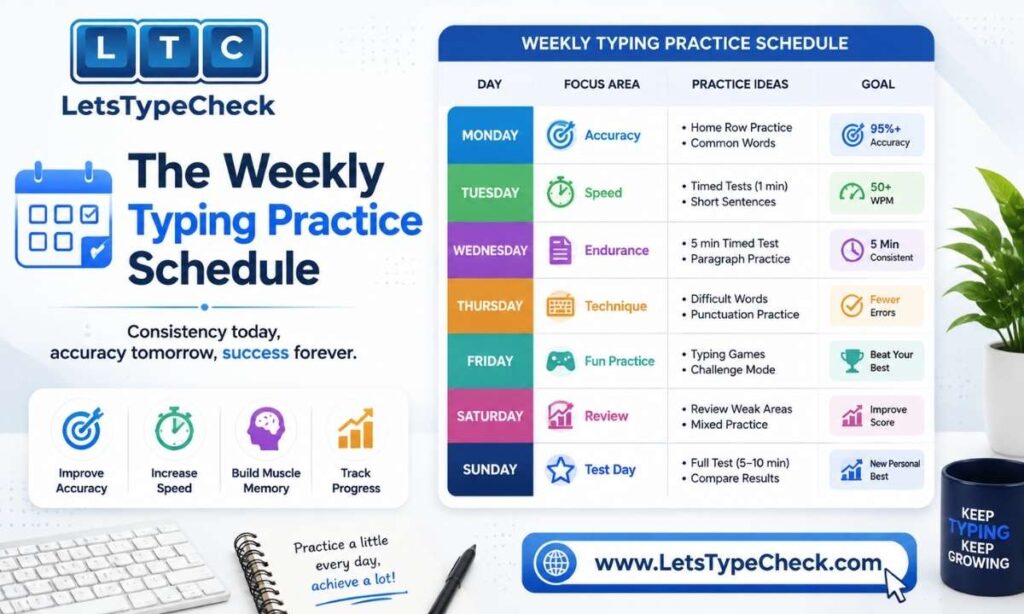
Doing the same drill every day trains one narrow skill and leaves the rest untouched. The five-day structure below rotates through fundamentals, speed, accuracy, endurance, and testing, so every part of your typing improves together instead of just one.
Day 1 — Fundamentals
- Beginner: home row only. Type A S D F J K L ; in short patterns for 4–5 minutes, then a handful of simple four-letter words twice each, without looking down.
- Intermediate: home row plus the top row combined. Type full sentences using only those two rows, holding at least 95% accuracy the whole session.
- Advanced: a clean accuracy pass. Type a short paragraph at roughly 10 WPM below your personal best and aim for zero mistakes, not maximum speed.
Day 2 — Speed Bursts
- Beginner: skip formal bursts this early. Instead, add one new row of keys and spend the session on words that combine it with the home row.
- Intermediate: six bursts of 30 seconds each at the fastest pace you can hold, with 30 seconds of rest between rounds. Note your average WPM at the end.
- Advanced: five bursts of 45 seconds, pushed 5–10 WPM above your current test average. Mistakes are fine here — the point is training raw top speed, not accuracy.
Day 3 — Accuracy Focus
- Beginner: slowly type the alphabet a few times from memory without looking at the keyboard. Accuracy is the entire goal today.
- Intermediate: pull the two keys that caused the most errors on Day 1 and drill word lists that repeat them until they stop tripping you up.
- Advanced: one focused block at 98%+ accuracy. The moment accuracy drops, slow down by roughly 5 WPM immediately rather than pushing through.
Day 4 — Real-World Paragraphs
- Beginner: copy one short paragraph from any article, slowly, once through, with no backspace.
- Intermediate: copy two or three paragraphs of ordinary content without touching backspace, keeping a steady flow through punctuation.
- Advanced: type 200–300 words of varied real content that mixes sentence lengths, punctuation, and numbers — the kind of text you’d actually type at work or in an exam.
Day 5 — Test Day
This is the one day testing is the point, not the drill. Since a single test session on this site tops out at 2 minutes by design, layer a few instead of relying on one long test: run the 30-second test for a burst reading, then the 1-minute test, then the 2-minute test, and compare the three. A wide gap between your 30-second and 2-minute numbers usually means endurance, not raw speed, is your current bottleneck — worth knowing before you plan next week.
Weekends are rest days. This isn’t wasted time — motor memory consolidates while you sleep, and typists who train five days with two full days off tend to keep improving longer than typists who grind seven days a week and stall out.
Practicing by Difficulty, Not Just by Time

Most routines only talk about session length. But if you’re always practicing at the same difficulty, a 15-minute session eventually stops challenging you no matter how long you keep doing it. This is where the site’s own Easy, Medium, and Hard modes become useful as a built-in progression tool instead of just a setting you pick once and forget.
Easy mode uses simple words and common phrases — that’s the right place to build raw finger speed and rhythm. Medium mode introduces mixed vocabulary and moderate complexity, which is where accuracy usually takes its first real hit; treat any accuracy drop here as useful information, not a failure. Hard mode brings in complex sentences and technical terms built for advanced typists, and it’s genuinely useful even if your day-to-day typing is simple — practicing on harder text raises your ceiling, so ordinary typing feels easier by comparison.
A simple rule for progressing: once you can hold 95%+ accuracy at your current difficulty for a full week, move up one level rather than just typing faster at the same level. Our Hard Typing Test guide breaks down exactly what changes between the three modes if you want the full picture before jumping in.
A Practice Routine for Government Exam Aspirants
If you’re preparing for SSC, RRB, CPCT, or a similar exam, the five-day schedule above still applies — but the scoring rules around it change what “accuracy” actually costs you. Most of these exams don’t simply subtract your mistakes one-for-one; they use grace allowances and half-mistake penalties that punish certain error types more heavily than others. Practicing without understanding that scoring system means you could be training the wrong habit.
Two things are worth building into your weekly routine specifically for exam prep. First, understand the gap between your raw typing speed and your scored speed — our Gross WPM vs Net WPM guide explains exactly how mistakes get converted into a penalty under exam-style scoring, which is different from how a casual typing test treats errors. Second, treat your Day 5 test block as a mock exam simulation rather than a casual check-in: no music, same seating, same keyboard you’ll use on test day if possible. If you’re also researching WPM requirements tied to a specific job rather than an exam, our typing test for jobs guide breaks down what different roles typically expect.
Signs Your Practice Is Actually Working
Progress in typing rarely feels dramatic day to day, so it helps to know what to actually look for instead of just staring at the WPM counter.
- Your Day 5 test numbers trend upward over 2–3 consecutive weeks, even if any single day looks flat.
- Accuracy holds steady above 95% during practice sessions, not just on easy days.
- Common words start to feel automatic — you’re not consciously thinking about individual letters anymore.
- The gap between your 30-second burst and your 2-minute sustained speed narrows over time.
- Mistakes shift from common, everyday words toward rarer or more awkward ones — a sign the basics are becoming automatic.
If none of these show up after two full weeks of consistent practice, the fix usually isn’t “practice more” — it’s changing which drill you’re leaning on. Someone who only ever runs speed bursts, for example, often plateaus until they spend a week deliberately on accuracy instead.
Common Practice Mistakes and How to Fix Them
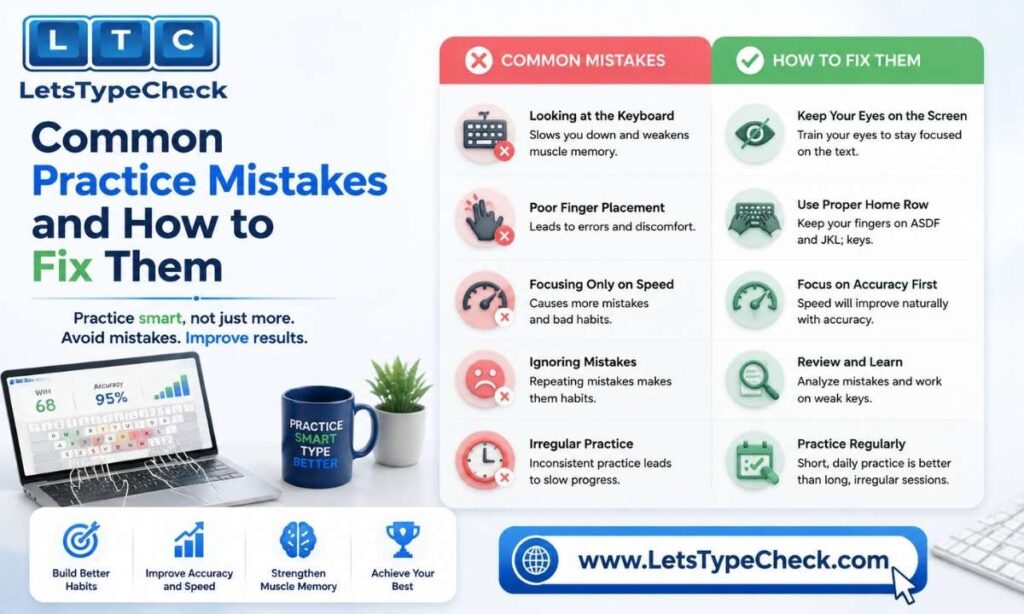
A few habits quietly stall progress without feeling like anything is wrong at the time. We cover the full list — including posture, hunt-and-peck patterns, and rushing — in our dedicated Common Typing Mistakes and Fixes guide, but the ones specific to a practice routine are worth calling out here:
- Running the exact same drill every day. If Day 2’s speed bursts feel comfortable, they’ve stopped training anything new — swap in an accuracy-only week to reset the challenge.
- Still glancing at the keyboard during practice. Covering your hands with a cloth for one full week forces genuine muscle memory instead of visual habit.
- Treating every test as a drill. A 2-minute test measures you; it doesn’t teach you anything new. Save testing for Day 5 and spend the other four days on targeted drills.
Rest Days and the Plateau Slump
At some point in almost every typist’s progress, speed stalls or even drops slightly for a week or two despite consistent practice. This is normal, and it’s usually a sign your brain is consolidating a new habit rather than losing skill. Pushing harder through a plateau rarely helps — backing off slightly on speed and tightening accuracy for a few days is what typically breaks it.
If you’re specifically working toward a milestone like 60 WPM, our How to Reach 60 WPM guide walks through what a realistic plateau looks like at that stage and how the four-part practice structure adapts once you’re closer to the goal.
Rest days aren’t a pause in this process — they’re part of it. Two full days off each week, paired with five days of varied, deliberate practice, tends to outperform daily grinding once you look at progress over a month rather than a single week.
Frequently Asked Questions
How many typing practice exercises should I do per day?
One structured session per day is enough if it’s genuinely varied — a short warm-up, a focused drill, and a brief check of your speed or accuracy. More sessions don’t help if they’re all the same drill; changing what you’re targeting matters more than adding volume.
Can I follow this routine using only a 2-minute typing test?
Yes. Since a single test session here caps at 2 minutes, endurance work comes from stacking shorter tests back-to-back on Day 5 rather than running one long test — the 30-second, 1-minute, and 2-minute tests together give you the same kind of picture a 10-minute test would on another platform.
Do I need different exercises for accuracy versus speed?
Generally yes. Speed drills reward pushing past your comfort zone even with a few mistakes, while accuracy drills reward slowing down until errors disappear. Mixing the two in the same session usually trains neither well — that’s why the weekly schedule keeps them on separate days.
How long before I see real improvement from a daily routine?
Most people see a measurable, repeatable WPM gain within 3–4 weeks of following a structured five-day routine, though the first week or so is often spent just building the habit rather than seeing numbers move. Sudden jumps are less reliable than a steady climb over several weeks.
Is it better to practice for a long session or several short ones?
Several short, focused sessions across the week consistently beat one long marathon session, mainly because motor skills consolidate during rest and sleep rather than during the practice itself. A rushed hour once a week is far less effective than 15 focused minutes most days.