
Sixty words per minute keeps coming up as *the* number to aim for — in job postings, in exam requirements, in “what’s a good typing speed” articles. It isn’t arbitrary. Sixty WPM is roughly the point where typing stops being a conscious act. You’re no longer thinking about where the letters are; your fingers just keep up with your thoughts. Below that line, most people are still translating each word into individual keystrokes in their head. Above it, typing starts to feel automatic.
That’s also why 60 WPM shows up so often as a threshold: it’s the most commonly cited minimum for office and administrative roles, it’s comfortably above what most SSC, RRB, and CPCT-style government exams in India require, and it’s the point where data entry, customer service, and general clerical work stop feeling like a bottleneck.
This guide isn’t a rigid 30-day calendar with a WPM number attached to every single day — that kind of plan looks tidy on paper but ignores the fact that everyone starts from a different place. Instead, it walks through what actually moves the needle, in the order it usually needs to happen, with realistic timeframes instead of forced ones.
Where Do You Stand Right Now?
Before setting a plan, it helps to know your actual starting point, because the path to 60 WPM looks different depending on where you’re starting from. Take a typing test to get an honest baseline, then place yourself in one of these bands:
- Under 20 WPM — You’re likely still hunting for keys, at least some of the time. The priority isn’t speed drills yet; it’s building the muscle memory of touch typing.
- 20–35 WPM — You know the keyboard reasonably well but probably still glance down, especially for less common letters or punctuation.
- 35–50 WPM — You’re touch typing, at least loosely. The gains from here come from smoothing out hesitation and fixing specific weak spots rather than relearning technique.
- 50–58 WPM — You’re close. The remaining gap is usually about consistency and accuracy under longer, less predictable text, not raw mechanics.
Knowing your band matters because the advice that helps someone at 15 WPM (learn where the keys are) is close to useless for someone at 55 WPM (who already knows where the keys are and needs something else entirely).
Is 60 WPM Actually Good?
Briefly: yes, for most purposes. It sits comfortably above the general population average and meets or exceeds what the vast majority of office, administrative, and data-entry roles ask for. It’s not an elite number — dedicated transcriptionists and competitive typists routinely work well above it — but for day-to-day professional typing, it’s a strong, practical target. For a full breakdown of what counts as good by job, age, and country, see what is a good typing speed.
How Long Does It Actually Take?
This is the part most guides oversimplify. A single fixed timeline — “30 days” or “60 days” — only applies to whoever the guide’s author happens to be. In practice, the honest answer depends heavily on your starting point and how consistently you practice.
- Starting near 0 WPM (hunt-and-peck, no touch typing): Expect several months. The first stretch is spent building unfamiliar motor patterns, and speed genuinely can’t be rushed past that stage.
- Starting around 20–30 WPM with some touch typing habits: Somewhere in the range of 2 to 4 months of regular practice is realistic for most people.
- Starting around 35–50 WPM: This is often the fastest stretch, since the fundamentals are already in place. A few weeks to a couple of months of focused practice frequently closes this gap.
- Starting at 50–58 WPM: The remaining few WPM can sometimes come in a matter of weeks, since it’s usually an accuracy and consistency problem rather than a technique problem.
None of these ranges are guarantees — practice quality matters more than practice quantity, and short, focused daily sessions consistently outperform occasional long ones.
Build the Foundation: Touch Typing Comes First
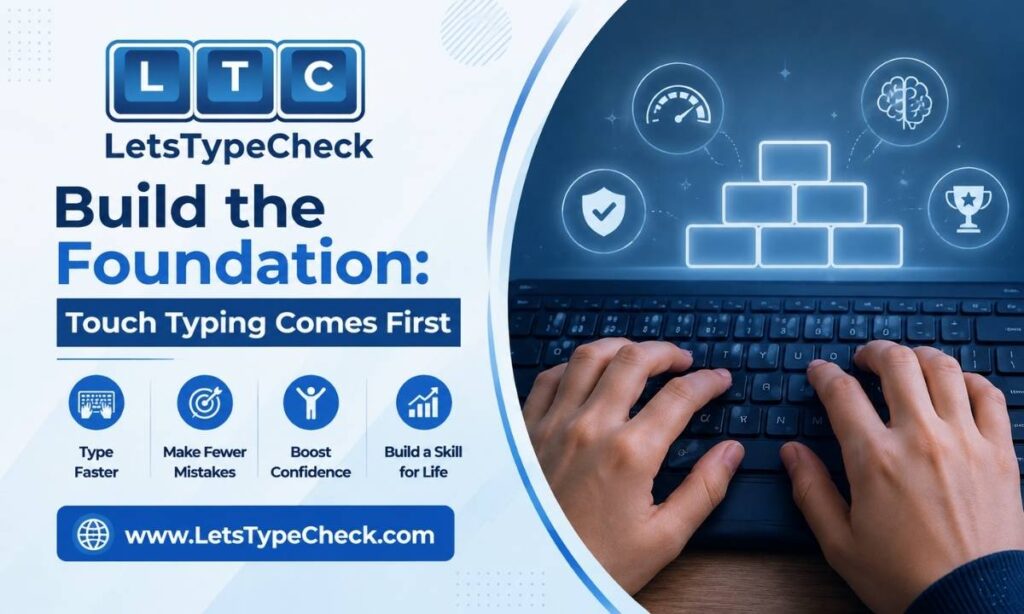
If you’re typing while looking at the keyboard, no amount of speed drilling will get you to 60 WPM in a sustainable way. Touch typing — using all ten fingers, anchored to the home row, without looking down — isn’t optional at this speed range; it’s the mechanism that makes 60 WPM possible in the first place.
If your fingers aren’t yet anchored to home row, or you’re not confident in which finger handles which key, that has to come before speed work. The full walkthrough, including the finger chart and a practice sequence, is in the touch typing guide for beginners, with a deeper dive into hand positioning in the finger placement guide. Skipping this step is the single most common reason people plateau well below 60 WPM — they’re fast at hunt-and-peck, but hunt-and-peck has a hard ceiling that touch typing doesn’t.
The Accuracy Math Nobody Explains
Here’s something most typing advice glosses over: raw speed and effective speed are not the same thing, and the gap between them is entirely about accuracy.
Say you’re typing at 60 WPM (gross — before errors are counted) but your accuracy is 90%. That means roughly 1 in every 10 characters is wrong. Each mistake isn’t free — you have to notice it, move back, delete it, and retype it, and that breaks your rhythm on top of costing time. Once you account for that, a 60-gross-WPM typist at 90% accuracy often produces *less* usable output than someone typing 55 WPM at 98% accuracy.
This is exactly what your results panel is measuring when it shows Time Left, WPM, Accuracy, and Mistakes as separate numbers after a typing test — accuracy isn’t a side stat, it’s the multiplier on your real speed. If you’re chasing a higher WPM number while your accuracy is sitting below 95%, you’re often making the actual problem worse, not better. For a deeper look at how gross speed, net speed, and accuracy interact — including how this plays out in exam scoring — see gross WPM vs net WPM.
The practical rule: if your accuracy drops below roughly 95%, slow down until it recovers before pushing speed again. Speed built on top of consistent errors just means producing mistakes faster.
A Staged Practice Plan
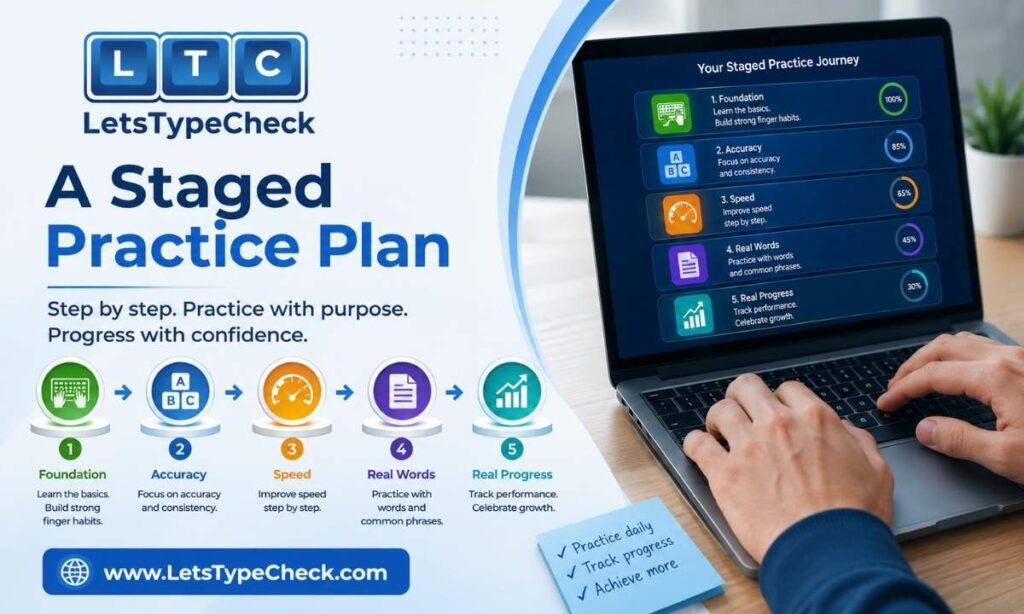
Rather than a fixed day-by-day calendar with an exact WPM number attached to every session — which rarely matches anyone’s real progress — it’s more useful to think in stages. Move to the next stage when you’re comfortable in the current one, not on a fixed schedule.
Stage 1: Foundation
Home row drills and short bursts. The goal here isn’t speed, it’s accuracy and finger placement without looking down. Short, low-pressure sessions work well — try the 30-second typing test to practice in low-stakes bursts without the fatigue of a longer session.
Stage 2: Word Fluency
Common words and short sentences, still prioritizing accuracy over speed. The typing test on Easy mode is a good fit here — simple words and common phrases let you build rhythm without the added cognitive load of unfamiliar vocabulary.
Stage 3: Sentence Flow
Full sentences and short paragraphs, where you start building the endurance to hold a pace rather than just hitting a peak for a few seconds. The 2-minute typing test on Medium difficulty works well here, since mixed vocabulary starts to resemble real-world typing more closely than simple word lists.
Stage 4: Sustained Speed
Longer sessions on harder content, aimed at proving you can hold close to 60 WPM under realistic conditions rather than just in a short sprint. The 5-minute typing test on Hard mode is the best test of this — complex sentences and technical terms are a genuinely different challenge from simple text, and holding your speed there is a much stronger signal than a fast 15-second burst.
There’s no fixed number of days for each stage. Some people move through Stage 1 in a week; others need a month. What matters is not moving on until the current stage feels comfortable, not rushed.
Why Progress Feels Slow Right Before It Clicks
If you switch from hunt-and-peck to touch typing, or you go back and fix a bad habit that’s been built into your muscle memory, expect your speed to *drop* before it improves. This is normal, and it trips up a lot of people into quitting right before the breakthrough.
What’s happening is that you’re overwriting an existing motor pattern with a new one, and for a while your brain is running both — the old habit and the new correct one — which is slower than either running on its own. This phase typically lasts anywhere from a few days to a couple of weeks, depending on how deeply ingrained the old habit was. Sticking with it through this dip is usually what separates people who plateau permanently from people who break through.
Common Mistakes That Cap People at 40–50 WPM
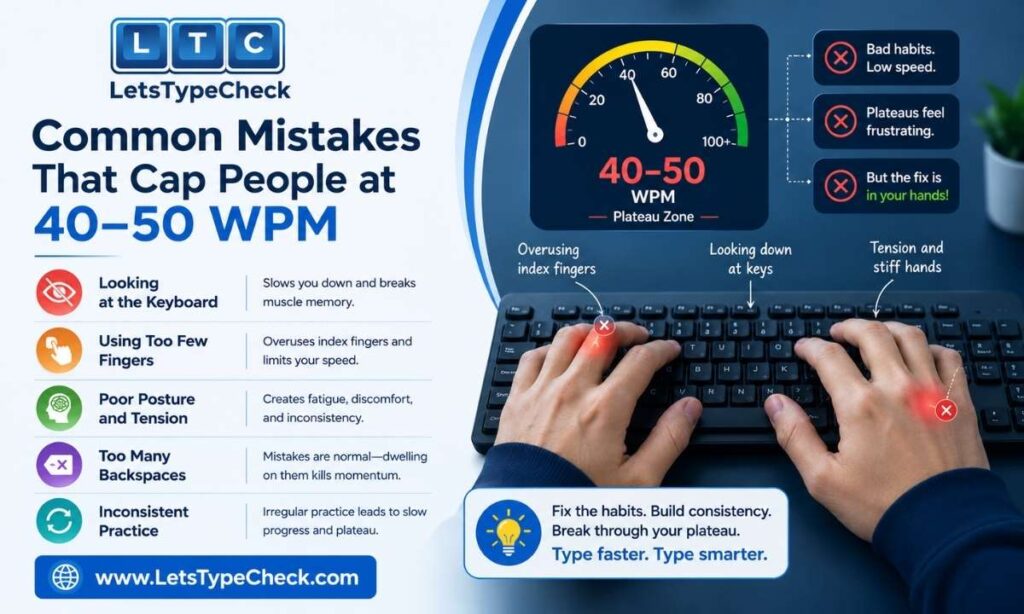
These are distinct from beginner mistakes — they’re the specific habits that tend to trap people who already type reasonably well but can’t seem to push past the mid-40s or low 50s:
- Occasional keyboard glances. Even brief, infrequent glances at the keyboard break your visual flow and stop you from reading ahead in the text — which is where a meaningful chunk of speed at this level actually comes from.
- Treating every session the same. Doing the same kind of practice repeatedly stops producing gains once your body has adapted to it. Varying test length and difficulty forces continued improvement.
- Ignoring specific problem keys. A handful of letter combinations or punctuation marks are usually responsible for most of your slowdowns and errors — but general practice doesn’t isolate them.
- Chasing speed on 1-minute tests only. Short tests can inflate your sense of your real speed, since a brief burst doesn’t reflect what happens over a longer, more varied session.
For the full breakdown of these and other typing mistakes, along with fixes for each, see common typing mistakes and fixes.
The Government-Exam Angle (SSC / RRB / CPCT)
If you’re working toward 60 WPM for an Indian government exam, there’s an important nuance that general typing advice misses: these exams don’t just measure raw speed, they apply strict accuracy penalties, and the scoring systems vary between exams. SSC, RRB, and CPCT-style tests typically use gross-vs-net WPM calculations with mistake penalties that can be harsher than they first appear — a candidate who overshoots on raw speed while missing the accuracy threshold can score worse than one typing more slowly but cleanly.
This means that for exam preparation specifically, the accuracy-first approach outlined above isn’t just good general advice — it’s directly tied to your score. For the specific WPM requirements, scoring mechanics, and accuracy thresholds across different exams, see typing test for jobs and gross WPM vs net WPM.
How to Know You’ve Actually Reached 60 WPM
There’s a real difference between hitting 60 WPM once on a short test and being able to type at that speed reliably. A lucky 15-second or 1-minute burst on easy text isn’t the same thing as sustained 60 WPM — and if you’re using your speed for a job or an exam, sustained is what matters.
A reasonable way to confirm you’ve genuinely reached 60 WPM: run it back on a 1-minute typing test a few times to rule out a one-off fluke, then check it holds up on a 5-minute typing test and on Hard mode, where complex sentences and technical vocabulary make it much harder to coast. If your speed holds up across all three, you’ve reached it in a way that will actually transfer to real typing — not just a favorable few seconds on simple text.
What Comes After 60 WPM
Once 60 WPM feels comfortable rather than effortful, it’s worth remembering it’s a milestone, not a ceiling. Many professional roles — legal secretarial work, medical transcription, competitive typing — sit well above it, and the same principles that got you here (accuracy first, staged difficulty increases, honest testing on longer and harder content) are exactly what carries you further. There’s no need to change approach, just to keep applying it at a higher baseline.
Frequently Asked Questions
How long does it really take to reach 60 WPM from scratch?
It depends heavily on your starting point. Someone starting from true hunt-and-peck typing should expect several months, since building unfamiliar motor patterns can’t be rushed. Someone who already touch types at 35–50 WPM can often close the gap in a matter of weeks to a couple of months.
Is 60 WPM good enough for a job?
For the vast majority of office, administrative, and data-entry roles, yes — 60 WPM meets or exceeds the typical minimum. Some specialized roles like medical transcription or legal secretarial work ask for more.
Do I need touch typing to reach 60 WPM, or can hunt-and-peck get me there?
Touch typing is effectively required. Hunt-and-peck typing has a practical speed ceiling well below 60 WPM for most people, because looking at the keyboard breaks the visual flow that lets you read ahead while typing.
Why does my WPM drop on longer or harder tests?
Short tests on easy text tend to flatter your speed — a quick burst on simple, familiar words isn’t representative of sustained typing on longer or more complex content. A drop on longer or harder tests is normal and simply reflects a more honest measurement of your real-world speed.
What’s a realistic accuracy target while building to 60 WPM?
Aim to keep accuracy at 95% or above. If it drops below that, it’s usually more effective to slow down and let accuracy recover before pushing speed again — errors cost more time to fix than they save.
Is 60 WPM enough for SSC/RRB/CPCT exams?
Yes, 60 WPM is well above the typical minimum for most SSC, RRB, and CPCT-style typing requirements. That said, these exams weigh accuracy heavily through mistake penalties, so a clean, accurate 55–60 WPM often scores better than a faster but error-prone attempt.