
You cleared Tier-1. You cleared Tier-2. Your marks are strong enough that you’ve already started imagining the offer letter. Then you sit down for a ten-minute typing test, the backspace key does nothing, and by the time you realize what’s happening, you’ve lost the rhythm you spent months building — along with the post.
This happens to more candidates than SSC publishes numbers on, but the pattern is well known among aspirants: candidates who breeze through the objective and descriptive stages routinely stumble at the typing round, not because they can’t type, but because they’ve never practiced under the exact conditions the exam uses. The SSC CHSL typing test is qualifying in nature — it doesn’t add or subtract marks from your final score — but failing it is final. No amount of written-exam brilliance overturns a typing test you didn’t clear.
This guide breaks down exactly what the test looks like, how fast you need to type, how mistakes are counted, and how to build the specific skill of typing accurately when you can’t fix anything you’ve already typed.
What Is the SSC CHSL Typing Test?
The SSC CHSL (Combined Higher Secondary Level) exam is conducted in stages: Tier-1 (objective), Tier-2 (objective plus a skill/typing component), and document verification. For candidates applying to certain posts, Tier-2 includes a mandatory computer-based typing or data entry skill test.
Two things matter most about how this test works:
- It is purely qualifying. Your typing test result does not add marks to your merit score and does not affect your ranking against other candidates.
- It is still a hard gate. If you don’t meet the minimum speed and accuracy threshold, you are disqualified from that post regardless of how well you scored in Tier-1 and Tier-2’s written sections.
In other words, the typing test can’t help your rank, but it can end your candidacy. That asymmetry is exactly why it deserves focused, exam-condition practice rather than casual typing on a normal keyboard with a normal backspace key.
Two Different Tests Under CHSL: LDC/JSA vs. DEO
A lot of confusion around “the SSC CHSL typing test” comes from the fact that CHSL actually runs two different skill assessments, depending on the post you’ve applied for. They are not interchangeable, and practicing for the wrong one wastes real preparation time.
| LDC / JSA Typing Test | DEO Skill Test | |
| Applies to | Lower Division Clerk, Junior Secretariat Assistant, Postal Assistant, Sorting Assistant, Court Clerk | Data Entry Operator, DEO Grade ‘A’ |
| Speed required | 35 WPM (English) / 30 WPM (Hindi) | 8,000 key depressions per hour (≈27 WPM) |
| Duration | 10 minutes | 15 minutes |
| Measured in | Words Per Minute (Net) | Key depressions per hour |
| Content | ~1,750–2,000 character English/Hindi passage | ~2,000–2,200 key-depression English passage |
If your application is for LDC, JSA, Postal Assistant, or Sorting Assistant, the 10-minute WPM-based test is the one that matters — and the one this guide focuses on. If you’ve applied for a DEO post, the rules, timing, and measurement method are different enough that you should practice specifically for the key-depression format rather than assuming your WPM-test prep transfers directly.
Exact Speed & Time Requirements
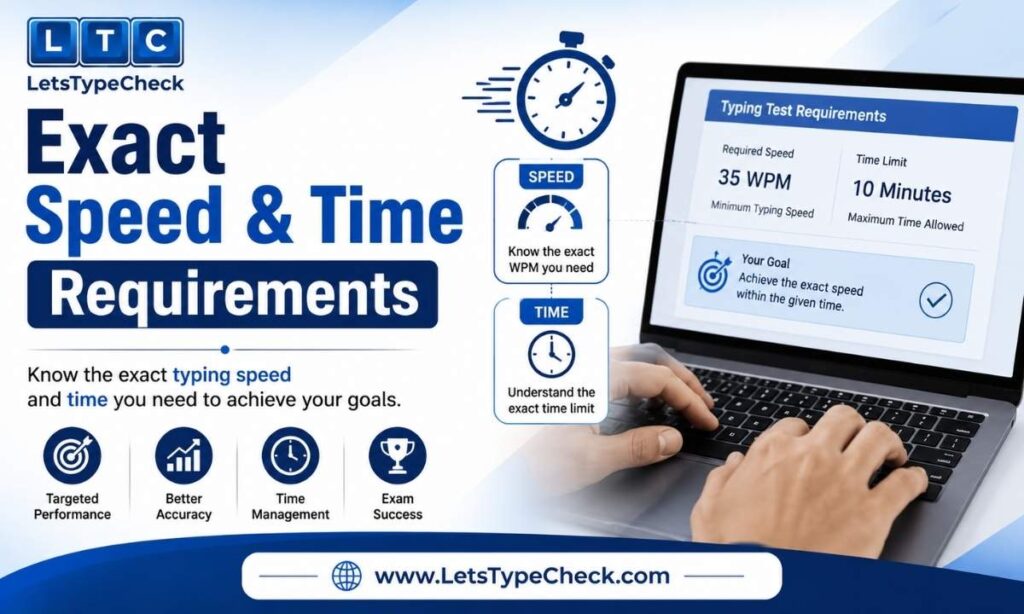
For the LDC/JSA-track typing test, the numbers are fixed and well documented:
- English medium: 35 Words Per Minute (equivalent to roughly 10,500 key depressions per hour)
- Hindi medium: 30 Words Per Minute (equivalent to roughly 9,000 key depressions per hour)
- Duration: 10 minutes
- Passage length: approximately 1,750–2,000 characters, which works out to roughly 350 words
Put concretely: to comfortably qualify, you need to type around 350 words correctly in 10 minutes, on a passage you’ve never seen before, with no way to correct a mistake once you’ve moved past it. That last part is the detail most candidates underestimate — and it’s the whole reason exam-condition practice matters more here than in almost any other part of SSC preparation.
You select English or Hindi before the test begins and cannot switch languages once it starts, so decide in advance which medium you’re strongest — and fastest — in, rather than deciding on the day.
What Gets Disabled: The Backspace Rule Explained
SSC runs the typing test on dedicated exam software, not a standard word processor, and that software strips out most of the safety nets you’re used to. Here is what is turned off during the actual test:
- Backspace key
- Delete key
- Arrow keys for cursor movement
- Cut, Copy, and Paste
- Undo and Redo
- Spell check and AutoCorrect
Whatever you type stays on screen exactly as typed — there’s no going back to reposition your cursor or patch a slip, only forward motion. This is the single biggest reason typing-test-ready candidates still fail the SSC round: normal typing, on a normal keyboard, trains you for years to catch and fix errors as you go. Take that option away mid-passage and the habit doesn’t just become useless — it actively costs you time and rhythm while you instinctively reach for a key that isn’t going to respond.
Fonts & Language Options
For English typing, the passage is displayed and typed in Times New Roman, size 12.
For Hindi typing, you choose between two font-and-layout combinations at the start of the test:
- Mangal font with Unicode Inscript keyboard layout
- Krutidev 010 font with Remington Gail keyboard layout
Which one suits you usually comes down to your background rather than which is objectively “better.” If you trained at a local typing institute that still teaches the older typewriter-style key layout, Krutidev/Remington will likely feel familiar immediately. Starting completely fresh, with no prior typing instruction to unlearn? Inscript maps keys closer to how the Hindi letters actually sound, which many first-time learners find easier to pick up. Whichever you choose, commit to it early — relearning a new layout in the final week before the exam is a self-inflicted setback worth avoiding.
How Mistakes Are Counted: Full vs. Half Mistakes
This is the part of the test most candidates misunderstand, and it’s worth understanding properly before you start timing yourself.
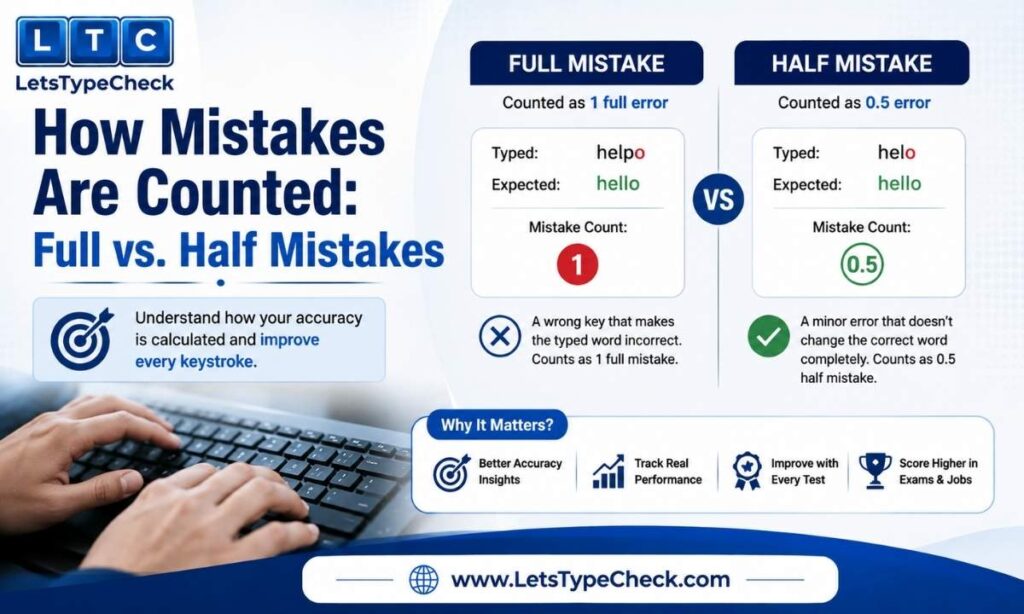
The SSC error system splits mistakes into two categories, each with a different penalty:
Full Mistake — deducts 1 full word
Occurs when you type a completely wrong word, skip a word from the passage entirely, or add an extra word that wasn’t in the original text.
Half Mistake — deducts 0.5 words
Occurs when the word itself is correct but has a formatting-level error: a missing or doubled space, wrong capitalization, or an incorrect/missing punctuation mark.
The net score is calculated as:
Net Words = Gross Words Typed − Full Mistakes − (Half Mistakes × 0.5)
Your Net WPM (net words divided by 10 minutes) must meet or exceed the required threshold — 35 for English, 30 for Hindi.
Worked Example
Take a candidate who types 380 gross words across the 10-minute passage — a gross speed of 38 WPM, already above the 35 WPM cutoff on paper. But the test log shows 8 full mistakes and 14 half mistakes.
- Full mistake deduction: 8 × 1 = 8 words
- Half mistake deduction: 14 × 0.5 = 7 words
- Total deduction: 15 words
- Net words: 380 − 15 = 365
- Net WPM: 365 ÷ 10 = 36.5 WPM — still above 35, but only just. Result: Pass, with almost no cushion.
Now take a second candidate who typed faster on paper — 410 gross words — but was careless: 22 full mistakes and 26 half mistakes.
- Deduction: 22 + 13 = 35 words
- Net words: 410 − 35 = 375
- Net WPM: 37.5 — technically a pass, but notice how close it came given how much faster this candidate typed.
Push the error count further — say 34 full mistakes and 30 half mistakes on that same 410-word attempt — and the deduction climbs to 49 words, dropping net WPM to 36.1. A handful more careless slips and this candidate, despite typing noticeably faster than the first, would have failed. The lesson holds either way: gross speed buys you very little margin once errors start eating into it. A slower, cleaner typist consistently outperforms a faster, careless one on this test.
Error Tolerance by Category
SSC applies a grace allowance for errors, calculated as a percentage of the total characters in the passage — not the total words typed. The tolerance varies by candidate category:
| Category | Error Tolerance |
| General / Unreserved | 20% |
| OBC / EWS | 25% |
| SC / ST | 30% |
For a passage of 1,750 characters, a General category candidate has room for errors across roughly 350 characters before net speed drops below the qualifying line. That sounds like a wide margin, but in practice, most failing candidates exceed it quickly — because errors compound fast when you’re typing at speed with no way to self-correct.
CHSL vs. CGL vs. RRB NTPC: Quick Comparison
If you’re prepping across multiple government exams, it helps to see how CHSL’s typing requirement compares to the other major ones, since the numbers are close enough to cause confusion:
| Exam | English Speed | Hindi Speed | Duration | Measured By |
| SSC CHSL (LDC/JSA) | 35 WPM | 30 WPM | 10 minutes | Net WPM |
| SSC CHSL (DEO) | ≈27 WPM | — | 15 minutes | Key depressions/hour |
| SSC CGL (DEST) | ≈26–27 WPM | — | 15 minutes | Key depressions |
| RRB NTPC | 30 WPM | 25 WPM | 10 minutes | Net WPM |
The takeaway: CHSL’s LDC/JSA typing test asks for slightly more speed than RRB NTPC, in the same 10-minute window, with the same backspace-disabled restriction. Practice built for one transfers reasonably well to the other, but don’t assume the exact WPM targets are identical.
Why the No-Backspace Rule Trips People Up (and How to Train for It)
The instinct to press Backspace when you see an error is deeply automatic — most people have typed with the ability to self-correct since childhood. When that key stops working, two things happen in quick succession: you waste a fraction of a second pressing a key that does nothing, and you lose your typing rhythm trying to process the fact that the mistake is now permanent. That rhythm loss costs far more time than the mistake itself.
The fix isn’t a trick — it’s exposure. You need to practice, repeatedly, in an environment where correction genuinely isn’t possible, so that your fingers stop reaching for a key that won’t respond. Trying to “just be more careful” on a normal keyboard where backspace still works doesn’t build the same reflex.
If you’re building this specific skill, practicing in a mode that removes backspace entirely — rather than just avoiding it voluntarily — trains the habit far faster than self-discipline alone.
Building 10-Minute Stamina Using Shorter Practice Tests
Ten minutes of sustained, error-free typing is a different skill from a quick one-minute burst — pace management and fatigue both start to matter. Rather than jumping straight into full 10-minute mocks, build up through shorter, timed sessions first: start with a 30-second typing test to sharpen burst accuracy, move to a 1-minute typing test to establish a stable baseline WPM, then a 2-minute typing test to check whether your accuracy holds as the passage gets longer. Once you can hold 40+ WPM at 95%+ accuracy across a 2-minute session, stacking that up to a full 10-minute mock becomes far less intimidating.
Once the basics are solid, switch on our Hard difficulty mode occasionally. It won’t replicate SSC’s exact passage style, but typing complex vocabulary and sentence structures under pressure builds a margin — so the comparatively simpler general-topic passages SSC uses feel easier by contrast on exam day.
What Happens If You Fail
Because the typing test is qualifying, failing it means you are not considered for that post — full stop — even if your Tier-1 and Tier-2 written scores were strong enough to rank well on merit. Your candidacy for that particular post ends at this stage.
Whether a re-examination or second attempt is offered depends on the specific recruitment cycle and any technical issues on exam day (server errors, keyboard malfunctions, and similar center-side problems have occasionally led to re-tests for affected candidates in the past). This is decided case by case through official SSC notices — it is not a standing right you can plan around. The only preparation strategy that doesn’t depend on hoping for a second chance is walking in with a comfortable speed margin the first time.
A Structured Practice Plan
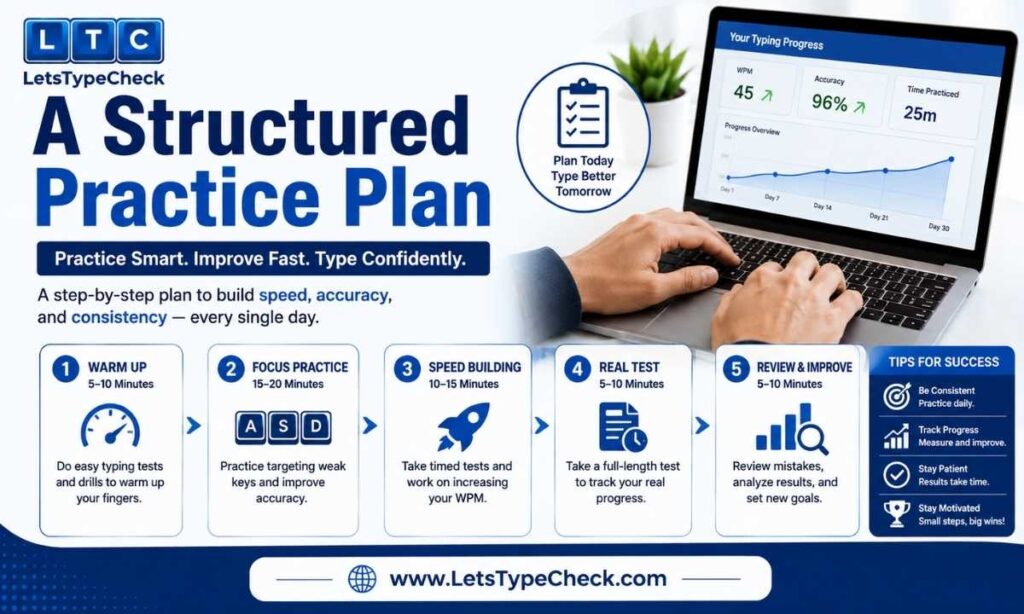
A structured runway works far better than last-minute cramming, because the skill you’re building — accurate typing with zero correction — takes real repetition to become automatic.
A workable way to structure this is around four broad phases rather than a fixed weekly script, since candidates start from different baselines:
- Foundation phase — Ignore speed entirely and type slowly enough that mistakes become rare. The goal here isn’t a WPM number; it’s proving to yourself you can finish a passage with almost nothing to correct.
- Speed-building phase — Once accuracy feels stable, start nudging pace upward in small increments, re-checking your error count each time you push faster. If errors creep back in, dial the speed back down before continuing.
- Exam-condition phase — Switch to backspace-disabled practice specifically, on passages you haven’t seen before, so the restriction itself stops feeling unfamiliar.
- Full-mock phase — Run complete, untimed-warmup-free 10-minute sessions daily, and actually read back your error log after each one instead of just checking the final WPM number, since the pattern of mistakes matters more than the score.
Most candidates starting from a genuine beginner level need six to eight weeks moving through these four phases; someone who already types comfortably at 30+ WPM on a normal keyboard may compress this into three or four.
Rather than a rigid daily calendar, map these phases onto our site’s own difficulty modes: stay on Easy mode through the foundation and early speed-building phases to build clean accuracy on simple vocabulary, shift to Medium as your pace climbs, and use Hard mode in the final stretch so the real SSC passage feels manageable by comparison. If you want a broader foundation before narrowing into SSC-specific drilling, our guide to typing faster and good typing speed benchmarks article are useful starting points.
One habit worth building deliberately: read a few official notices, circulars, or newspaper editorial paragraphs before your practice sessions. SSC’s passages tend toward that register — full sentences, properly placed commas, capitalized titles and proper nouns — rather than the shorter, looser style of casual writing or chat messages. If most of your practice material has been informal text, your punctuation instincts may not match what the exam expects, and that gap tends to show up first as half-mistakes. If that’s a recurring pattern in your error log, our common typing mistakes and fixes guide covers targeted fixes for exactly this pattern, and our Gross WPM vs. Net WPM explainer breaks down why raw speed alone won’t get you through a test scored on net words.
Exam-Day Checklist
- Bring your admit card and a valid government photo ID — you won’t be allowed to sit for the test without both.
- Confirm your chosen language (English or Hindi) and, for Hindi, your font/layout choice — decide this well in advance, not at the centre.
- Use the two-minute demo window before the actual test to check that the keyboard responds normally and the passage font renders clearly. Type a few test lines specifically to confirm the Space and Enter keys work as expected.
- Practice your target speed one to two days before the exam — not the night before. Typing performance, the day after heavy last-minute practice is often worse, not better.
- Arrive early enough that you’re not rushing into the test room, since starting the actual 10-minute window while still mentally rattled costs real accuracy.
If your target role has a formal WPM requirement listed in the notification, it’s worth double-checking against our broader typing speed requirements for jobs guide, which covers how government and private-sector typing benchmarks compare.
The Bottom Line
The SSC CHSL typing test doesn’t reward the fastest typist in the room — it rewards the candidate who can hold a comfortable, accurate pace for ten uninterrupted minutes with no way to undo a mistake. That’s a specific, trainable skill, not a talent you either have or don’t. Build it with structured, backspace-disabled practice well ahead of exam day, aim for a genuine safety margin above the 35/30 WPM threshold, and the typing round stops being the stage where strong candidates unexpectedly lose everything they worked for.
FAQs
Is the SSC CHSL typing test hard to pass?
Not inherently — 35 WPM in English (or 30 WPM in Hindi) is a moderate speed that most people can reach with a few weeks of focused practice. What makes it feel hard is the backspace-disabled format, which most candidates have never trained under before walking into the exam. The difficulty is almost entirely about unfamiliarity with the format, not raw typing ability.
Can I choose English if I’m more comfortable in Hindi, or vice versa?
Yes. You select your medium — English or Hindi — before the test begins, and you can pick whichever you’re faster and more accurate in. You cannot switch languages once the test has started, so make this decision during your preparation, not on exam day.
Does the SSC CHSL typing test affect my final merit rank?
No. The typing test is purely qualifying — it doesn’t add or subtract marks from your Tier-1/Tier-2 score or affect your ranking against other candidates. However, failing it disqualifies you from that post entirely, regardless of how well you scored elsewhere.
What’s the difference between the CHSL typing test and the CHSL DEO skill test?
The LDC/JSA typing test is a 10-minute, WPM-based test (35 WPM English / 30 WPM Hindi). The DEO skill test is a separate 15-minute assessment measured in key depressions per hour (8,000 KDPH, roughly 27 WPM) rather than words per minute. They apply to different posts, so check which one your applied post actually requires.
How many words do I actually need to type in the 10 minutes?
To comfortably clear 35 WPM, you need roughly 350 correctly typed net words across the 10-minute passage, after mistake deductions are applied. Practicing toward 40–45 gross WPM gives you a buffer for the errors that inevitably happen under exam pressure.
Will using a different keyboard on exam day affect my speed?
It can. Many candidates practice exclusively on their own laptop keyboard and then sit the exam on an unfamiliar desktop keyboard at the test center, which can quietly cost a few WPM. Practicing periodically on a different physical keyboard, and always using the exam center’s two-minute demo window to get a feel for the keys before the timer starts, reduces this risk.
What if I make a mistake I can’t fix — should I try to slow down and be extra careful?
Slightly, but not dramatically. Slowing down too much to avoid any errors often costs more net WPM than a controlled pace with a small, manageable number of half-mistakes. The 20–30% error tolerance (depending on category) exists precisely because SSC expects some mistakes. Aim for a steady, sustainable rhythm rather than either reckless speed or overcautious crawling.